

 firebase
Firebase Authentication signInWithRedirect using GitHub on Android causes session storage Error in some case
Environment
- Operating System version: Android 12
- Browser version: Brave 1.43.90, Chromium 105.0.5195.102, Chrome 105.0.5195.79
- Firebase SDK version: 9.9.0
- Firebase Product: auth
[REQUIRED] Describe the problem
On this website, there's Firebase Auth signInWithRedirect using GitHub.
iPhone works well. Some Android works well also.
Android Firefox still works well.
But some of Android and using Chrome and Brave, it causes this error below.
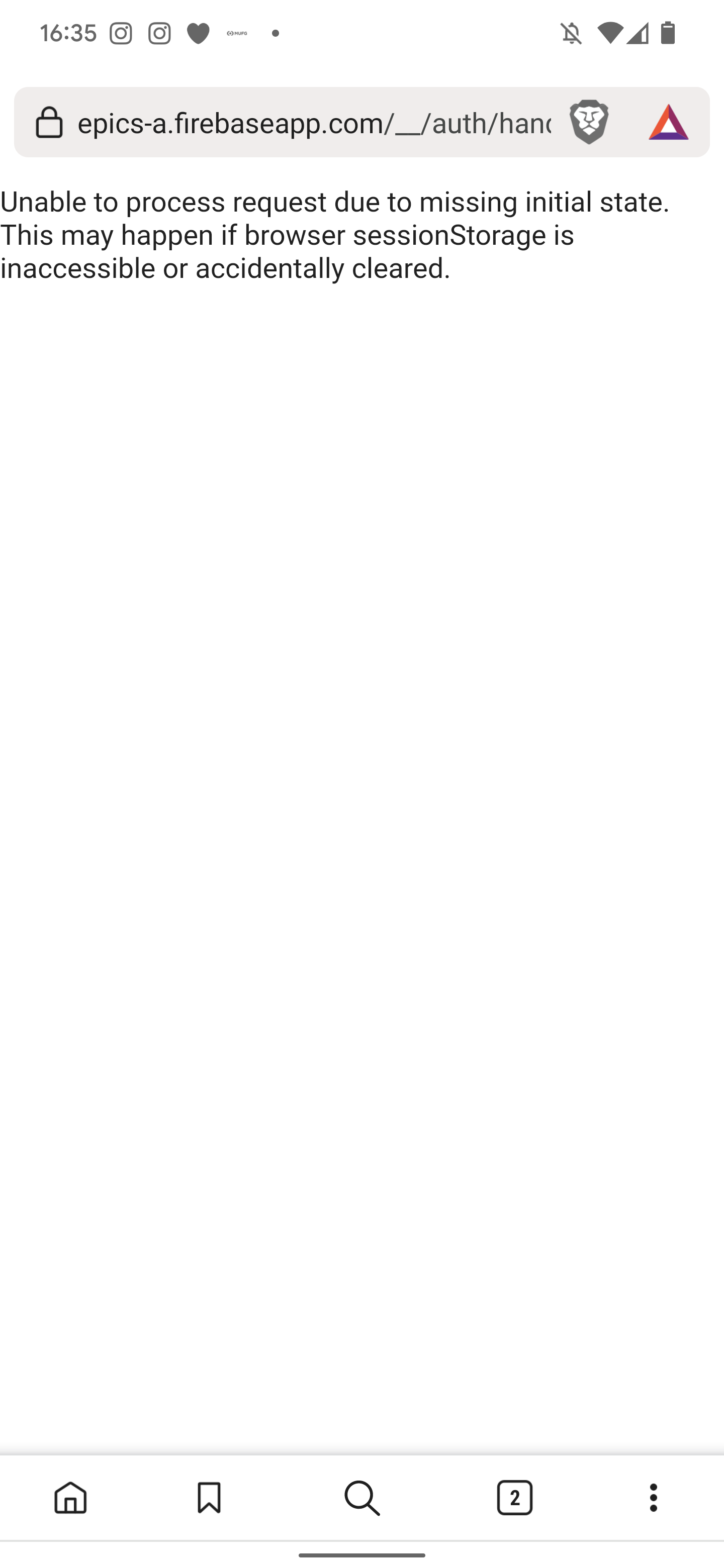
When the app executes signInWithRedirect, Android Chrome and Brave show like
What browser do you want to use?
And after choosing, that screenshot error happens.
It makes a new tab and I think that's why it can't access to initial storage?
Is there some way to stop choosing browser and let the browser redirecting on same tab?
Does anyone know about this case? Please let me know if you have any information about it.
Thank you always.
Have a good day!☀

Hi, thanks for filing this. What environment is your app running in? The fact that it's prompting which browser to use indicates it's coming from an app? Are you using Cordova?

Hey @KishiTheMechanic. We need more information to resolve this issue but there hasn't been an update in 5 weekdays. I'm marking the issue as stale and if there are no new updates in the next 5 days I will close it automatically.
If you have more information that will help us get to the bottom of this, just add a comment!

Hi. How are you? Sorry for the late response for it.
This is happening in my Android environment. I changed it to popup signin also but it's still happening.
My Firefox on Android seems no problem. But if I use Chrome and Brave with Android, this problem is happening.
The application is this.
https://alpha.epics.dev
Hi @KishiTheMechanic, are users accessing the web app https://alpha.epics.dev/ directly from the android browser and seeing the session storage error?

Hi @prameshj, no, when users sign in with github account, the app redirect to https://alpha.epics.dev/ and seeing the session storage error. This workflow is working on Android Firefox.
This seems like some custom Chrome setting. Is this using Chrome incognito? It is possible that Brave browser's privacy policy are disallowing the session storage access.
Not using Chrome incognito. Do you know what is the setting? Someone can use it even on Brave so maybe you're right but we don't know which is the setting.
It likely has to do with the cookie settings (https://support.google.com/chrome/answer/95647). While Firebase Auth web sign in doesn't use cookies, it does rely on an intermediate page (the one you're seeing here) and sometimes web (session) storage access is blocked as well due to cookie policy. But backing up a little bit, can you clarify a couple of things?
- In the first post, you mentioned that the user is prompted to select a browser (emphasis mine):
When the app executes signInWithRedirect, Android Chrome and Brave show like What browser do you want to use?
Is the user not running your app from within the browser already? Is it a progressive web app? What frameworks are you using for the app?
- Does the GitHub login page show, or are you shown this error before you even get to the GitHub login page?
-
The user running our app already. It's not PWA. I use Next.js (React). The app will redirect to the auth page and redirect back to our page. But when the redirects back, the browser asks us to choose browser apps. After I choose whatever, this error will be happened.
-
the GitHub login page is working. The problem will occur after the login and when redirecting.
Any update on this? Facing the same issue while using signInWithPopup with GithubAuthProvider

I tried this with native Samsung phone browser and it works fine. Probably looks like an issue with android mobile chrome browser. I think that the chrome browser asks to select a browser to open the redirected link. And when that link gets opened in another tab in chrome, it loses the state. Not sure how to navigate through this issue on chrome. For now, the auth is impossible on android mobile chrome.
I had this issue recently on firefox and clearing my browser data resolved it leading me to think it might be corrupted session data, but that's just a guess. Unrelated, I also had to add an exception to firefox's tracking protection which I think is related to issue 6443. This all happened after a browser update.
