

 ficool2
[Bug, 8860, L4D2 w/ CSGO H++] Random materials in Material Browser appear black
In the material browser some materials appear black, and nothing in the vmt indicates anything that can be causing it. The materials that appear black are different every time you launch H++. The materials that appear black properly show up in the 3D viewport, they are only black in the Material Browser. Additionally, if you select a brush using one of these blacked out textures in the Face Edit Sheet, the texture that's shown is the last material that you've selected via Face Edit Sheet that isn't black inside the Browser, if you can understand what I'm saying. Here's a screenshot showing the issue, with the materials in the browser and their vmt contents color coded.
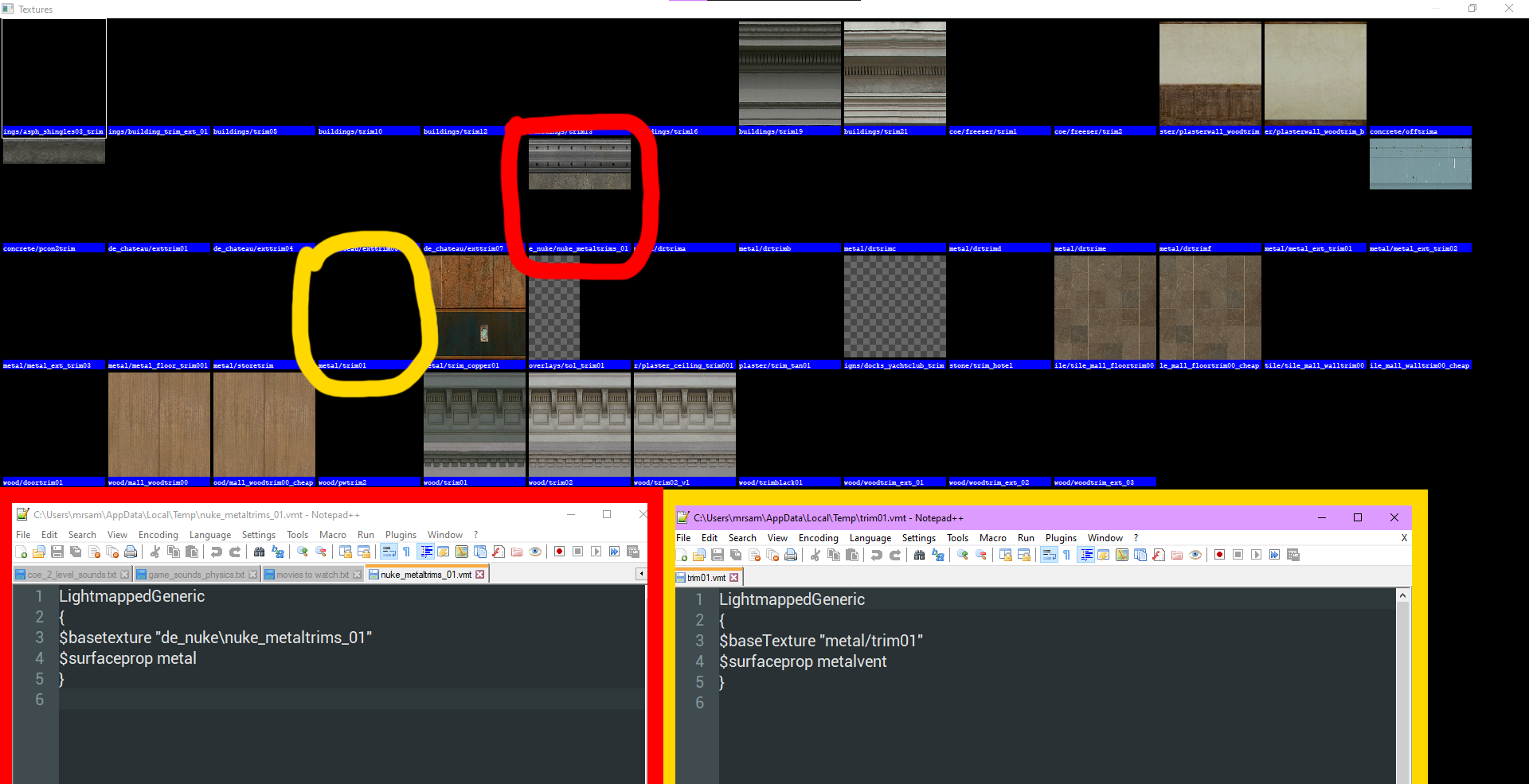
The only thing different in these vmts aside from the obvious vtf path is the surfaceprop, but that is not what's causing the issue. This could be because L4D2 is not properly supported, but I am reporting it anyway.
