

 ficonsulting
Add support for Microsoft R Open and Intel MLK installations
RInno does not currently support non-standard versions of R, but it would be useful if some computationally intensive apps could use these distributions instead of CRAN's version of R.

Thanks for replying but even after I changed the MRO to Normal R it still doesn't run
I tried
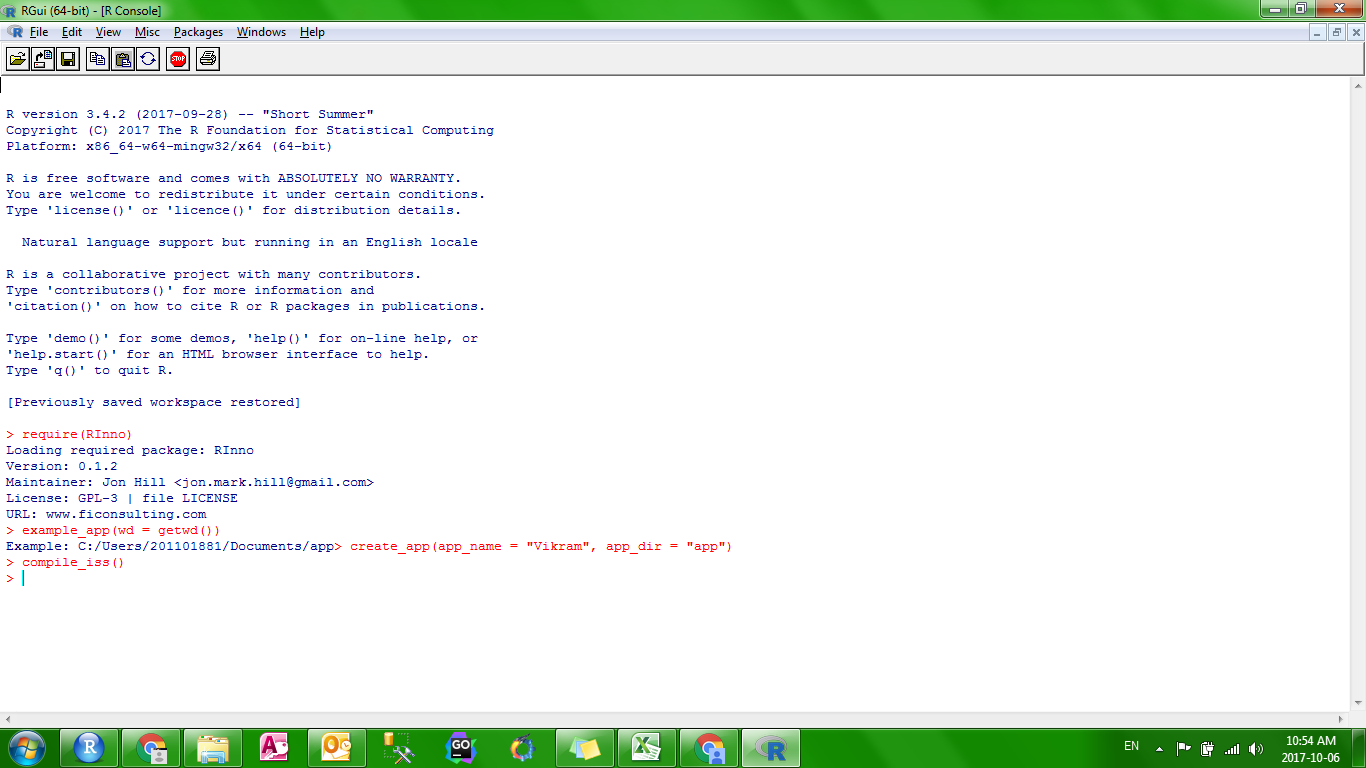
I still get the Same error after I install it
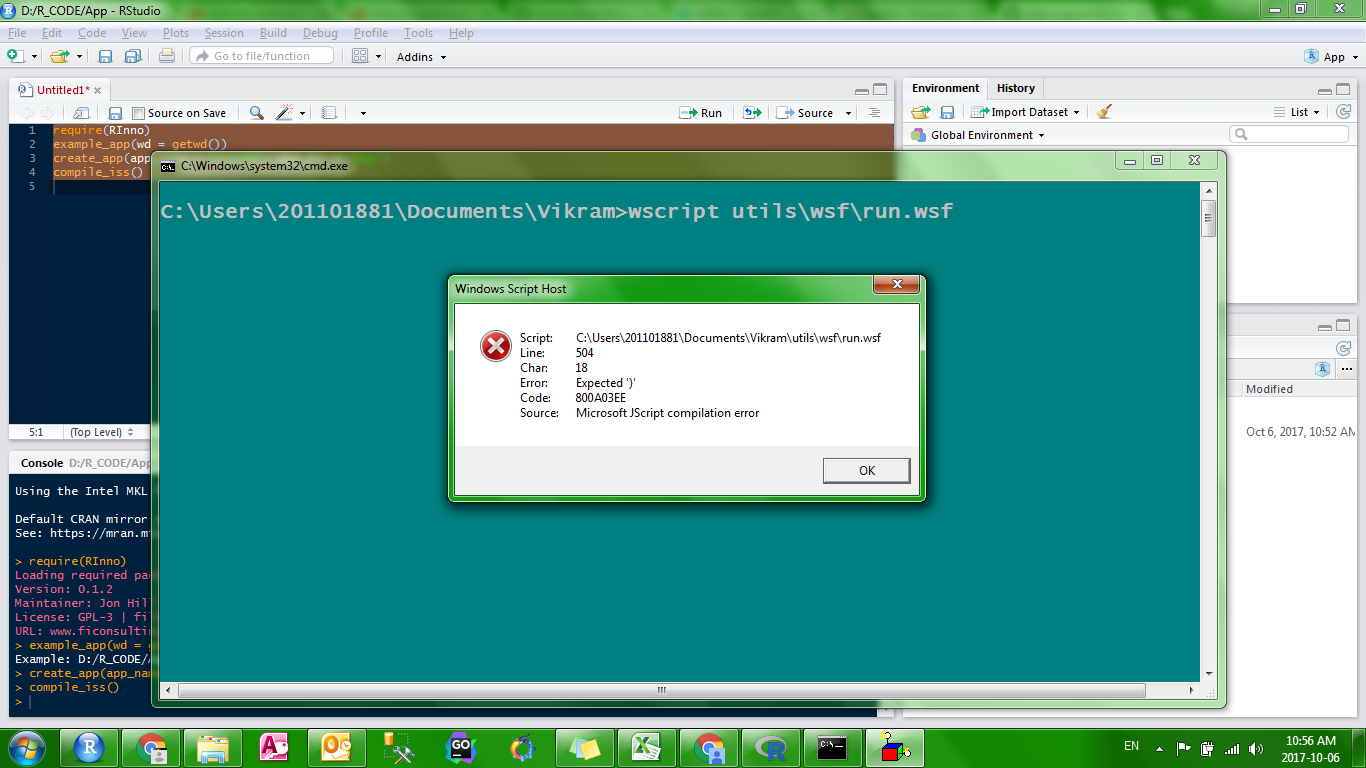
Please help me out. I can think of 1000+ usage of this package and I really excited to work on it. But I am not able to get past the initial step.

Can you give me the result of utils::sessionInfo? I've seen Windows Script Host errors like that on older versions of Windows. Also, is your user name a date? The computer seems to have an interesting configuration.
I was able to run it on R 3.4
The main problem was I had 2 library folders one for MRO and other for normal R and everytime it was using MRO. Even after I set the .lib parameter it didn't work. I had to remove the win-folder of MRO libraries completly to solve this.
I and many people like me who need speed use MRO. Please find a way to get it running with MRO too. and if possible on include_r install only the 64bit version or either one. It would be far better if you could include only the R portable.
But thanks for such a great package. I just replied that you should know what is happening here.
We've moved away from R Portable because it does not leave any information behind post-installation, which is great for one-off apps. The problem comes when you install a second app on the same machine. There is no way to determine if R portable has been installed, so you end up with two copies of R portable and duplicate R package libraries. This could actually be three copies of R if someone already has a standard CRAN version installed. Because both MRO and CRAN versions of R have registry entries, we can use that information to efficiently manage the installation process to only provide R if it isn't present. With R Portable that is not the case.
I'll try to learn more about what MRO is doing to cause an issue for RInno apps and do my best to support that behavior. However, we have used R Portable for a number of applications and we do not plan to support it with RInno because R Portable does not allow us to respect users' disk space.
But with the same parameter you should controll the installation of R with either 32bit or 64bit version. Because what I have seen it installs both of them. that can be hard for non technical person to set up. Please let only 64bit version get installed.
and yes the downloading via the command include_r is slow. The work around I found was to include the R.exe file in the folder before running the include_r command. so that it doesn't download the .exe.
That is a good workaround if your internet is slow! Thanks for sharing.
Given that users may be using both 32-bit and 64-bit machines, we do not change the default setting of R's installation (which is to install both 64-bit and 32-bit versions). However, RInno v0.1.2 supports a higher degree of control of the R installation.
If you would like to install only a 64-bit version of R (not recommended because it won't work for users with 32-bit machines), you can use R_flags:
create_app(
    app_name = "myapp",
    R_flag = '/COMPONENTS=""x64""')
For more information, feel free to check out Section 2.4 of the R FAQ or type ?run in your R console.