

 ferdium
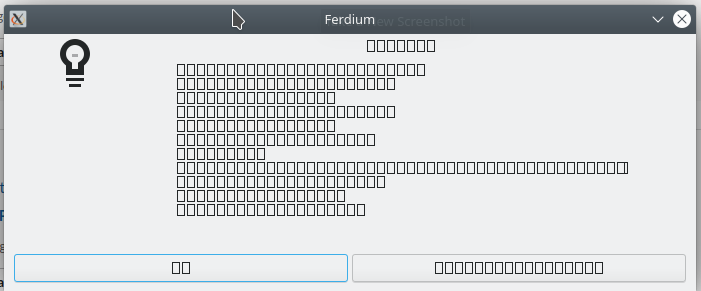
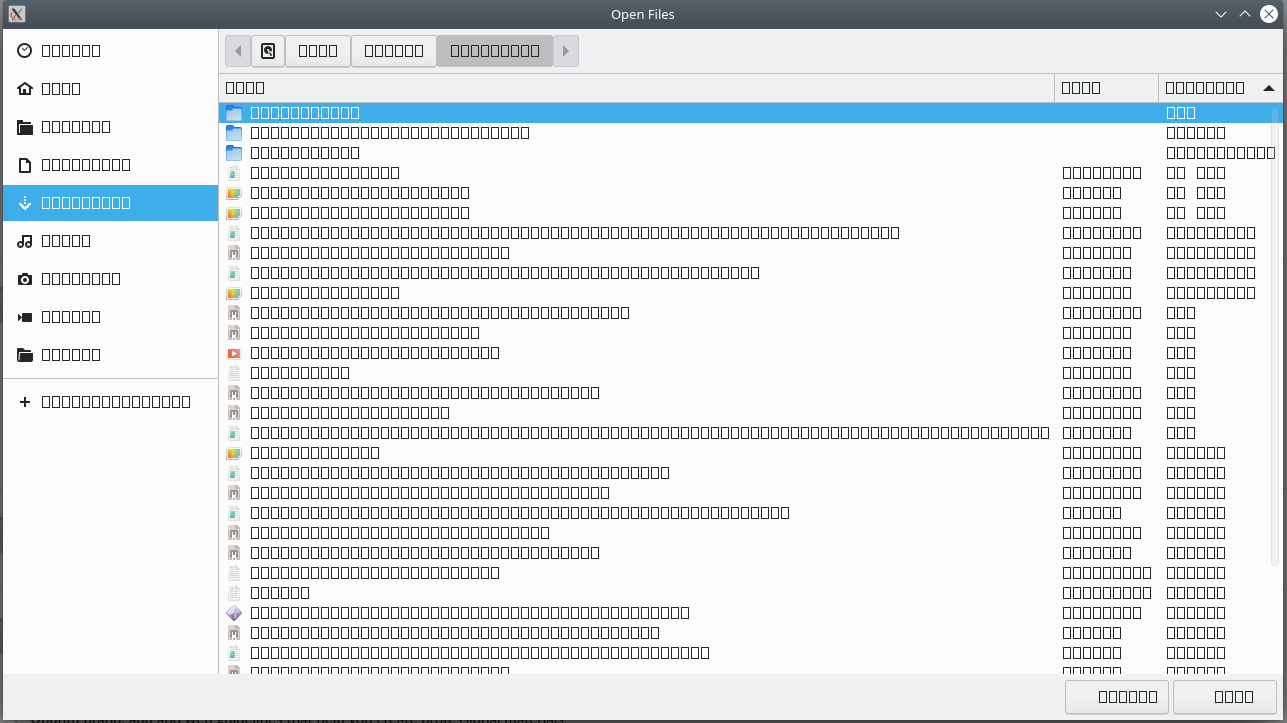
Bug: External windows do not render text (Attach File window or Help:About Ferdium)
Avoid duplicates
- [X] I have searched the issues tracker for a bug report similar to mine, in vain
Ferdium Version
6.0.0-nightly.90
What Operating System are you using?
Ubuntu
Operating System Version
Ubuntu 20.04.4 LTS x86_64 with DE -> KDE Plasma Version 5.18.8
What arch are you using?
x64
Last Known Working Ferdium version
No response
Expected Behavior
While attaching a file on apps like slack/whatsapp, an external window should appear to select those files. Also Help:About Ferdium window should show all the relevant details.
Actual Behavior
The external window which appears does not show any text. It shows blank squares instead.
Steps to reproduce
- Open Ferdium
- Open Help:About Ferdium
Debug link
No response
Screenshots
Additional information
No response

We have seen this on one other linux user - the issue was that they were using some weird font - and the font that Ferdium uses is not present on their system. Could you please try with another system font as the default?

These are the fonts that are packaged into the Ferdium's installable artifact: https://github.com/vraravam/ferdium-app/tree/develop/src/assets/fonts
I am having this same issue. I am also on Ubuntu 20.04 LTS, but I am using Gnome instead of KDE. I changed all the system fonts to Times New Roman, rebooted, but the issue remained. So, I downloaded and installed the fonts (OpenSans) linked above and made those the system default fonts, rebooted, issue is still there. Is there something else I can clear or check? I changed the fonts via Gnome Tweaks if that matters. Thanks in advance for any help you can provide!

I have the same issue in opensuse Leap 15.4 x86_64. I've downloaded the fonts from the link in some previous comment and I can't install the ttf files because they already exist on my system. Version is 6.2.0, so that's the latest stable, installed with the snap store. Let me know if you need any logs or anything.

thanks, I thought I had these fonts already in System but after installing it now works EDIT: actually on Ubuntu Mate 22.04 I'm still having this issue

Closed https://github.com/ferdium/ferdium-app/issues/1095 as completed. Issue still open

Having the same issue, Fardium should use a standard font. I have a fresh installation of Ubuntu 23 & the Fardium hug is present. How..

FYI: Atm, on 6.6.1-nightly.7 and Ubuntu 23, fonts installed.
Issue always exists.
Edit 5 minutes later :
When downloading the Github sources and launching them, the fonts work correctly, so I'm leaning more towards an issue with my configuration and installation rather than an actual problem with the application. However, I've already cleared the caches, but I'll do a clean installation when I have a couple of minutes.
Version: 6.6.1-nightly.1 Server: Ferdium Server Electron: 27.0.1 Chrome: 118.0.5993.89 Node.js: 18.17.1 Platform: Linux 6.5 Arch: x64 Build date: Fri Oct 27 2023 16:50:42 GMT+0200 (heure d’été d’Europe centrale) Git SHA: 65d24965 Git branch: develop

Same issue here using the latest release version. I use default fonts, and I am running Ubuntu 23.04.
Version: 6.6.0 Server: Ferdium Server Electron: 27.0.1 Chrome: 118.0.5993.89 Node.js: 18.17.1 Platform: Linux 6.5 Arch: x64 Build date: Fri Oct 27 2023 01:30:26 GMT+0100 (British Summer Time) Git SHA: d157b865 Git branch: release

Same issue on my system as well.
I can't display About Ferdium box either:
Interesting when selecting a file for upload in Whatsapp the text displays (and respects dark mode):
However, when downloading a file it doesn't (and doesn't respect dark mode)
Version: 6.7.1
OS: Ubuntu 23.10 x86_64 Host: XPS 15 9530 Kernel: 6.5.0-26-generic DE: GNOME 45.2

I don't have this issue anymore but I can't help with saying what I did, except upgrading to Debian 12 and using updated versions of Ferdium. Hope that can help the community.
Thanks for your response,
I just did the same - uninstalled my current version (Snap) and then went to Github releases and installed the latest (deb) from there. Not sure if it is an issue with the snap version or an issue with the install.
Just saw that this might be a deeper issue with snap and Gnome, seems like the guys over at beekeeperstudio have the same issue:
https://docs.beekeeperstudio.io/installation/linux/#font-rendering-issues
"Font rendering issues in Gnome 3.38+ with the snap package"
They link to this page:
https://forum.snapcraft.io/t/snapped-app-not-loading-fonts-on-fedora-and-arch/12484/66