

 ferdium
Can't login to notion because of browser settings
Avoid duplicates
- [X] I agree to follow the Code of Conduct that this project adheres to.
- [X] I have searched the issues tracker for a bug report similar to mine, in vain
Ferdium Version
6.2.4
What Operating System are you using?
macOS
Operating System Version
Ventura 13.2 (a) Beta
What arch are you using?
arm64 (including Apple Silicon)
Last Known Working Ferdium version
No response
Expected Behavior
When I add "Notion" service, I click the "login with google" button and it opens a popup to login with google
Actual Behavior
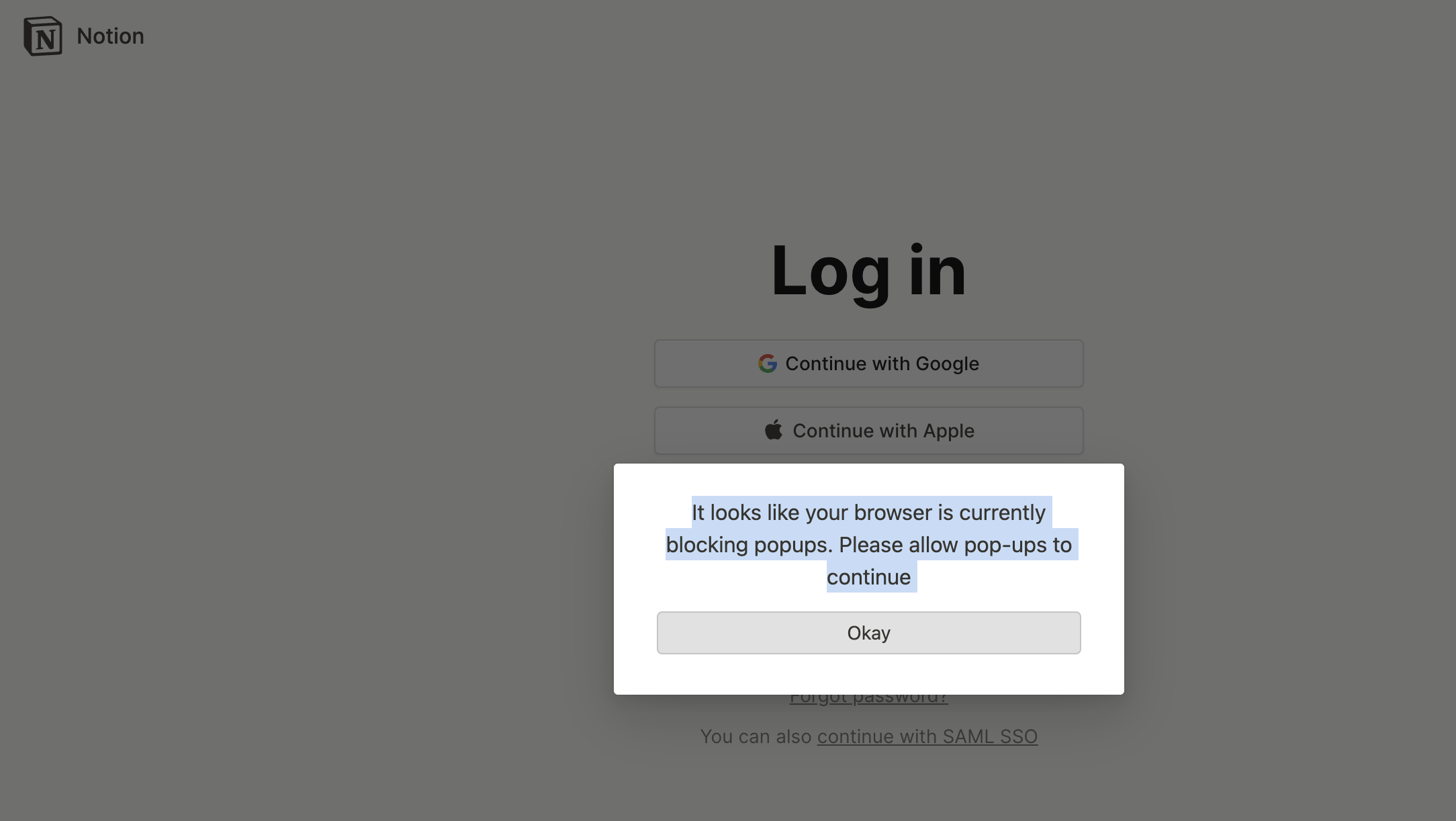
When I add "Notion" service, I click the "login with google" button and it says "It looks like your browser is currently blocking popups. Please allow pop-ups to continue" making login impossible
Steps to reproduce
Go to Notion service Click "Login" link in the navbar Click on "Continue with google" button
Debug link
No response
Screenshots
Additional information
No response


My solution has been:
- Temporarily set the user agent to
Mozilla/5.0 (iPhone; CPU iPhone OS 16_5_1 like Mac OS X) AppleWebKit/605.1.15 (KHTML, like Gecko) Version/16.5 Mobile/15E148 Safari/604.1. This is from an iOS device, so no popups possible. That forces notion to use the current page - After setup/login: Revert to default user agent
It may be necessary to do this whenever the login session expires or there is some other login popup for example for connections to third party services.

My solution has been:
- Temporarily set the user agent to
Mozilla/5.0 (iPhone; CPU iPhone OS 16_5_1 like Mac OS X) AppleWebKit/605.1.15 (KHTML, like Gecko) Version/16.5 Mobile/15E148 Safari/604.1. This is from an iOS device, so no popups possible. That forces notion to use the current page- After setup/login: Revert to default user agent
It may be necessary to do this whenever the login session expires or there is some other login popup for example for connections to third party services.
It's work for me, thank you suggestion.

I have similar issue using Ferdium and Slack. I can't click download links for files send to me. Very annoying to always open browser and having to login there again.
Is it somehow possible to solve this?

My solution has been:
* Temporarily set the user agent to `Mozilla/5.0 (iPhone; CPU iPhone OS 16_5_1 like Mac OS X) AppleWebKit/605.1.15 (KHTML, like Gecko) Version/16.5 Mobile/15E148 Safari/604.1`. This is from an iOS device, so no popups possible. That forces notion to use the current page

* After setup/login: Revert to default user agent
It may be necessary to do this whenever the login session expires or there is some other login popup for example for connections to third party services.
Thanks for this @SvenAndBits - just wanted to note that to get it to work, since it would often say that the browser "isn't secure" after entering my Gmail address, it took a couple times of pressing the try again button for it to remove that popup
