

 fastly
fastly update on windows
Version
0.40.2
What happened
I dont seem to be able to update with fastly update. I'm getting the error: ERROR: error downloading latest release: no asset found for your OS (windows) and architecture (amd64).

Hi @sherpaBen
Can you provide any additional details on your setup, and the full output of running fastly update. Thanks!
NOTE: I've tested this in a Windows 10 VM using Cygwin and the basic 'Command Prompt' successfully.

Sure this is a Windows 10 Enterprise box / powershell and my output looks like this:
PS C:\dev\fastly\sherpaMicro> fastly update

Current version: 0.40.2
Latest version: 1.0.0

✓ Initializing...
✓ Updating versioning information...
✓ Checking CLI binary update...
✗ Fetching latest release...

ERROR: error downloading latest release: no asset found for your OS (windows) and architecture (amd64).

If you believe this error is the result of a bug, please file an issue: https://github.com/fastly/cli/issues/new?labels=bug&template=bug_report.md
PS C:\dev\fastly\sherpaMicro>
Thanks -Ben
Thanks Ben.
I just installed PowerShell on my Windows 10 VM and was able to use a pre-existing 0.42.0 build of fastly.exe to upgrade to the latest 1.0.0 release...
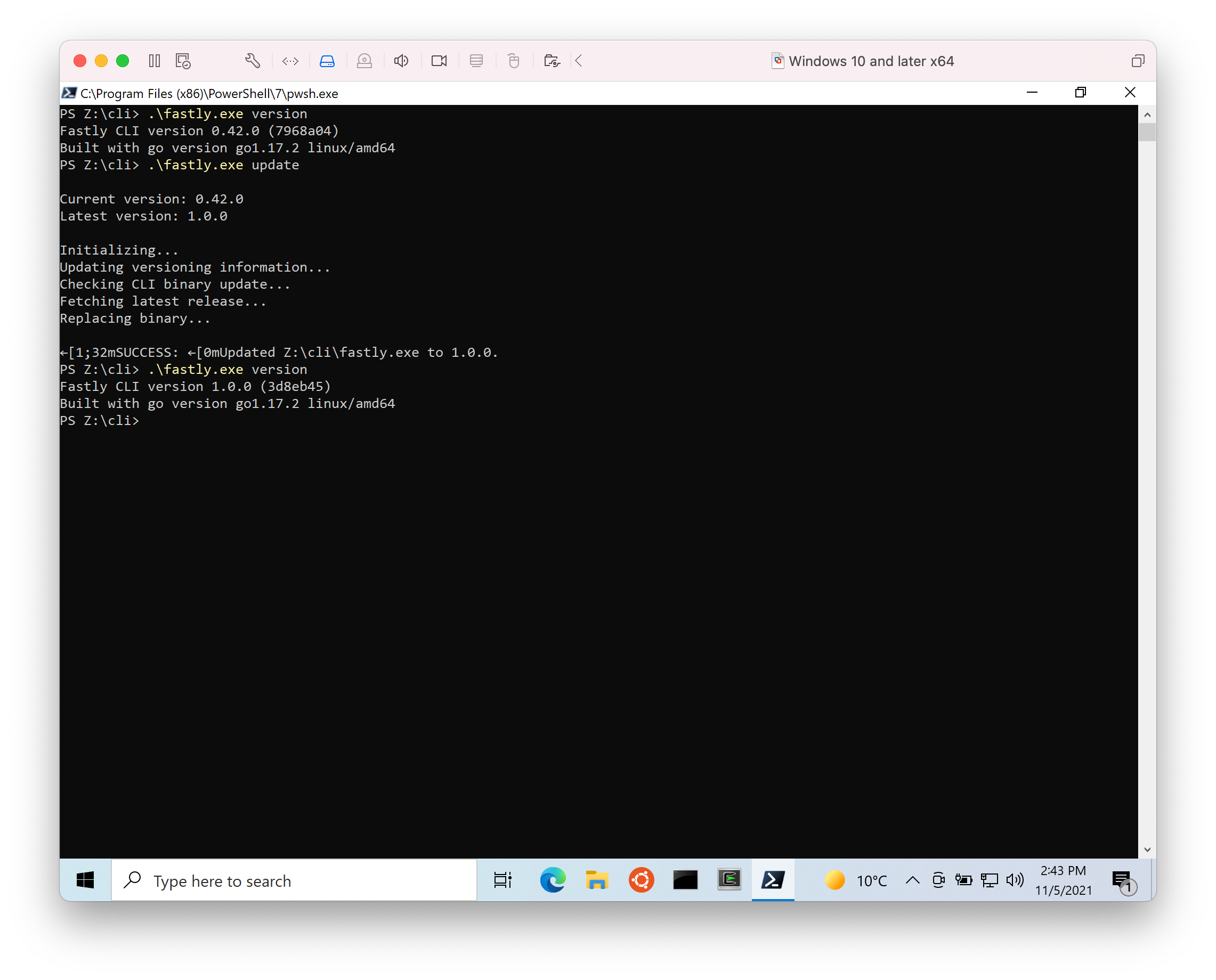
Could you try looking at the error log file that the Fastly CLI reports error information to?
You should be able to find it in a path similar to...
cat 'C:\Users\...\AppData\Roaming\fastly\errors.log'
NOTE: If you run
fastly configure -lit'll show you the location of the Fastlyconfig.tomlfile and theerrors.logis in the same directory as that.
If you look back through that file for:
COMMAND:
fastly update
Then hopefully there's something there that might help pin point where the issue is.
Also, where did you install the Fastly CLI from originally? I presume you went to the releases page and downloaded the Windows AMD64 .zip
Yeah, I grabbed the zip from: https://github.com/fastly/cli/releases/tag/v1.0.0 (the .42 version of course) put it in a directory and added it to my path. Seems to be working fine except for the update. Looking at errors log I see:
`COMMAND: fastly update
TIMESTAMP: 2021-11-05 11:45:33.0772916 -0500 CDT m=+1.467913401
ERROR: no asset found for your OS (windows) and architecture (amd64)
FILE: /pkg/commands/update/root.go
LINE: 75
Current CLI version: 0.40.2
Latest CLI version: 1.0.0
------------------------------`
Thanks (and thanks for the quick responses on this) -Ben
for now I just updated manually (copied down the new exe and ran configure on it) I can watch for this again with the next update. Thanks -Ben
Thanks for the update @sherpaBen - sorry you've been having issues with this.
I'll keep testing to see if I can replicate the error otherwise it might take a while to nail down what's causing the issue. But at least you're not blocked and are able to get the latest version directly 👍🏻
I've not been able to reproduce this issue, nor have we had any further Window users report this. Because a workaround was found to enable the customer to update to the latest version of the CLI I'm going to close this issue.