

 farisfaikar
Game cannot run on Pycharm (fixed temporarily)
I've had this problem for so long now. Somehow the game just won't run on Pycharm. It's working fine on VSCode. This is what happens when you run it on Pycharm:
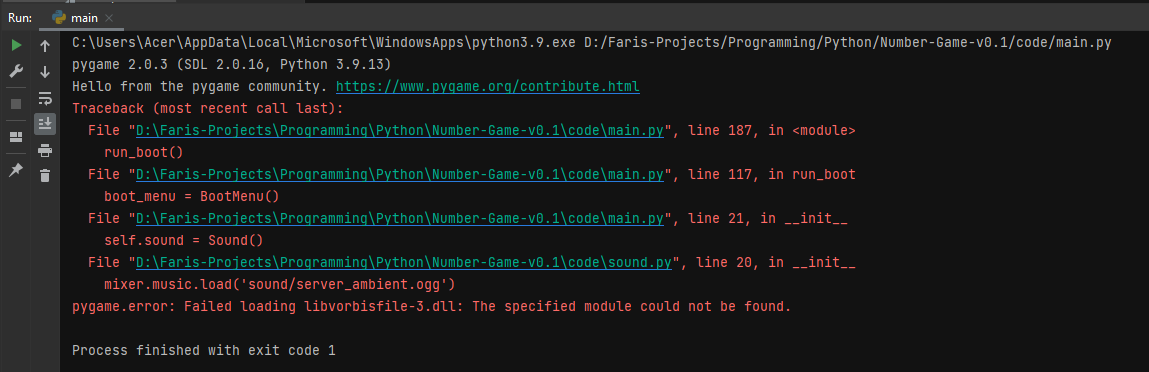
I've looked everywhere and got nothing. Ever since then I'll have to bear developing this project on VSCode. :(


Nope, it's not working on a fresh project either. I think it has to do with the run configuration somehow, but to me, everything is perfectly fine.

Or maybe I'm missing something here... hmm
Works for me on Linux with almost the same configuration. Only difference not related to OS that I can see is that my working directory points to the 'code' folder i.e. '...\Number-Game-v0.1\code'. Don't know if that will fix it but I thought it was worth mentioning.

my working directory points to the 'code' folder i.e. '...\Number-Game-v0.1\code'
I tried that as well before and it doesn't work either. This problem only occurred on this project for some reason. My other pygame projects work just fine using Pycharm. Perhaps I've blundered something long ago as this was one of my earliest pygame projects.

I followed all install instructions, and when attempting to launch the game through CMD. I get
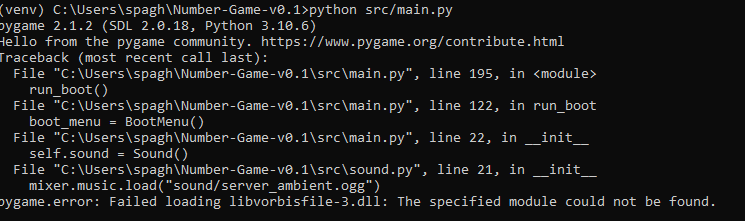
The error message is exactly the same as the one I'm experiencing when I try to run it on Pycharm. I'm still not sure what is causing it. Can you try to change directory to src cd src and then run the game python main.py?
I receive the same error when changing the directory. I also receive it on VSCode
All of the errors are coming up on the code for the boot up screen music. I'll try to find a different function to load the ambience sound.
After commenting out and running the game without the ambiance, I noticed that it could not open any of the sound files as I got an error saying that.
Example:

Good news! Issue fixed. I've tested on Mac and Linux, all seems fine. Now submitting pr.
Awesome, I'll check on the PR to see if it fixes the problem on my side as well
#49 Changing the sound files from .ogg to .wav format fixes the problem, but this makes the files 5 times larger and makes the audio quality worse in my opinion. This will have to do for now as a temporary fix. In the meantime, there must be a way to fix the problem without converting the audio files to .wav format.
I did some testing and it looks like the error is caused by using the Python interpreter from the Windows Store (which you are using based on the first image). On both VSCode and Pycharm I get this error when loading mp3/ogg files, but it is fixed when switching to a version installed from the official website
If it's helpful, I've also found the exact DLL file(s) that are mentioned in the error, which on Windows are located at \AppData\Local\Programs\Python\Python310\Lib\site-packages\pygame
It doesn't seem like there's too much to "fix" here, I've tried putting the DLL files in the directory with the .py files and it hasn't worked, but if there's any changes to be made I'd like to help if you could assign me.

Yes, I've pinpointed that the problem is caused by using the Python interpreter from Windows Store, however, what's puzzling me is that it works on VSCode but not Pycharm. My guess is, my Pycharm is using the Windows Store version, while my VSCode uses the official website version... for some weird reason. This is tricky because it depends on where the user gets their version of Python from. I'll assign you just in case you find anything that could resolve this issue.
Perhaps I should add a "known bugs" section on my readme, citing this bug in particular, and its temporary fix in the future when the files are switched back to ogg/mp3.