pytorch3d
 pytorch3d copied to clipboard
Published
20 hours ago •
 facebookresearch
facebookresearch
Front face missing in textured rendering
❓ Questions on how to use PyTorch3D
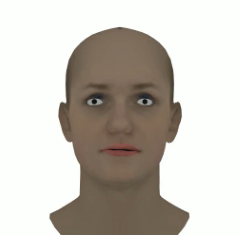
I am trying to do textured rendering but the result is very small and unclear, when I zoomed in, the image quality looks pretty low. I have attached my code, result obtained and expected output below.
.obj, .mtl and ,png files I used can be found here.
I have tried different lighting and camera positions but still doesn't help. The front face is always missing.
Code:
R, T = look_at_view_transform(2.7, 0, 180)
cameras = FoVPerspectiveCameras(device=device, R=R, T=T)

raster_settings = RasterizationSettings(
    image_size=512,
    blur_radius=0.0,
    faces_per_pixel=1,
)

lights = PointLights(device=device, location=[[0.0, 0.0, -3.0]])

renderer = MeshRenderer(
    rasterizer=MeshRasterizer(
        cameras=cameras,
        raster_settings=raster_settings
    ),
    shader=SoftPhongShader(
        device=device,
        cameras=cameras,
        lights=lights
    )
)

images = renderer(mesh)
plt.figure(figsize=(100, 100))
plt.imshow(images[0, ..., :3].cpu().numpy())
plt.axis("off");
Output:
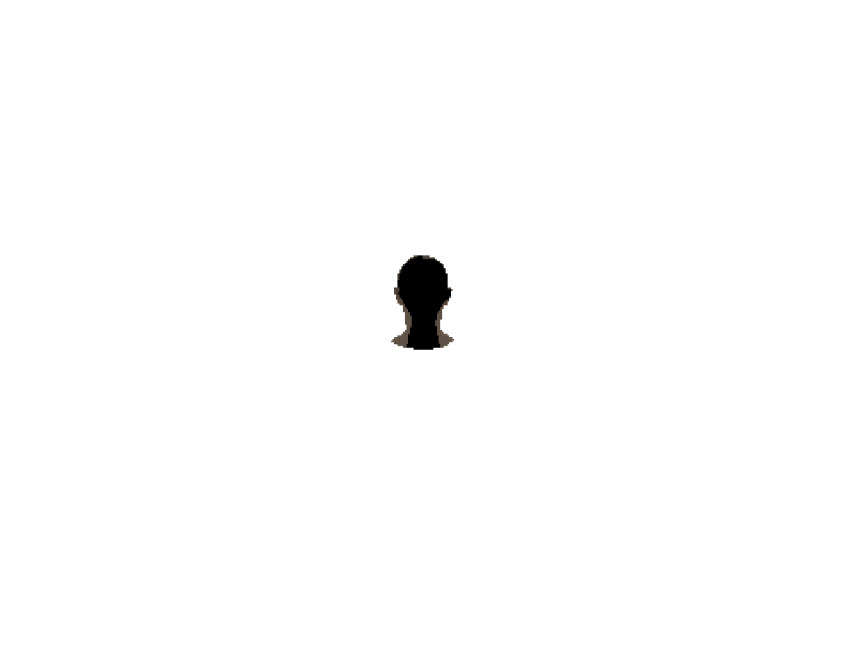
Expected output: