

 facebook
[DevTools Bug]: "Hook parsing failed" Components tab
Website or app
https://studio-test-2.netlify.app/
Repro steps
click "Components" tab click on component click "parse hook names"
How often does this bug happen?
Every time
DevTools package (automated)
No response
DevTools version (automated)
4.25.0
Error message (automated)
"Hook parsing failed"
Error call stack (automated)
No response
Error component stack (automated)
No response
GitHub query string (automated)
No response


Which component? I tried on the input box and it worked for me
interesting.. None of them work for me
Can you please provide more information, such as name and version of your browser, OS, etc., as well as devtools extension version and react version?
Can you please provide more information, such as name and version of your browser, OS, etc., as well as devtools extension version and react version?
browser - Chrome 103.0.5060.134 OS - Windows 10 Pro, 21h2 19044.1826 React version - 17.0.2 Devtools version - 4.25.0 (7/13/2022)
Thanks
I tried it on Windows 10 and it still worked for me. Can you try it on a clean profile (without any other extensions)?
I tried it on Windows 10 and it still worked for me. Can you try it on a clean profile (without any other extensions)?
Tried, worked one time
If it works for you on a clean profile, you might have some special environmental set-up that breaks the feature. Maybe you can try disable some of your other extensions, or check if you turned on some experimental Chrome feature flags.
If it works for you on a clean profile, you might have some special environmental set-up that breaks the feature. Maybe you can try disable some of your other extensions, or check if you turned on some experimental Chrome feature flags.
Unfortunately it worked only one time.
Do you mean it worked for the first time, but stopped working when you move away from the component and try parse again? Any chance you can provide a video?
Do you mean it worked for the first time, but stopped working when you move away from the component and try parse again? Any chance you can provide a video?
If i recall well than yes, tried to make a video but i couldn't reproduce the issue :/
If it's no longer an issue, can I close this?
It still is :), i couldn't reproduce the solving by using clean profile.
Hey, I am unable to reproduce this issue, and it seems as if @mondaychen was unable to reproduce this issue as well. I'm going to close this for now since we can't do anything about it, but if you are able to create a consistent repro case please feel free to reopen!

Hey, I am unable to reproduce this issue, and it seems as if @mondaychen was unable to reproduce this issue as well. I'm going to close this for now since we can't do anything about it, but if you are able to create a consistent repro case please feel free to reopen!
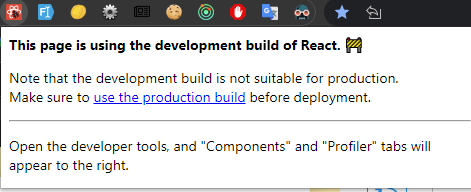
Is it possibly related to this popup?
I've never gotten this to work either, but I couldn't tell you why. Always the same outcome, on every React project I have, in multiple browsers:


I've never gotten this to work either, but I couldn't tell you why. Always the same outcome, on every React project I have, in multiple browsers:
I am facing exactly same issue in my react-ts app on Ubuntu 22. I tried it on different browsers but still same, it doesn't even show any error message except "Hook parsing failed"
