

 facebook
mcrouter bentchmark
Does mcrouter provided some tools for bentchmark?
while I use libmemcacehd tools to bentchmark mcrouter,get some errors like that
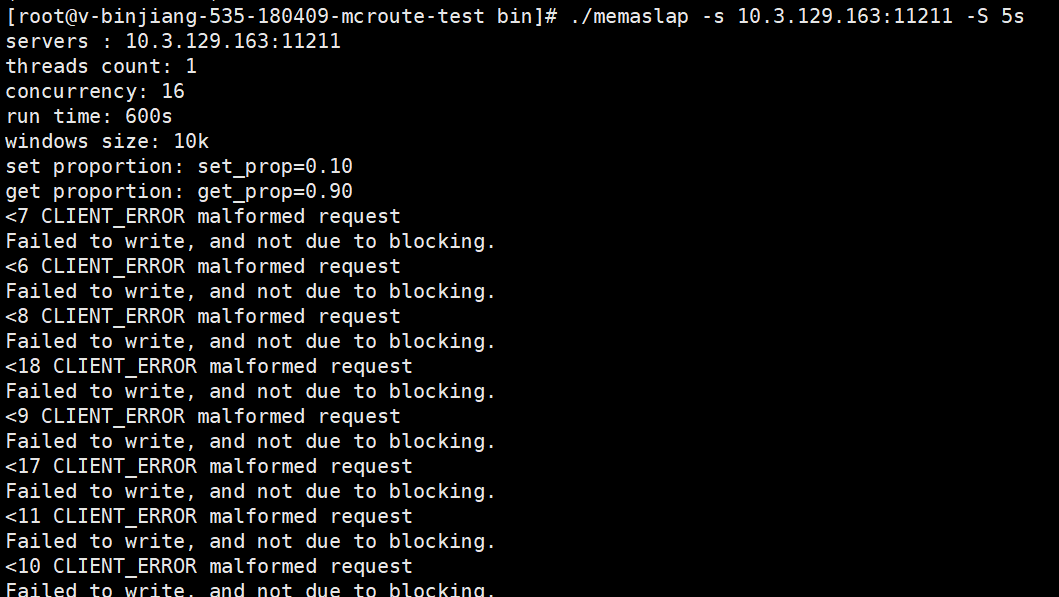
**[root@v-binjiang-535-180409-mcroute-test bin]# ./memaslap -s 10.3.129.163:11211 -S 5s servers : 10.3.129.163:11211 threads count: 1 concurrency: 16 run time: 600s windows size: 10k set proportion: set_prop=0.10 get proportion: get_prop=0.90 <7 CLIENT_ERROR malformed request Failed to write, and not due to blocking. <6 CLIENT_ERROR malformed request Failed to write, and not due to blocking. <8 CLIENT_ERROR malformed request Failed to write, and not due to blocking. <18 CLIENT_ERROR malformed request Failed to write, and not due to blocking. <9 CLIENT_ERROR malformed request Failed to write, and not due to blocking. <17 CLIENT_ERROR malformed request Failed to write, and not due to blocking. <11 CLIENT_ERROR malformed request Failed to write, and not due to blocking. <10 CLIENT_ERROR malformed request Failed to write, and not due to blocking. <20 CLIENT_ERROR malformed request Failed to write, and not due to blocking. <13 CLIENT_ERROR malformed request Failed to write, and not due to blocking. <19 CLIENT_ERROR malformed request Failed to write, and not due to blocking. <15 CLIENT_ERROR malformed request Failed to write, and not due to blocking. <21 CLIENT_ERROR malformed request Failed to write, and not due to blocking. <12 CLIENT_ERROR malformed request Failed to write, and not due to blocking. <16 CLIENT_ERROR malformed request Failed to write, and not due to blocking. <14 CLIENT_ERROR malformed request Failed to write, and not due to blocking. Set Statistics (16 events) Min: 1062 Max: 2451 Avg: 1865 Geo: 1825.47 Std: 387.66 Log2 Dist: 8: 0 0 0 11 12: 5
Total Statistics (16 events) Min: 1062 Max: 2451 Avg: 1865 Geo: 1825.47 Std: 387.66 Log2 Dist: 8: 0 0 0 11 12: 5
cmd_get: 0 cmd_set: 32 get_misses: 0 written_bytes: 17680 read_bytes: 512 object_bytes: 34816
Run time: 6.0s Ops: 32 TPS: 5 Net_rate: 0.0M/s**
and my mcrouter configutaion is that: (mcrouter version V0.37.0 ) { "pools": { "test_service_A": { "servers": [ "10.3.129.161:11211", "10.3.129.164:11211" ] }, "test_service_B": { "servers": [ "10.3.129.173:11211", "10.3.129.182:11211" ] } }, "route": { "type": "OperationSelectorRoute", //"default_policy": "PoolRoute|test_service_A", "operation_policies": { "add": { "type": "AllSyncRoute", "children": ["PoolRoute|test_service_A", "PoolRoute|test_service_B"] }, "set": { "type": "AllSyncRoute", "children": ["PoolRoute|test_service_A", "PoolRoute|test_service_B"] }, "delete": { "type": "AllSyncRoute", "children": ["PoolRoute|test_service_A", "PoolRoute|test_service_B"] }, "get": { "type": "LatestRoute", "children": ["PoolRoute|test_service_A", "PoolRoute|test_service_B"] } } } }
and mcrouter log is
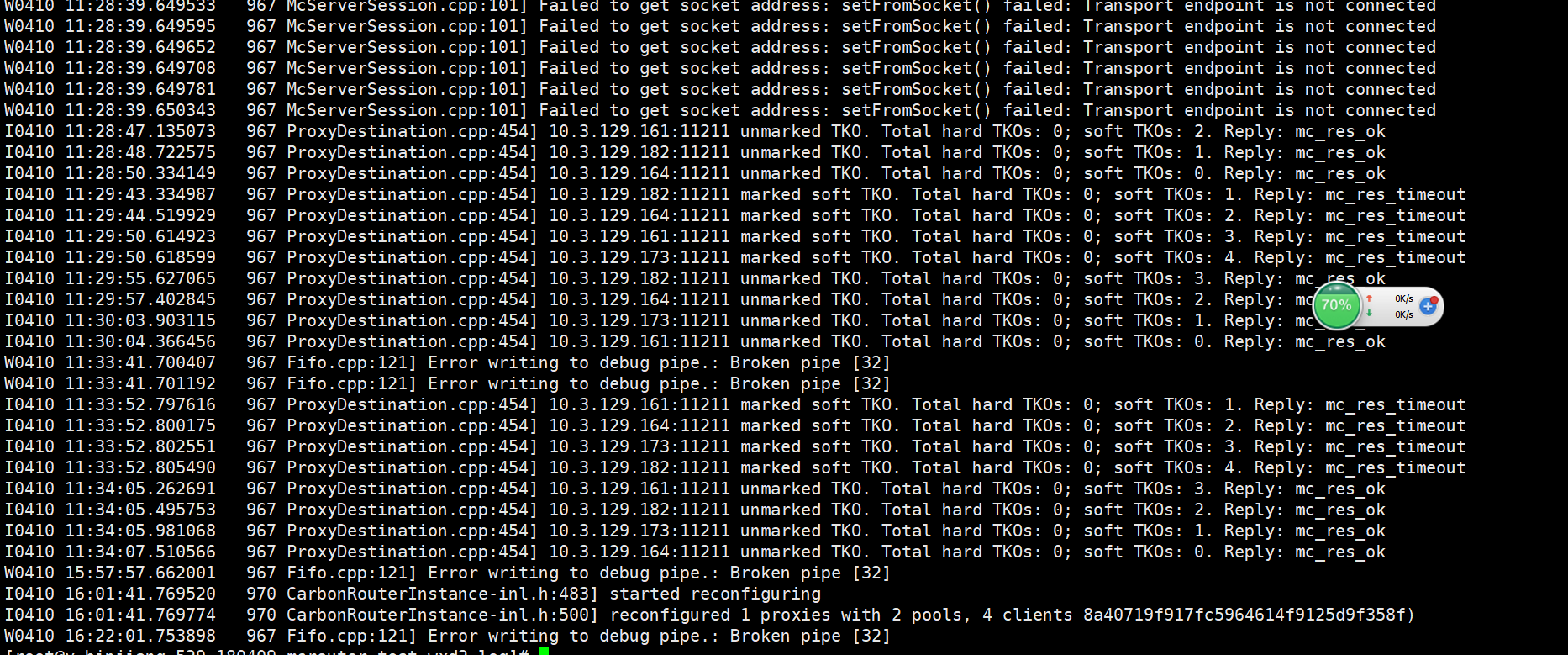
so what's the problems

Hi @shizhoulong356,
Make sure you specify a --num-proxies=N on the command line. The recommended value seems to be N = number of cores.
