

 fabiocolacio
Cant get charter to work
Even in the test/markdown_test.md where the syntax is 100% correct and Charter is enabled in the settings, I get just an empty space. when Charter is disabled in the setting I can see just the syntax in a code box.
Mermaid works just fine.
Also, I can't see any script named charter in usr/share/[marker folder]/scripts/
Is there a dependency I need to install?

Mmmm Interesting, charter is a c library that generate svg from some simple language and the code is included in scidown and so in marker.
I you run marker from console do you get any error? charter has never worked before?
Thanks!

I got this:
(marker:18107): GLib-GIO-CRITICAL **: 00:22:53.113: g_file_get_uri: assertion 'G_IS_FILE (file)' failed
Interesting, that seems like it is an issue with Marker, rather than Scidown. Does this happen just when opening an existing file, or also when creating a new one?
I will see if I can reproduce this when I get the chance.

I checked it and I have the same output as @ronhasson, morover when I just open Marker I also got the follwoing warning:
(marker:11808): Gtk-WARNING **: 03:26:45.977: Theme parsing error: gtk.css:5978:26: 'titlebar_fg_color' is not a valid color name

(marker:11808): Gtk-WARNING **: 03:26:46.015: Theme parsing error: gtk.css:5978:26: 'titlebar_fg_color' is not a valid color name

(WebKitWebProcess:11816): Gtk-WARNING **: 03:26:46.131: Theme parsing error: gtk.css:5978:26: 'titlebar_fg_color' is not a valid color name
And then when I open a file I get:
(marker:11808): GLib-GIO-CRITICAL **: 03:27:10.203: g_file_get_uri: assertion 'G_IS_FILE (file)' failed
Hopefully the warnings are caused by the theme I'm using, however even with the warnings and the critical error charter works fine for me.
I opened a new issue (#189) on the critical as doesn't seems to be linked to charter.
@Mandarancio the first error is most likely due to the gtk theme you are using. Sometimes i get warnings like this when using themes other than Adwaita.
...same issue here on archlinux an using marker-git compiled using the AUR package.
If could help, at least for me, charter seems doesn't work also starting with a new file and as far as I remember it never worked before. E.g:
- start marker
- pasted e.g. from test/markdown_test.md only the
chartercode - a chart is never visible (related option is enabled)
A short explanation video:
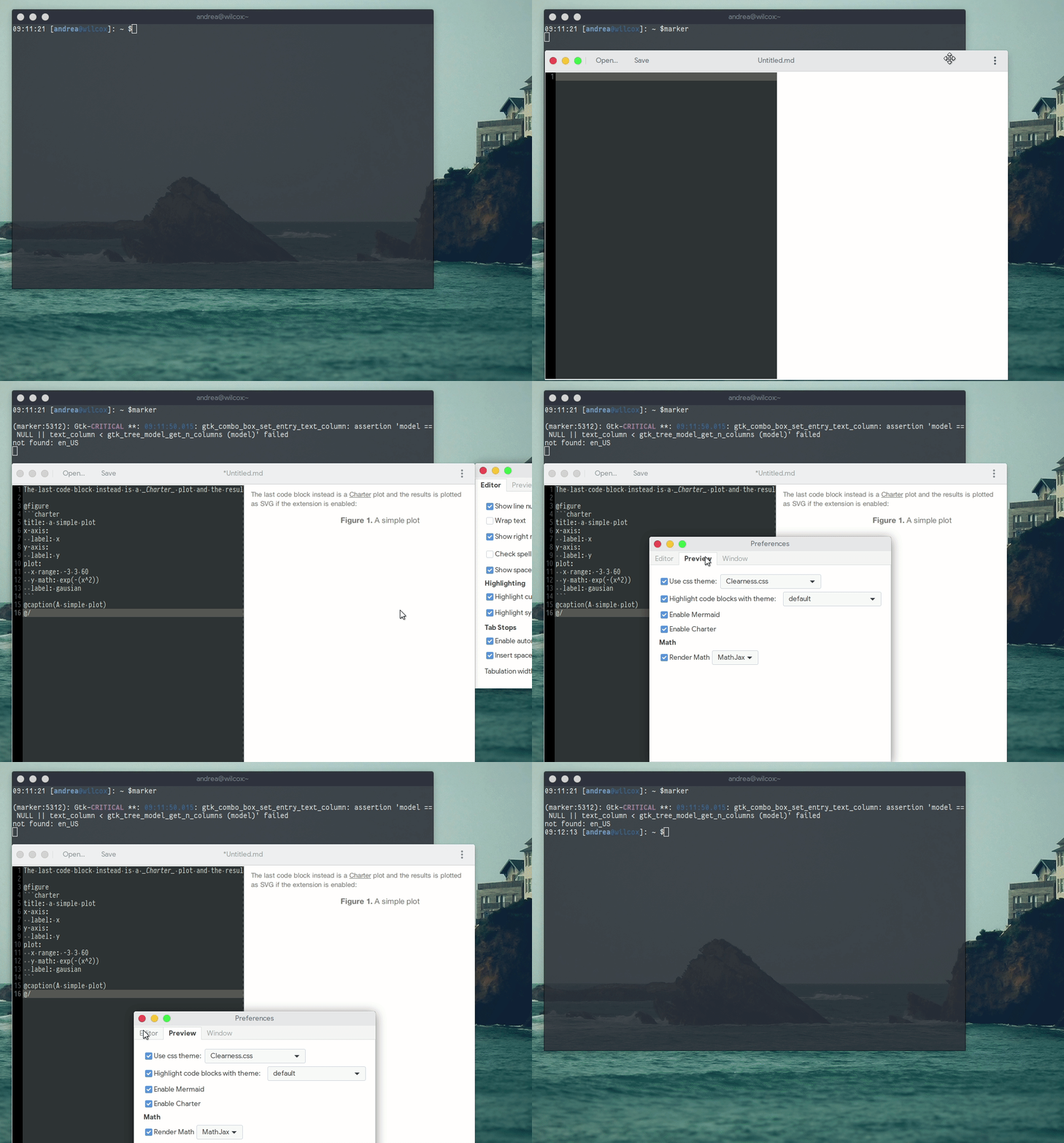
Thanks Andrea

I have not been able to reproduce any of the issues mentioned here. I don't have the failed assertion, and my charter is working fine.
I am running Marker from git master, and my OS is Fedora 27.
Perhaps the issue is caused from different versions of libraries for different distros?
I have arch as well and I don't have any issue but I don't use the aur package, I will try to install the aur package and see what happen
@ronhasson and @dasnoopy Could you try charter as standalone to see if it works?
Hi. I tried to compiled charter as standalone on my arch linux box...
I create a quick PKGBUILD that produced and install following files
/usr/bin/charter_svg
/usr/bin/charter_tex
/usr/lib/libcharter.so
Then I create a simple test file copying code from the usual markdown_test file
title: a simple plot
x-axis:
  label: x
y-axis:
  label: y
plot:
  x range: -3 3 60
  y math: exp(-(x^2))
  label: gausian
Trying to execute following command:
#charter_svg test
but the output is a laconic:
</svg>
for the record, the command #charter_tex test produced, I think, the correct output:
\begin{tikzpicture}
\begin{axis}[
	grid=both,
	title={a simple plot},
	xlabel={x},
	ylabel={y},
]
\addplot[
	line width = 1.000000pt,
	solid,
...
...
Andrea
I am getting a similar issue on Solus from Git master.
In my case something is displayed, but incorrect and I think this might be related to localization. Exporting the Marker file to HTML and opening the HTML file in Gedit shows, that the svg-data decimals are separated with ',' instead of '.' which is something typical for my german localization.
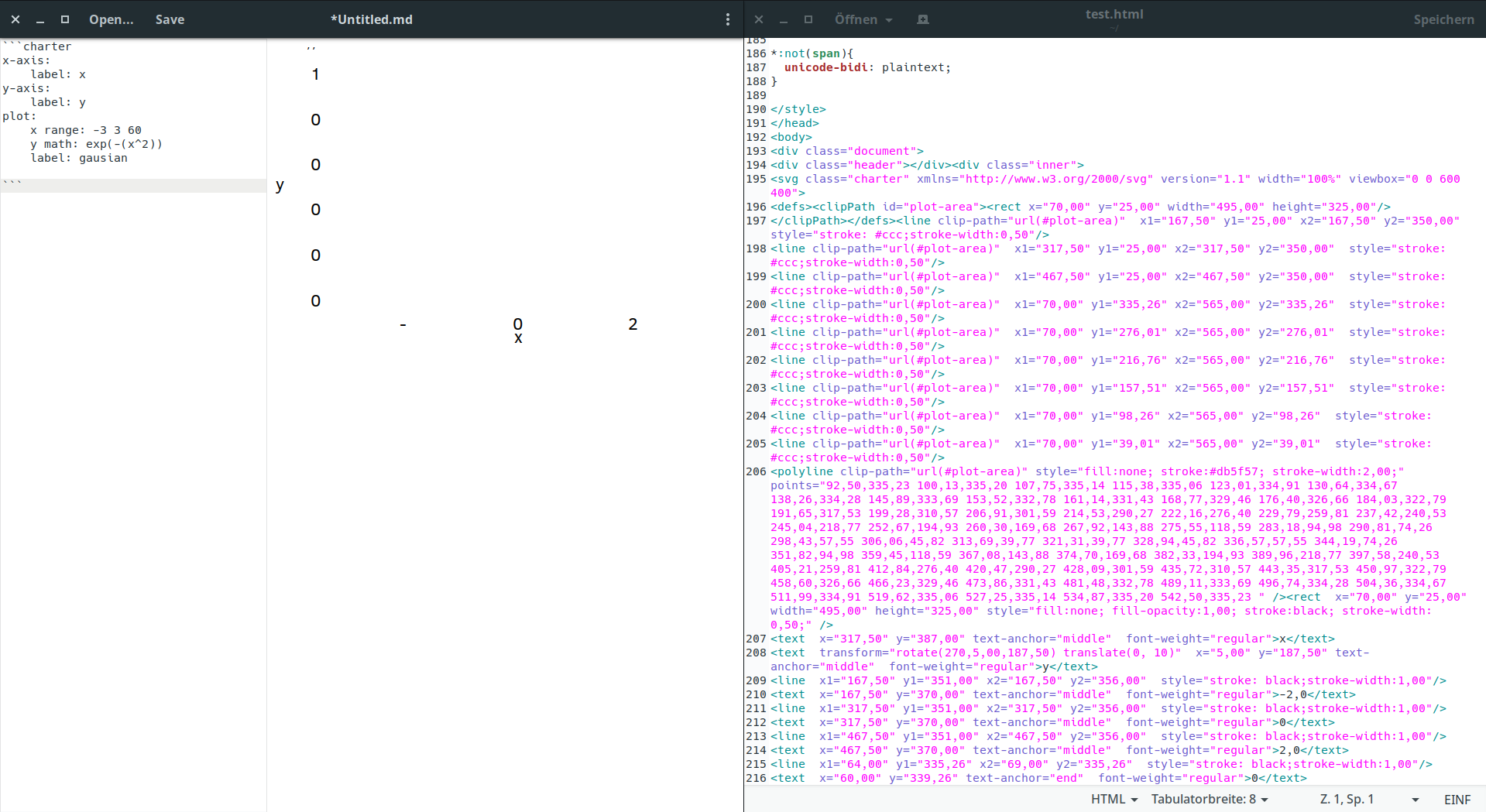
Interestingly, using charter_svg with the charter-data puts the required decimal point and the chart is drawn correct.
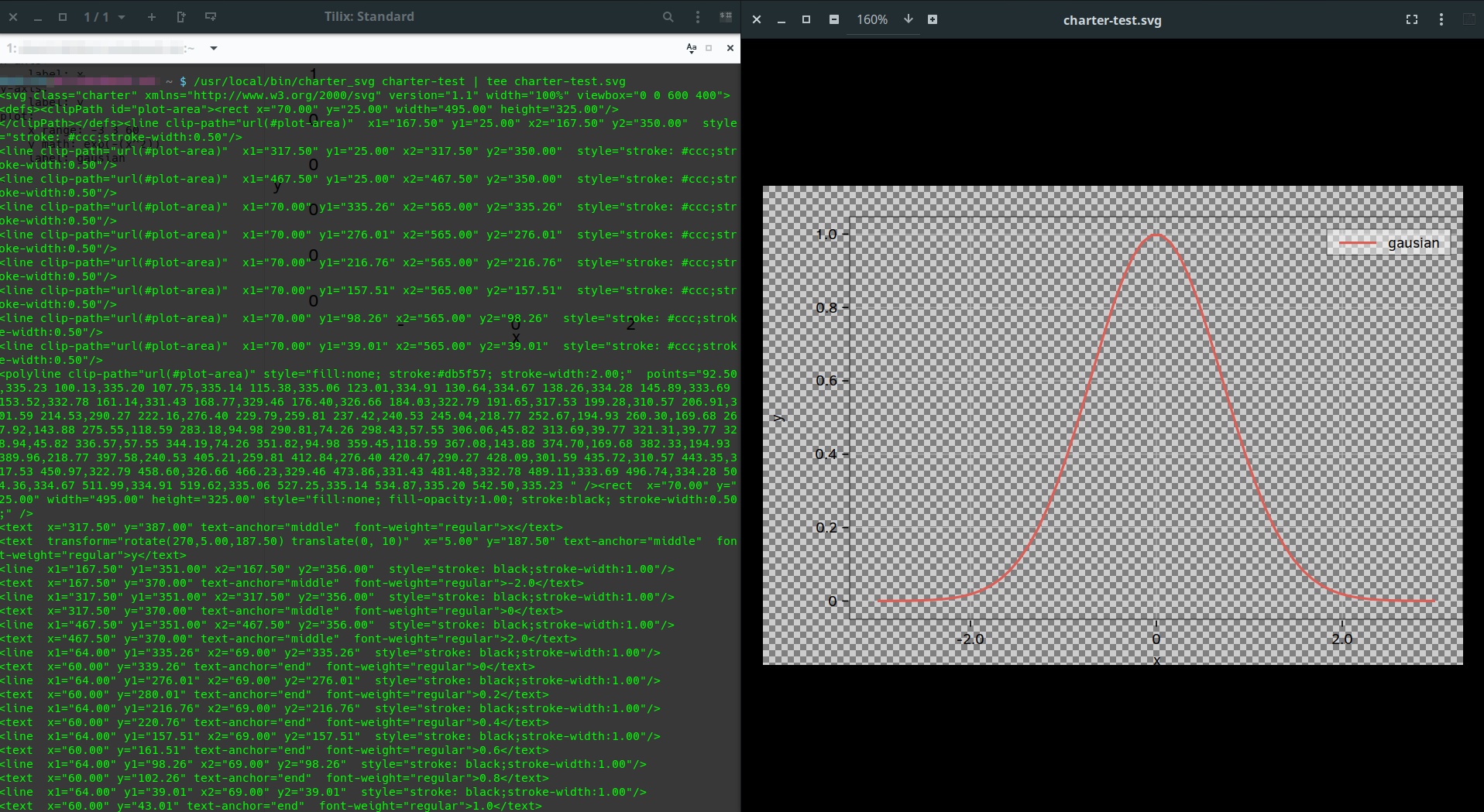

@dasnoopy Could you pass me your charter PKGBUILD file, as on my arch I"m not able to reproduce the issue with charter? Thank you!
@SL315 So this seems a problem of localization, I will try to understand where is produced! Thank you for your very useful report.
I updated charter forcing to use the en_US locale when generating the svg, could you try it now?
just an update:
after latest commits related to localization and charter , I'm still not able to "see" chart in marker nor using a standalone version of charter: same empty space in marker and same weird output using charter_svg , as reported above.
for the record, I installed both app using a PKGBUILD file
Then I did some test with marker and charter compiIing them from scratch and magically charts appears in marker and the charter_svg command produced the correct svg output
so the issue reported here I thinkc could be considered solved but apparently I'm having an issue with binary produced by the PKGBUILD: i'll try to do further test to undestand better what happens with PKGBUILD file
thanks Andrea
@ronhasson could you confirm that using the last marker version compiled from git solve the charter problem for you as well?
@Mandarancio @ronhasson I tried both(AUR git and release packages) but both doesn't render anything.
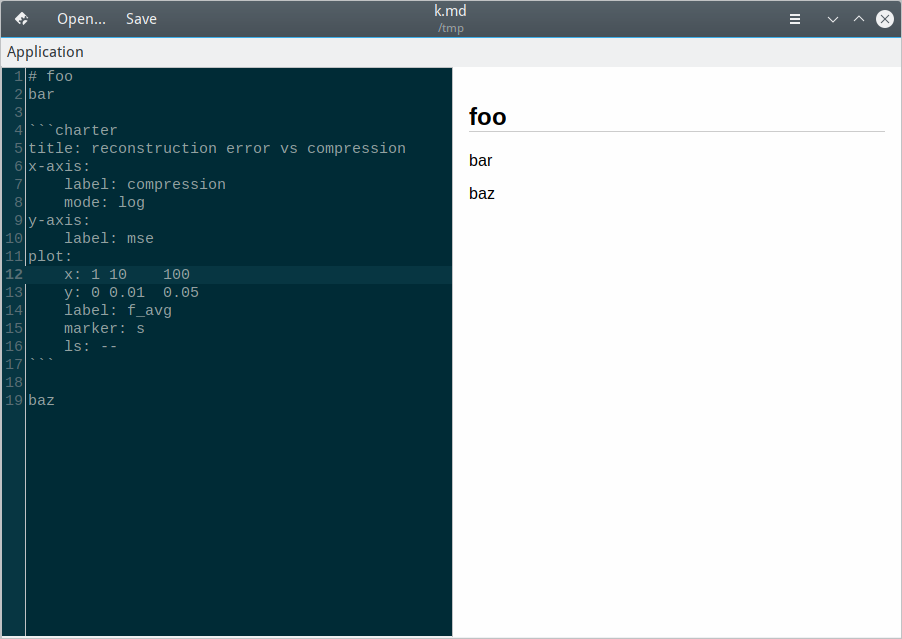 No error is produced to stdout/stderr either, except warnings related to GTK theme.
Seems strange to me, especially the fact that there's no separate AUR package for the library, so I could checkout it standalone.
No error is produced to stdout/stderr either, except warnings related to GTK theme.
Seems strange to me, especially the fact that there's no separate AUR package for the library, so I could checkout it standalone.

Hi @AlexTalker, charter is compiled statically with the project and does not need to be installed separately. However it seems that there is some issue with the AUR package as @dasnoopy reported few comments above:
Then I did some test with marker and charter compiIing them from scratch and magically charts appears in marker and the charter_svgcommand produced the correct svg output
so the issue reported here I think could be considered solved but apparently I'm having an issue with binary produced by the PKGBUILD: i'll try to do further test to undestand better what happens with PKGBUILD file
So I suggest you to uninstall the aur package and do the follow:
$ git clone https://github.com/fabiocolacio/Marker.git
$ cd Marker
$ git submodule update --init --recursive
$ mkdir build && cd build
$ meson .. --prefix /usr
$ ninja
$ sudo ninja install
a quick question, I didn't use meson and ninja before and I can't find a good tutorial. after I install this manually, how do I uninstall it and revert back to the AUR package / update the build manually?
@Mandarancio okay, I tried this way but now it renders only axes.
Also, when I trying to print as PDF file, I get following error:
print failed with error: Printer not found
Which previously were only during exporting functionality. So, obviously, I cannot print markdown document to test if chart is drawn okay there.
@ronhasson: meson is a very easy build system (an alternative to CMake, QMake and many others) to use and install, is available in the extra repository of Arch and so you can easy install it via pacman, I find the project page very complete and with simple tutorial.
To remove the installed package simply type:
cd build/
sudo ninja uninstall
@AlexTalker: the pdf exporter for the moment is based on the webkit2gtk one, so if charter does not work on the live preview it will not work neather in the pdf version. Could you tell me which localisation are you using (e.g. en_UK, it_IT....) ?
@mmetak, are you aware of these issues with the AUR version? Do you have any ideas of what could be causing these?
@fabiocolacio yes, I saw this issue and I can confirm it. The pkgbuild file is pretty simple and I also tried to build it with other flags to leave everything (enable debug , disable strip, etc.) and nothing made any difference.
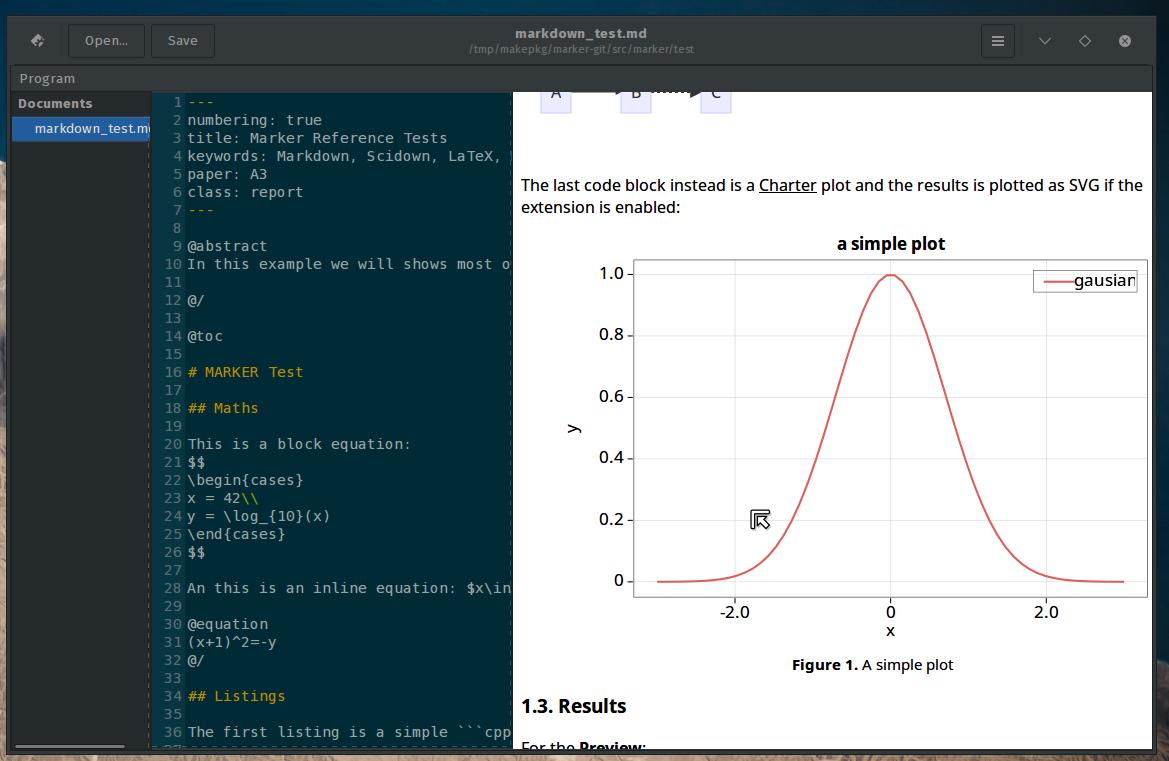
When I install it manually and open test markdown page I get this at first.
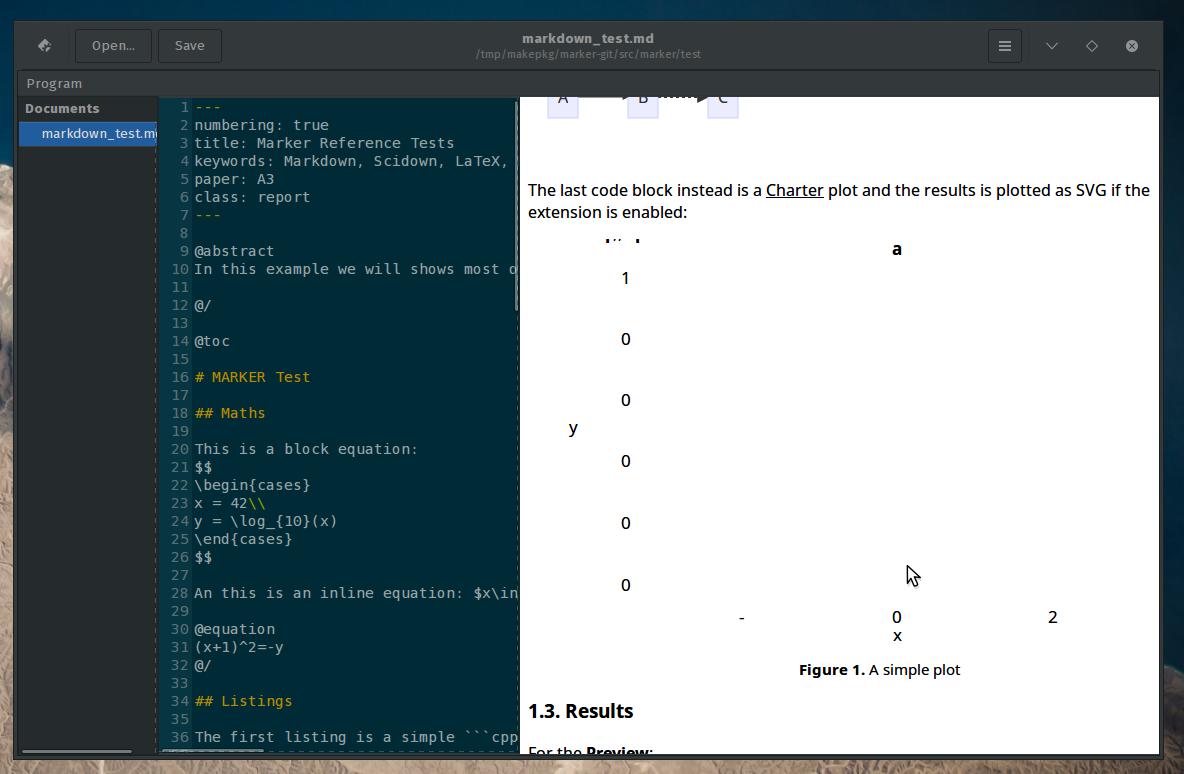
Then I go to preferences, click disable and again to enable charter and then it shows it like it should.
I really don't know. Could it still be something with the locale? (sl_SI.UTF-8) I still get:
not found: en_US

@Mandarancio Okay, I successfully build working package, code is here: https://gist.github.com/4563ebde05fc8159bdf77fae45f50745
But, problem with 're-enabling' the charter on each run is still exists. But I noticed this error(not warning, wow!):
(marker:7185): Gtk-CRITICAL **: 20:58:09.724: gtk_combo_box_set_entry_text_column: assertion 'model == NULL || text_column < gtk_tree_model_get_n_columns (model)' failed
And this is the only text that printed on stdout/stderr now on test markdown file.
Hey @fabiocolacio @Mandarancio
After some fiddling I managed to narrow it down somewhere to linking charter.
The package needs to be built with options=(!buildflags) to successfully link charter in marker binary.
Otherwise there's no mention of charter in the binary.
Secondly, I also had to change setlocale(LC_ALL, "en_US"); to setlocale(LC_ALL, "C"); in https://github.com/Mandarancio/charter/blob/eec2077ac9a9b2333e2a9ec4170cf4f565a4f15d/src/svg.c#L709. This fixes the other issue that @AlexTalker also mentioned above where you need to disable/enable charter in preferences.
Hi again @fabiocolacio @Mandarancio I don't think this issue is fully fixed? Shouldn't the issue with charter I mentioned above be fixed in charter?