
f4nff
f4nff
``` gost -L=ws://:80?out=500k&in=500k gost -L=:1080 -F=ws://:80?out=500k&in=500k ``` 针对单连接进行最大带宽限制,使用iperf3进行测速,如果限制不超过某个值,传输非常平稳, 如果超过某个值之后,会被Qos惩戒,然后当前连接速率就为0,只能断开,重新发起连接,才有速率。 客户端限制或者服务端限制,同时有效。
websocket添加ping pongs,实现双向心跳, http2同理, 不然在nat层,没有数据传输,常常会被断开连接, 还有添加限流,针对单连接限制最大上行,下行速率,
``` root@yy:/home/gopkg/src/github.com/FlowerWrong/tun2socks/cmd# go get -d github.com/FlowerWrong/tun2socks/cmd root@yy:/home/gopkg/src/github.com/FlowerWrong/tun2socks/cmd# ls main.go netstack shared smart surge udp root@yy:/home/gopkg/src/github.com/FlowerWrong/tun2socks/cmd# go build # github.com/google/netstack/tcpip/link/rawfile ../../../google/netstack/tcpip/link/rawfile/rawfile_unsafe.go:137:10: undefined: BlockingPoll ../../../google/netstack/tcpip/link/rawfile/rawfile_unsafe.go:159:10: undefined: BlockingPoll ../../../google/netstack/tcpip/link/rawfile/rawfile_unsafe.go:189:14: undefined: BlockingPoll # github.com/google/netstack/tcpip/stack...
The udp protocol's tracer server appears error code [bad connection ID]  `udp://37.1.210.233:80/announce` Serving chihaya,Unfortunately, he has made a mistake. `udp://ipv4.opentracker.xyz:80/announce` is [opentracker](http://erdgeist.org/arts/software/opentracker/) Opentracker is normal. please
[https://downloads.openwrt.org/releases/22.03.0-rc1/targets/rockchip/armv8/openwrt-22.03.0-rc1-rockchip-armv8-friendlyarm_nanopi-r4s-ext4-sysupgrade.img.gz](https://downloads.openwrt.org/releases/22.03.0-rc1/targets/rockchip/armv8/openwrt-22.03.0-rc1-rockchip-armv8-friendlyarm_nanopi-r4s-ext4-sysupgrade.img.gz)  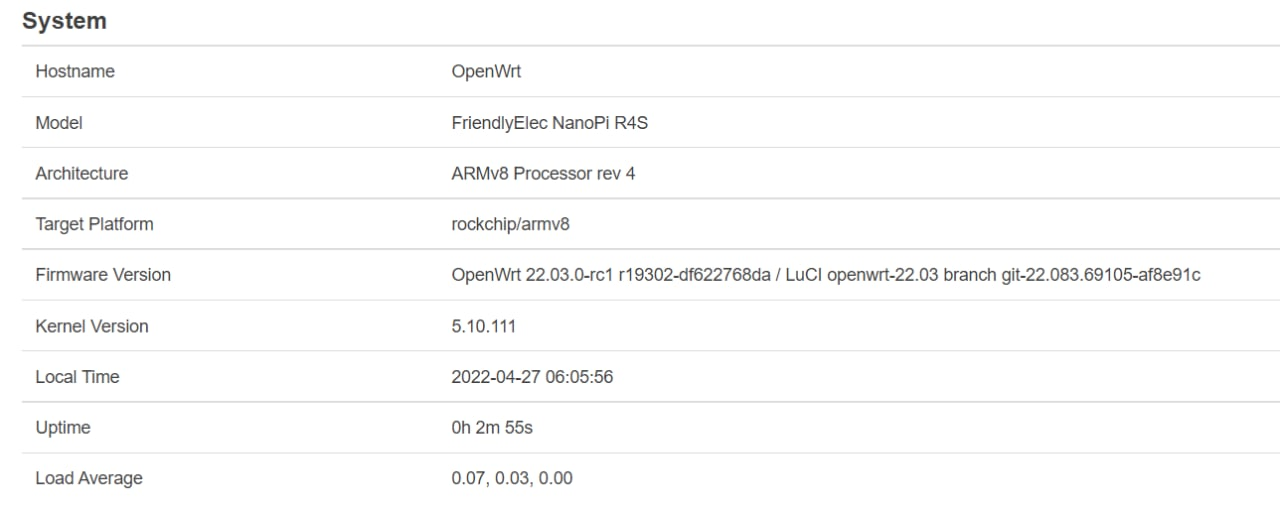 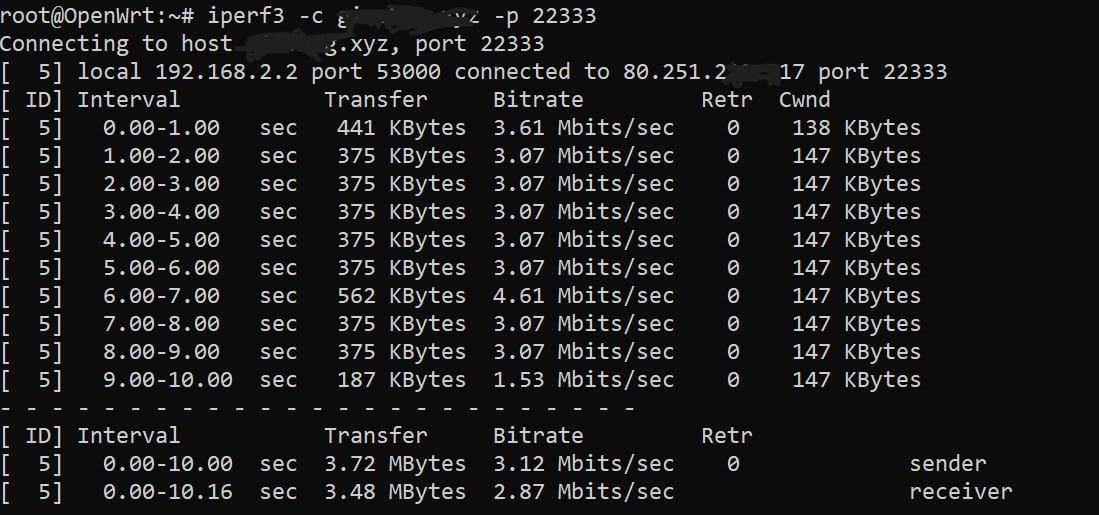 Upstream speed: 3Mbps The same network, I use x86 img upload speed is no problem. Only r4s openwrt has such a problem. [https://download.friendlyelec.com/nanopir4s](https://download.friendlyelec.com/nanopir4s) This is the...
debug

``` Ping http://127.0.0.1:9999(127.0.0.1:9999) - http is open - time=364.1457ms method=GET status=403 bytes=16 runtime: out of memory: cannot allocate 32768-byte block (1781923840 in use) fatal error: out of memory runtime: out...
ipv6 no~
delete
bug~!
带宽峰值超过某个值,大概200Mbps之后,客户端卡死了,连不上了, 但是与服务端的链接状态还存在 但是不通了, 必须重启客户端, 重现方式,找个网络质量好的,然后设置几个隧道, 然后找个youtube 4k视频,随意多次拖动就可以很快触发,
``` root@ubuntu:/home/gopkg/src/github.com/pieterlouw/caddy-net/caddynet# go build caddynet.go # github.com/caddyserver/caddy/caddytls /home/gopkg/pkg/mod/github.com/caddyserver/[email protected]/caddytls/tls.go:80:42: not enough arguments in call to certmagic.NewDefault().RevokeCert have (string, bool) want (context.Context, string, bool) root@ubuntu:/home/gopkg/src/github.com/pieterlouw/caddy-net/caddynet# ```
目前负载均衡有三种模式,轮询,随机,递进。 配置如下 ``` # strategy for node selecting strategy round max_fails 2 fail_timeout 30s # period for live reloading reload 10s # peers peer mwss://ra.elyzc.net:443?ip=80.63.188.5 peer mwss://ra.qdlyzc.net:443?ip=80.63.188.6 ``` 我看了下nginx里面的负载均衡的算法貌似更合理。 ```...