

 extent-framework
Screenshots are not attached after migrating from htmlReporterV3 to V4
I have migrated from V3 HTML reporter to V4 HTML reporter. I use BDD style reporting. Before my screenshots worked just fine, whole logic is same. I'm attaching screenshots via AddScreenCaptureFromPath(path to screenshot) method Add in .png format. File size is also reasonable
If I use ExtentV3HtmlReporter(path to report) it works just fine, but when I try ExtentHtmlReporter(path to report) it fails to attach screenshot.
I'm very confused of why my screenshot is not being attached. is that a pro feature now ?
Sample step I used to attach screenshot:
case "Given":
ScenarioName.CreateNode<Given>(stepName)
                            .Fail($"Exception:\n{errorMessageOrException}, \nURL: {webDriverUrlOrNull}")
                            .AddScreenCaptureFromPath(logic to get screenshot string);
Sample screenshot of report:
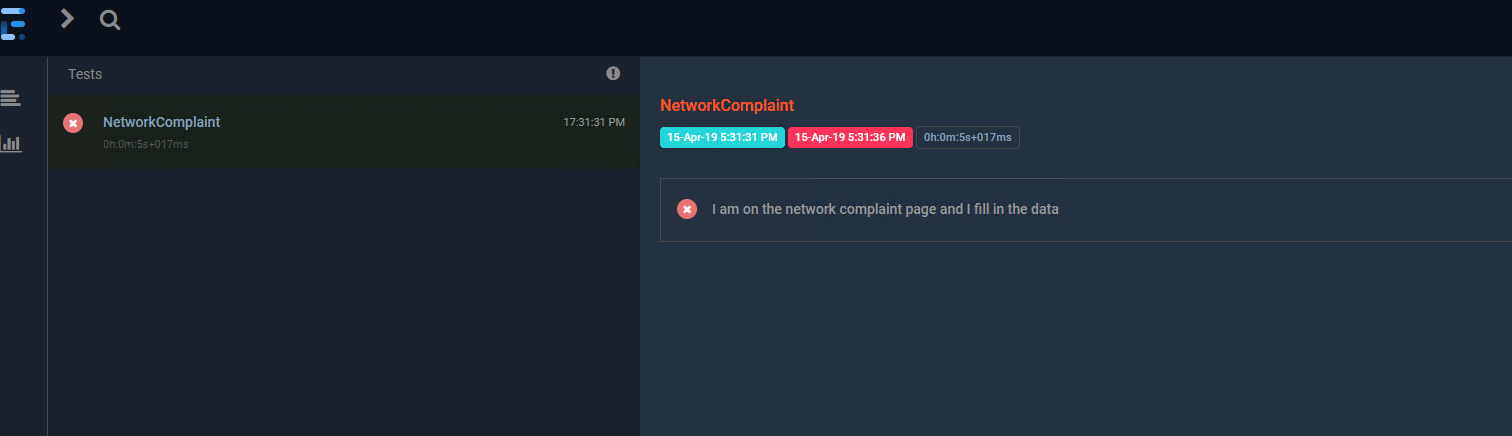

Update: I can have screenshots attached to report with following code:
case "Given":
ScenarioName.CreateNode<Given>(stepName)
                            .Fail($"Exception:\n{errorMessageOrException}, \nURL: {webDriverUrlOrNull}",MediaEntityBuilder.CreateScreenCaptureFromPath(logic to get path to screenshot file).Build());
It looks little odd though

Previous option was far better and screenshots looked fine
Update: I can have screenshots attached to report with following code:
case "Given":
ScenarioName.CreateNode<Given>(stepName)
                            .Fail($"Exception:\n{errorMessageOrException}, \nURL: {webDriverUrlOrNull}",MediaEntityBuilder.CreateScreenCaptureFromPath(logic to get path to screenshot file).Build());
It looks little odd though
Previous option was far better and screenshots looked fine
I tried to use the code with MediaEntityBuilder.CreateScreenCaptureFromPath (logic to get path to screenshot file) .Build ()), but it doesn't attach anything to me, could you share the complete code or explain to me better how you did to attach the images to the report?
I use this:
var screen = ((ITakesScreenshot)_webdriverContext.driver).GetScreenshot(); _scenario.CreateNode<Given>(_scenarioContext.StepContext.StepInfo.Text).Pass("", MediaEntityBuilder.CreateScreenCaptureFromPath(".\\", screen + ".jpeg").Build());

Hi Good morning! Is this now working? I wanted to add this to my project and confirm it's working before setting everything up.


@darrendeng777 Please use the latest version 4.1.0-beta1 from nuget with ExtentHtmlReporter and let me know if you continue to have issues.

I have the same issue. But I am using dotnet core. What is the compatible version for ExtentReports.Core to make this work ?

@KHariHaraChaitanya Please use this package: https://www.nuget.org/packages/ExtentReports/4.1.0-beta1