

 expo
expo
[docs] Link in "Using expo-dev-client with EAS Update" appears broken
Summary
The documentation for Using expo-dev-client with EAS Update mentions this url scheme:
https://github.com/expo/expo/blob/7468f1e39f34a11af04aced577846fe890fa4b3b/docs/pages/eas-update/expo-dev-client.md?plain=1#L18
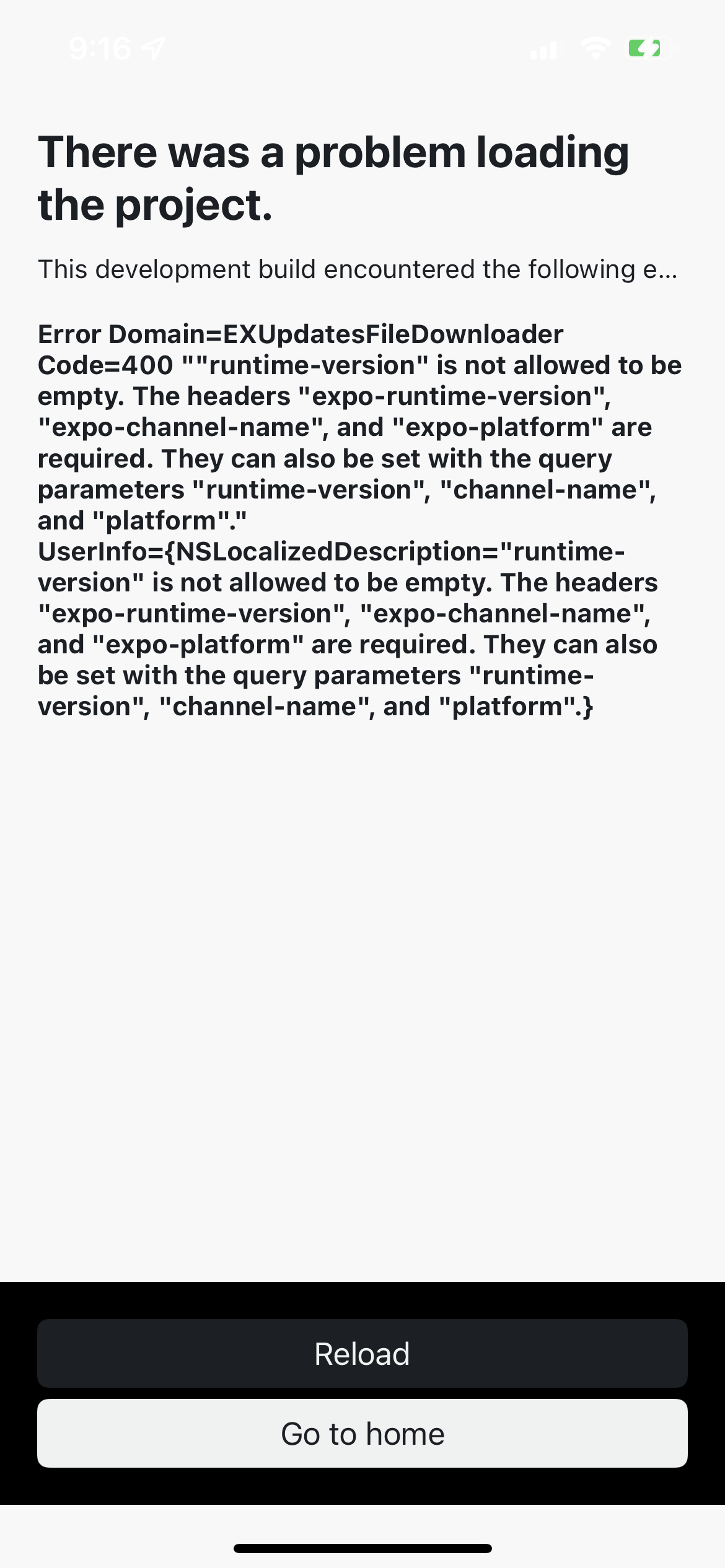
However, I'm trying to run this for my project and get the following error (see screenshot below)
It appears that runtime-version is not specified in that url.
Link to the related docs page
exp+snaplose://expo-development-client/?url=https://u.expo.dev/2d812bd6-5773-4e8d-8c46-431c82d2ec86?channel-name=beta?runtime-version=1.0.0
Anything else?
No response

Thank you for filing this issue! This comment acknowledges we believe this may be a bug and there’s enough information to investigate it. However, we can’t promise any sort of timeline for resolution. We prioritize issues based on severity, breadth of impact, and alignment with our roadmap. If you’d like to help move it more quickly, you can continue to investigate it more deeply and/or you can open a pull request that fixes the cause.

Interesting. I've been playing with this yesterday and it just worked fine for me. I build that scheme, copied it into my clipboard and pasted it into the input. I just figured that I always have to press the button twice but eventually it would load my update test.
Tested with SDK 45

In the URL you mentioned, there is an issue where you have a ? where there should be a & before a query parameter.
This part:
...?channel-name=beta?runtime-version=1.0.0
Should be:
...?channel-name=beta&runtime-version=1.0.0
That may be part of the issue. But it seems like we may need to define the runtime-version in addition to the channel. I can look into that more.

I just tested that not including the runtime version still works, since development builds will include the platform and expo-runtime-version headers when trying to download an update. Since you're not seeing that, can you make sure you have a development build with the latest expo-updates and expo-dev-client libraries?
npx expo install expo-updates expo-dev-client
npx eas-cli build --profile ...
For reference, here is the URL I used:
exp+my-slug://expo-development-client/?url=https://u.expo.dev/my-project-id?channel-name=my-channel
If you have access to the runtime version, you can also use our endpoint to get a QR code image, if that helps. Here's what that endpoint looks like:
https://qr.expo.dev/eas-update?appScheme=your-app-scheme&projectId=your-project-id&channel=your-channel&runtimeVersion=your-runtime-version
The query params for this endpoint are:
| param | required | description |
|---|---|---|
appScheme |
yes | To target Expo Go, use "exp". Otherwise, use appScheme from app.json |
host |
no | The hostname used in the URL, must be a first-party URL (defaults to 'u.expo.dev') |
Then one of the following sets of query params:
| param | required | description |
|---|---|---|
projectId |
yes | The ID of the project |
runtimeVersion |
yes | The runtime version of the build |
channel |
yes | The channel name of the build |
or
| param | required | description |
|---|---|---|
updateId |
yes | The ID of the update |
If you continue to have issues, please feel free to reopen this with more information. Hope this helps!