expo
expo
npx expo-optimize command not working...
Summary
As you can see by the title, npx expo-optimize is failing to work. The error told me to report that as a bug, so here's the full error:

Environment
expo-env-info 1.0.4 environment info:
System:
OS: Windows 10 10.0.19044
Binaries:
Node: 16.14.0 - C:\Program Files\nodejs\node.EXE
npm: 8.10.0 - C:\Program Files\nodejs\npm.CMD
npmPackages:
expo: ~44.0.0 => 44.0.6
react: 17.0.1 => 17.0.1
react-dom: 17.0.1 => 17.0.1
react-native: 0.64.3 => 0.64.3
react-native-web: 0.17.1 => 0.17.1
react-navigation: ^4.4.4 => 4.4.4
Expo Workflow: managed
Please specify your device/emulator/simulator platform, model and version
Windows 10 dell laptop
Error output
This will overwrite the original assets.
› Optimizing assets...
Aborting run
An unexpected error was encountered. Please report it as a bug:
Error: ENOENT: no such file or directory, stat 'C:\Users\rpshende\AppData\Local\Temp\4ff737f1759b7061b7a65172bf06c76a\favicon.png'
at Object.statSync (node:fs:1538:3)
at C:\Users\rpshende\AppData\Local\npm-cache_npx\98ec667596dd93f6\node_modules\expo-optimize\build\index.js:28:66414
at C:\Users\rpshende\AppData\Local\npm-cache_npx\98ec667596dd93f6\node_modules\expo-optimize\build\index.js:41:934467
at processTicksAndRejections (node:internal/process/task_queues:96:5) {
errno: -4058,
syscall: 'stat',
code: 'ENOENT',
path: 'C:\Users\rpshende\AppData\Local\Temp\4ff737f1759b7061b7a65172bf06c76a\favicon.png'
}
Reproducible demo or steps to reproduce from a blank project
-
expo init test - template: blank under the "managed" workflow
-
cd test -
npx expo-optimize - You should see a message like this:
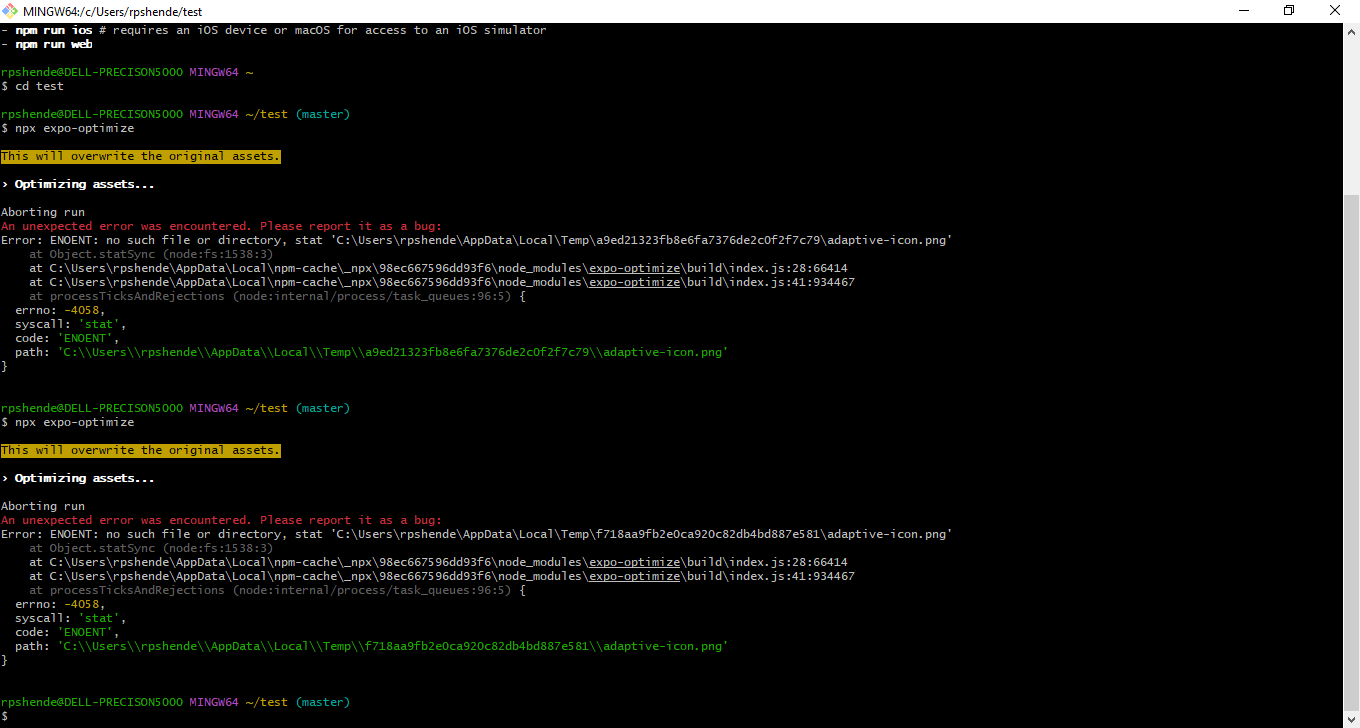
NOTE: in my case, the directory that is not found always changes.


Works for me on macOS. Could it be Windows only issue?
Yes, I believe it is a Windows issue. I have a colleague on the project that uses a mac and he can run it fine. I cannot.
Not a Windows issue... but an issue with the expo-optimize command on Windows.
hi folks! we are moving away from recommending this CLI tool - I have updated the documentation accordingly: https://docs.expo.dev/guides/assets/#images
we may revisit it one day, but at the moment it's not a high priority for us given that there are plenty of excellent tools for this already.