

 exercism
[Editor] For learning exercises, very clearly show which concepts you're learning right now
When I am in the web editor, it's not immediately obvious which concepts I am currently learning. There are no platform-rendered concept tags anywhere in this view. There is no platform-rendered instruction saying "Use concept X and Y to solve this exercise". The only mention of concepts in this view is the track-provided exercise introduction, and in this introduction there may or may not be headings with concepts. Even when they are there, they blend in with all of the other headings.
This might cause some students to miss the fact that they are learning specific concept and more importantly, that they are supposed to use them in the so solution.
One suggestion I would have is to make the concept headings stand out somehow. I don't know if this would be really possible on the platform side because the exercise introduction is free-form, it doesn't need to list concept explicitly. (It's just one suggestion, there could be better ways of resolving this problem).
Two random ideas: lightbulb emoji (which would be doable now per-track) and/or a differently-colored heading prefix.
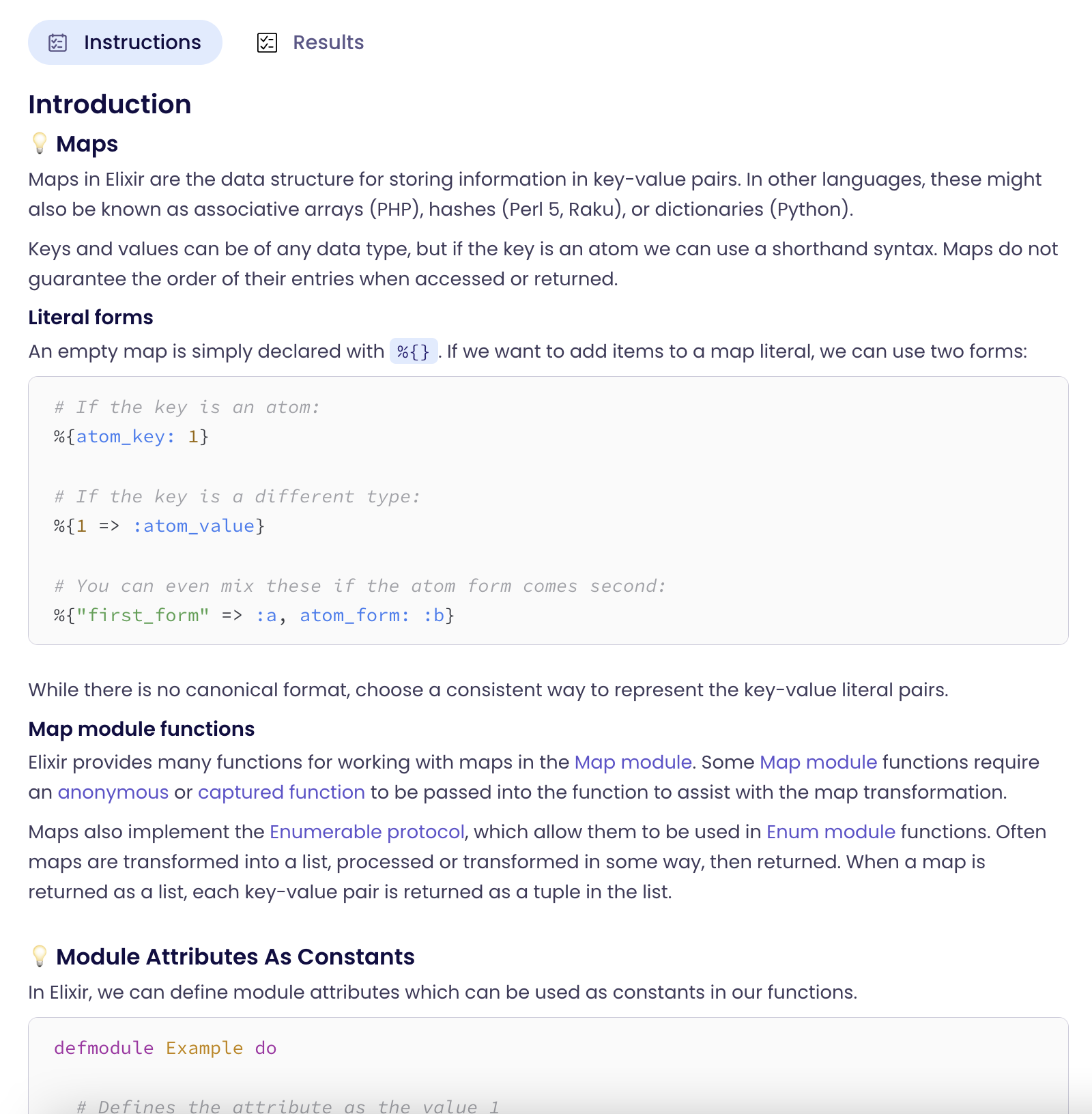
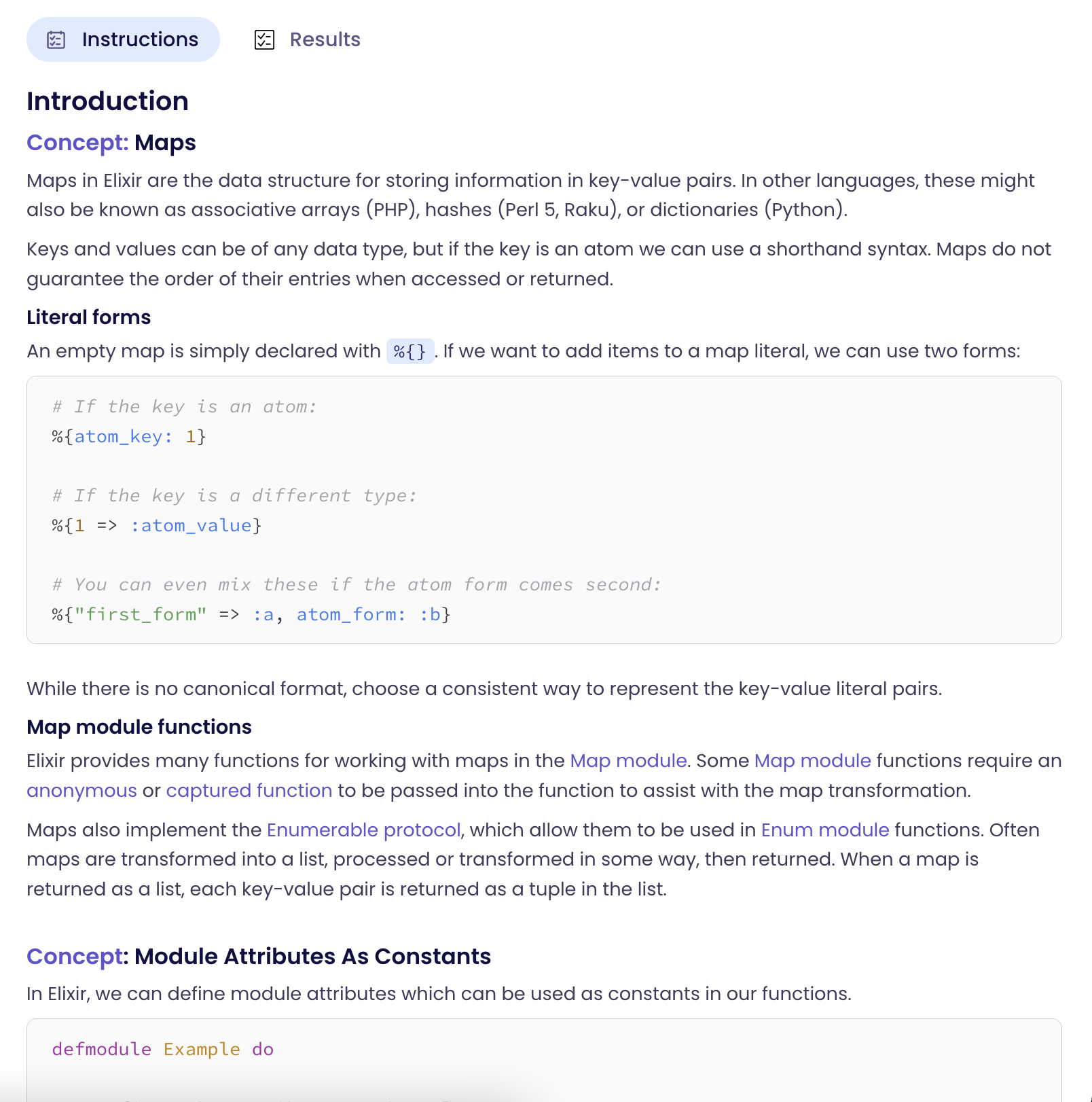

This might cause some students to miss the fact that they are learning specific concept and more importantly, that they are supposed to use them in the so solution.
I ran into this exact same situation multiple times.
Only after finishing the exercise when I was greeted with a sentence like "Congrats, you learned some new concept X" I became aware that I'm supposed to use a certain concept for this exercise.
Even if I open an exercise from the Syllabus/Concepts overview, thinking that I'm now aware of the concept that I'm supposed to use, there might additional concepts for a certain exercise.
