

 executablebooks
Remove any sidebar content from the generated PDF
Describe the bug
context When I do create a standalone PDF I unfortunately still see the sidebar left. I used some of the in other issues recommended css to get rid of it but had no success.
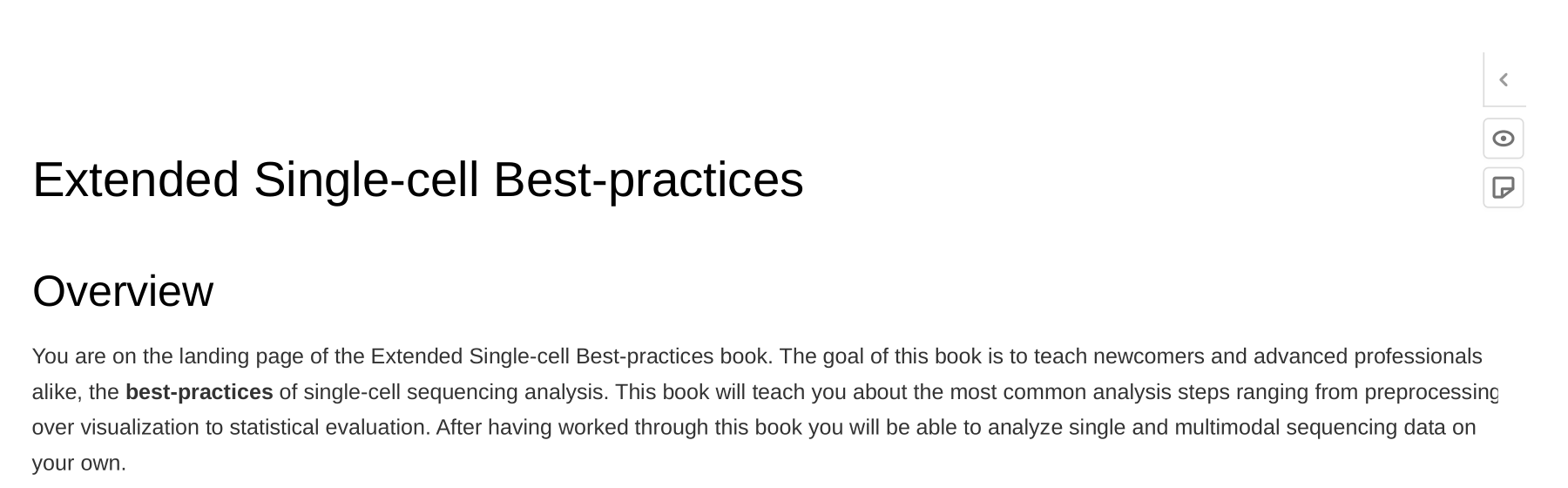
expectation I expected the three buttons on the right to be gone. They are also not functional.
$ jupyter-book build jupyter-book/ --builder pdfhtml
Reproduce the bug
-
git clone https://github.com/theislab/extended-single-cell-best-practices -
cd extended-single-cell-best-practices -
make pdf
List your environment
- Python 3.9
- Arch Linux
- jupyter-book 0.12.3

Thanks for opening your first issue here! Engagement like this is essential for open source projects! :hugs:
If you haven't done so already, check out EBP's Code of Conduct. Also, please try to follow the issue template as it helps other community members to contribute more effectively.
If your issue is a feature request, others may react to it, to raise its prominence (see Feature Voting).
Welcome to the EBP community! :tada:
![welcome[bot] avatar](https://avatars.githubusercontent.com/in/4141?v=4 "Published by a pub.dev verified publisher")