example-sk
Spectrum analyzer generated textures break UV (with work around)
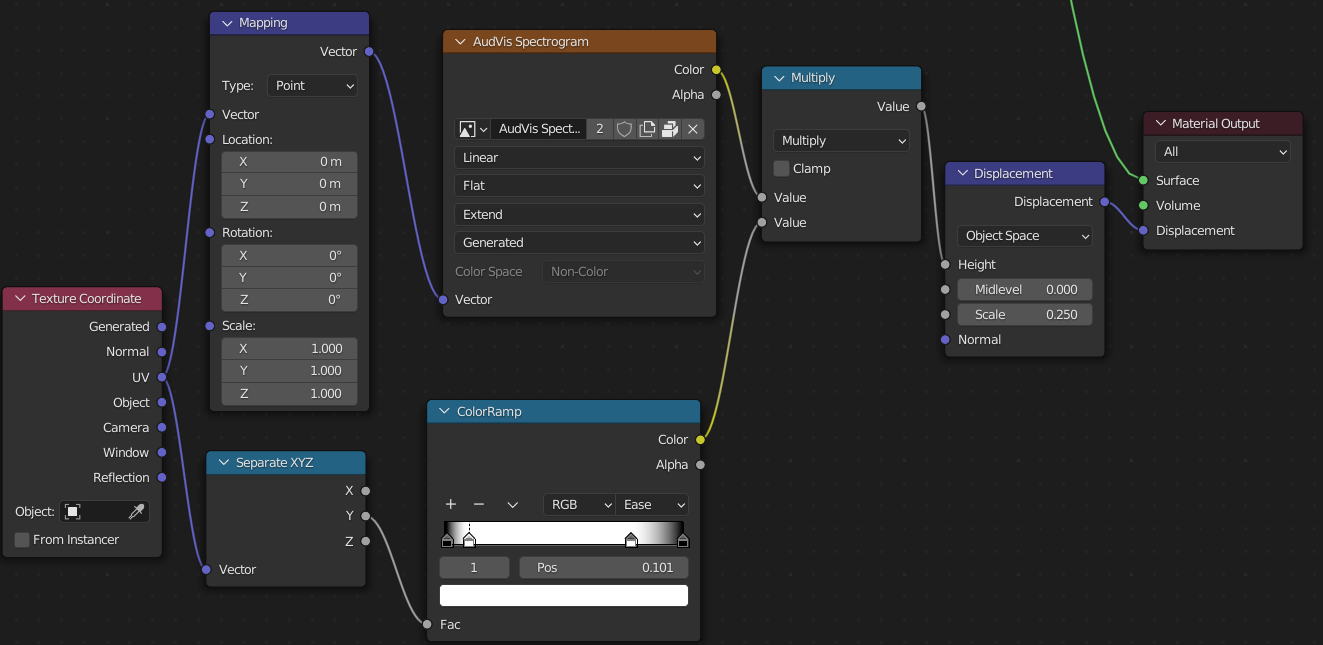
 If you align your uv maps in an "out of bounds" fashion with the motion of travel of the spectrum analyzer texture it will displace the mesh even if it's out of bounds. Simple work around is just don't do that as show in the to.
I wouldn't call this a bug but I thought it might be worth sharing if someone else encounters this problem.
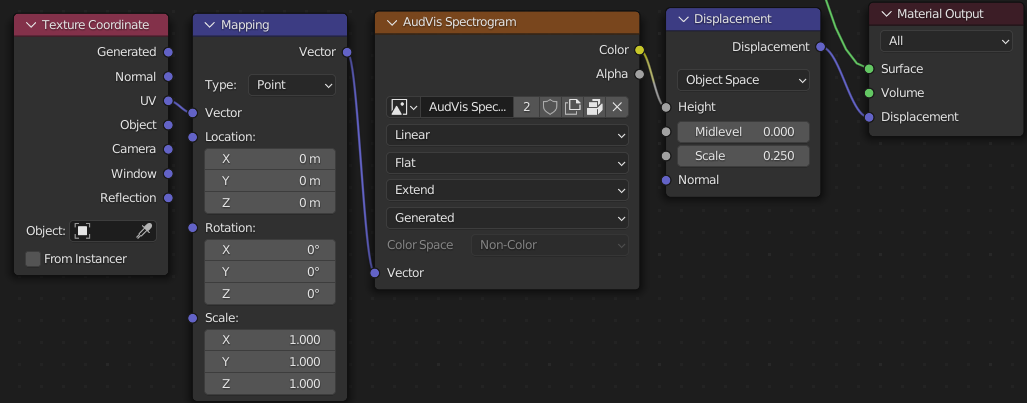 Simple node setup to get it running if you are new to displacements like I was and had a hard time finding working examples with UV's.

@rndsum , can you share the .blend file please?
I'm not sure spectrogram can break UVs. It's only an image. But the image can be resized according to settings, so if you make an UV map, and then you change settings causing image resize, the UV map will not match.

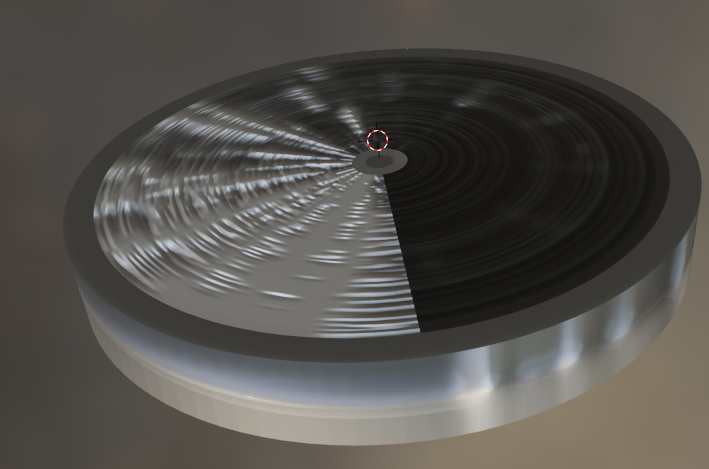
Can see where it's applying the UV as I'd expect the rings going inwards and where it's not around everything that's out of bounds. I'm learning uv mapping from this I am probably completely misunderstanding tutorials and other things. I was wrong with my first guess thinking it was picking up blead over from one edge because the texture was generated and I had maps in the scrolling direction. I think blender using the full edge for all UV maps that fall "out of bounds" on that side.
With no always dark/light strip there's no way to "mask out" with uv's without picking up some of the spectrum. Would be a nice feature to have a high/low black/white strip you could toss masks into at the top/bottom or left/right side of the spectrum image. Only used blender for a week now not sure if I'm explaining what I mean clearly.
Used shading nodes to get the masking strips I was thinking of working. It works (I think) still churning through a test render, but everything looked fine as simplified render without the displacement. With the UV it lets you mask out areas to stay calm edges. Doubling the ramp on Y to X would make for a nice plane with calm edges.