
hisp
 hisp copied to clipboard
 evaporei
🌵 A lisp REPL interpreter made in Haskell

A lisp REPL interpreter made in Haskell.
Language Features
- [x] Numbers (
Float) - [x] Addition (
+) - [x] Subtraction (
-) - [x] Booleans (
true,false) - [x] Comparison operators (
=,>,<,>=,<=) - [x] def
- [x] if
- [x] lambdas
How to run
With Docker
Just run:
docker build . -t hisp
docker run -it hisp
Observation: the build tools of Haskell themselves seem to be very heavy, I've got a 1GB Docker image on my computer just with a 3 line Dockerfile :fearful:
Without Docker
hisp can be compiled/executed using either using stack or just by using ghc.
Using Stack
You will need stack installed on your computer, which is a tool for developing Haskell projects.
To compile and run:
stack run
Using just GHC
You will need ghc installed on your computer, which is the Haskell compiler.
This repository has a shell script (already with chmod +x, to run like a binary) called compile_and_run.sh. Just run it like this:
./compile_and_run.sh

Project structure
Since hisp is built with stack, the folders follow the standard of it.
hisp
│   README.md
│   ...
└─── app
│   └─── Main.hs
└─── src
│   └─── ...
└─── test
    └─── ...
- The
appfolder contains themainfunction that starts the REPL. - The
srcfolder contains the code that is consumed by themainfunction, so it is much like a library folder. - The
testfolder, well, as the name suggests, it has the code for the tests.
Tests
Tests are run using stack, you should install it first. To run them, just use:
stack test
Lint
To run the linter, you will have to install first hlint. To check if everything is correct:
hlint .
How it works
Well it has 3 main steps, like many interpreters:
1. Tokenize
Considering someone wants to see the result of the following lisp code:

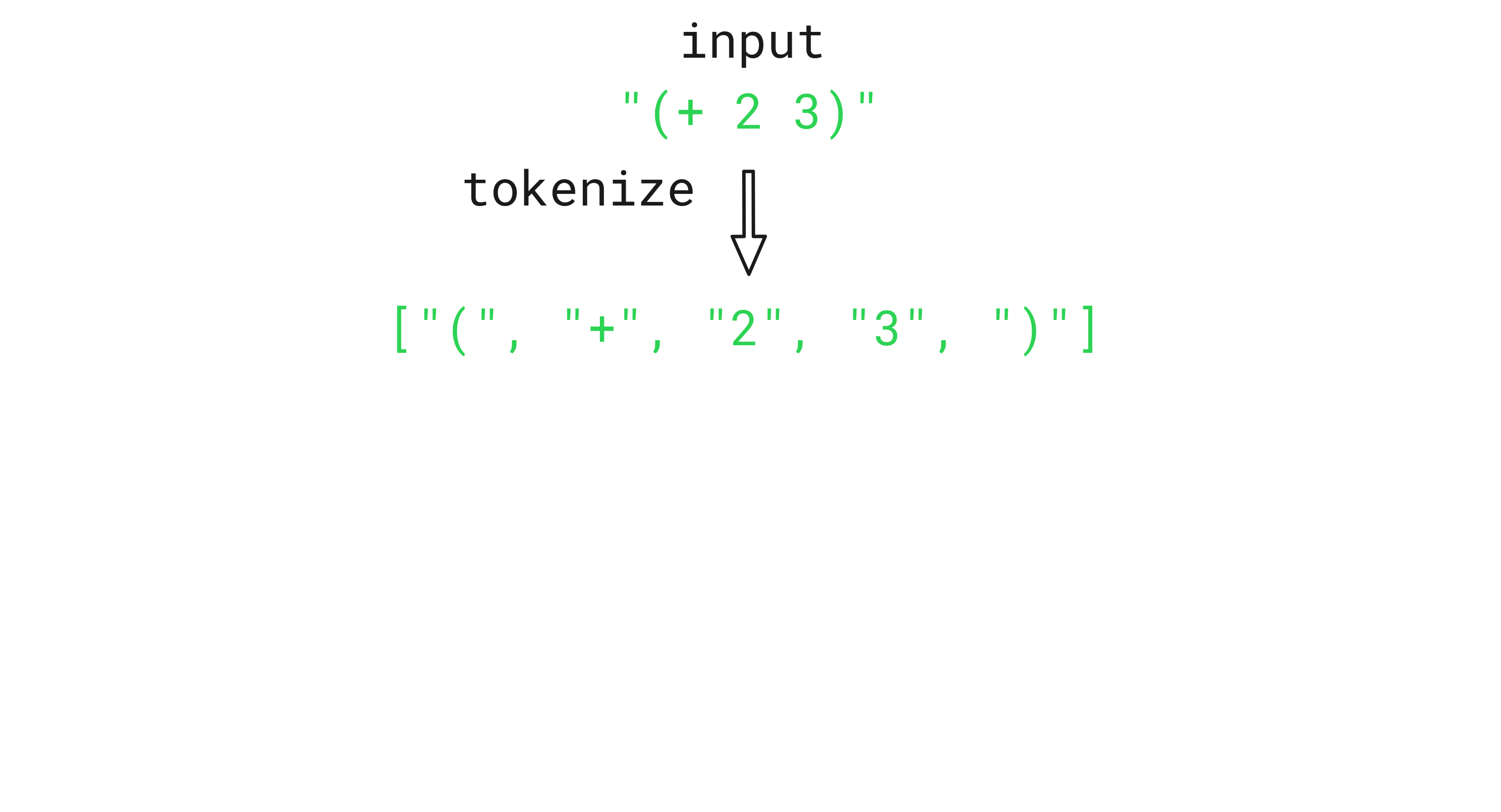
First we take it as raw input (String) and divide it into tokens, which is a list of values ([String]):
2. Parse
Now that we have those tokens, we can convert them to something meaningful to us, that we can interpret.
enum Expression {
  Symbol(String),
  Number(Float),
  List([Expression])
  Function(([Expression]) -> Expression),
}
The code above is a pseudocode with a Rust-like syntax. The idea is that you can have a value that is either a Symbol (holding a String), a Number (holding a Float), a List (holding a list of Expression) or a Function (holding a function that maps a list of Expression to a single Expression).
let four = Expression::Number(4.0);
let plus_sign = Expression::Symbol("+");

3. Evaluate
After we have the values that represent the code we need to execute, we will interpret it!
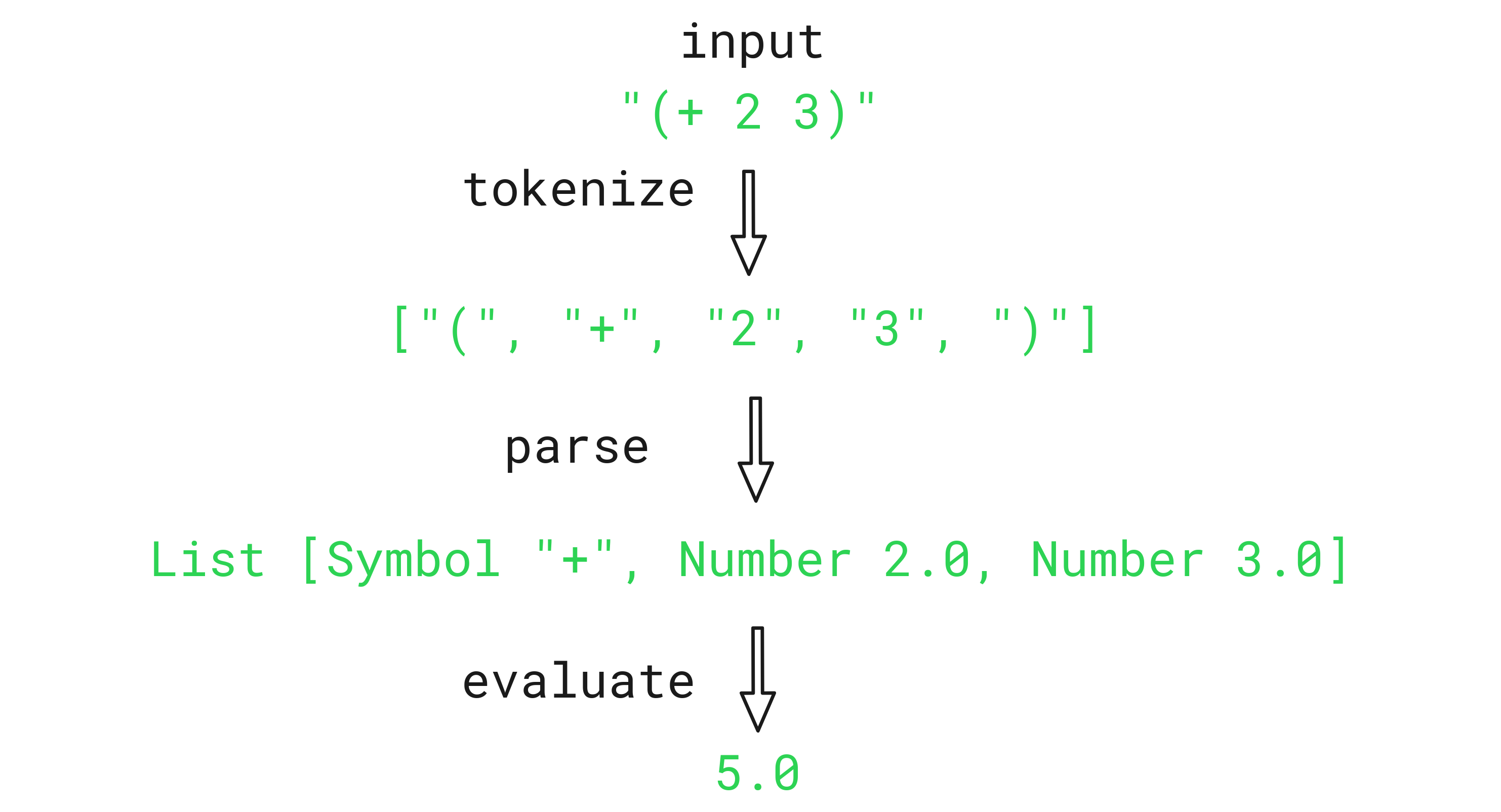
To actually get to that 5.0 in the end, we must have somewhere defined that + receives a bunch of Numbers and then sum them.
We could have an Environment that contains the standard functions/operators.
struct Environment {
  data: HashMap<String, Expression>// map of keys and values
}
Imagine this like a class that has a map of things like +, -, =, ... to values like Expression::Function(implementation).
function sum_implementation (values) {
  return values.reduce((acc, curr) => acc + curr, 0)
}

environment = {
  "+": sum_implementation,
  "-": subtract_implementation,
  ...
}
Above there is a JSON/JavaScript-like visualization.
That is it! It was just an overview, but you can see all of this on this repository, just a bit more complex to make things like defs, ifs and lambdas available to the language.
If you really want to understand more, you can follow some tutorials that are below :slightly_smiling_face:
Notes
This project is heavly inspired by:
Also, I don't really know Haskell well, so the code probably could be a lot better. I did my best with what I know about the language at the time.
License
You can check out the full license here
This project is licensed under the terms of the WTFPL license. You just DO WHAT THE FUCK YOU WANT TO.
 evaporei