
PopupWindow
 PopupWindow copied to clipboard
 ettoolong
Can't Maximize on Windows

After testing, I think this is a limitation (or bug? ) in Firefox.
I can maximize pop-up window in Mac, but I can't maximize pop-up window in Win10. This add-on support Firefox and Chrome.
Win10 + Chrome = maximize button is working fine. Win10 + Firefox = maximize button is not working and you can't maximize window by double click on title bar.
I can't fix it right away. Need file a bug in bugzilla.
Thanks for your feedback.


@ettoolong I can confirm it also works well on Linux
Does that mean this is only windows specifics? EDIT:
Same extension using Bug as feature on Windows https://github.com/aqt/webext-popup/issues/13#issuecomment-774024131

@ettoolong I can confirm it also works well on Linux
Does that mean this is only windows specifics?
I don't know about macOS, but the last time i tried the addon: in Linux it worked fine and on Windows it had empty margins around the popup
@ettoolong I can confirm it also works well on Linux
Does that mean this is only windows specifics?
I don't know about macOS, but the last time i tried the addon: in Linux it worked fine and on Windows it had empty margins around the popup
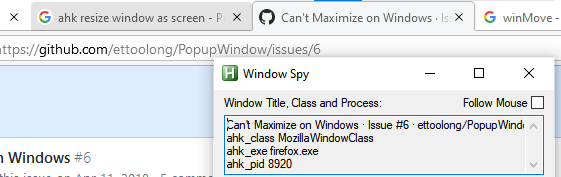
Anyway, seems I found why on Windows it doesn't work, it use Dialog that by default aren't able being maximize as best practice. I tried to force change the window size using AHK, and failed
Pop up Window :

Normal Firefox Window
EDIT 2 : I can change the window width, and for now I can minimize, maximize, and move around the window
You can use AHK for this, and this will only applied to firefox DialogClass Window
File : FixDialogFirefoxWindows.ahk
#IfWinActive, ahk_exe firefox.exe ; hotstrings & hotkeys only works in Firefox
; WinMove Full Screen
#Up::
if (WinActive("ahk_class MozillaDialogClass")) {
	WinMove ahk_class MozillaDialogClass, , 0,0, 1366, 730
} else {
	Send #{Up}
}
return

; WinMove Normal Screen
#Down::
if (WinActive("ahk_class MozillaDialogClass")) {
	WinGetPos, X, Y, W, H, A
	if (X = 0 and Y = 0 and W > 683 and H > 370) {
		WinMove ahk_class MozillaDialogClass, , 283, 70, 800, 600
	} else {
		Send #{Down}
	}
} else {
	Send #{Down}
}
return

#IfWinActive, ahk_class MozillaDialogClass
; Mouse Key Click Check
~LButton:: ; ~ will let the button works normally if remap doing nothing
; If the button is Double Click
if (A_TimeSincePriorHotkey < 400) {
	CoordMode, Mouse, Window ; Get Location based on Active Window
	MouseGetPos, xpos, ypos
	WinGetPos, X, Y, W, H, A
	; If mouse within title bar (0 <-> 35) and isn't on minimize or close button
	if (ypos >= 0 and ypos <= 35) {
		if (X = 0 and Y = 0 and W > 683 and H > 370) {
			WinMove ahk_class MozillaDialogClass, , 283, 70, 800, 600
		} else {
			WinMove ahk_class MozillaDialogClass, , 0,0, 1366, 730
		}
	}
}
return
#IfWinActive

#IfWinActive
Hey @ettoolong, thank you very much for this extension. If user wants to have all windows maximized (as I do) there is simple workaround by setting Default pop-up window width and height in an extension configuration. FYI: @maverick74

In Windows it's enough to call e.g. in AHK:
WinSetStyle "+0x10000", "A"
To enable the maximize button, the 0x10000 is also known as WS_MAXIMIZEBOX.
