
pysnmp
 pysnmp copied to clipboard
 etingof
Need help creating table rows to an agent
Hi, I'm new to PYSNMP and I need all the help I can get.
I need to create rows to an agent (Hirchsmann router) and I have followed the guide in this site but the rows are not being created at the agent. I'm sure I'm missing the part on how to send the mibInstrumController.writevar to the agent.
Hope someone can help check my code. Please see attachment.

It seems you are trying to implement SNMP agent serving the HMSECURITY2-MIB MIB. Is that correct?

Hi, that is correct. Do you need a copy of the MIB HMSECURITY2-MIB? Please let me know what other info you need from me. I really need help on this one.
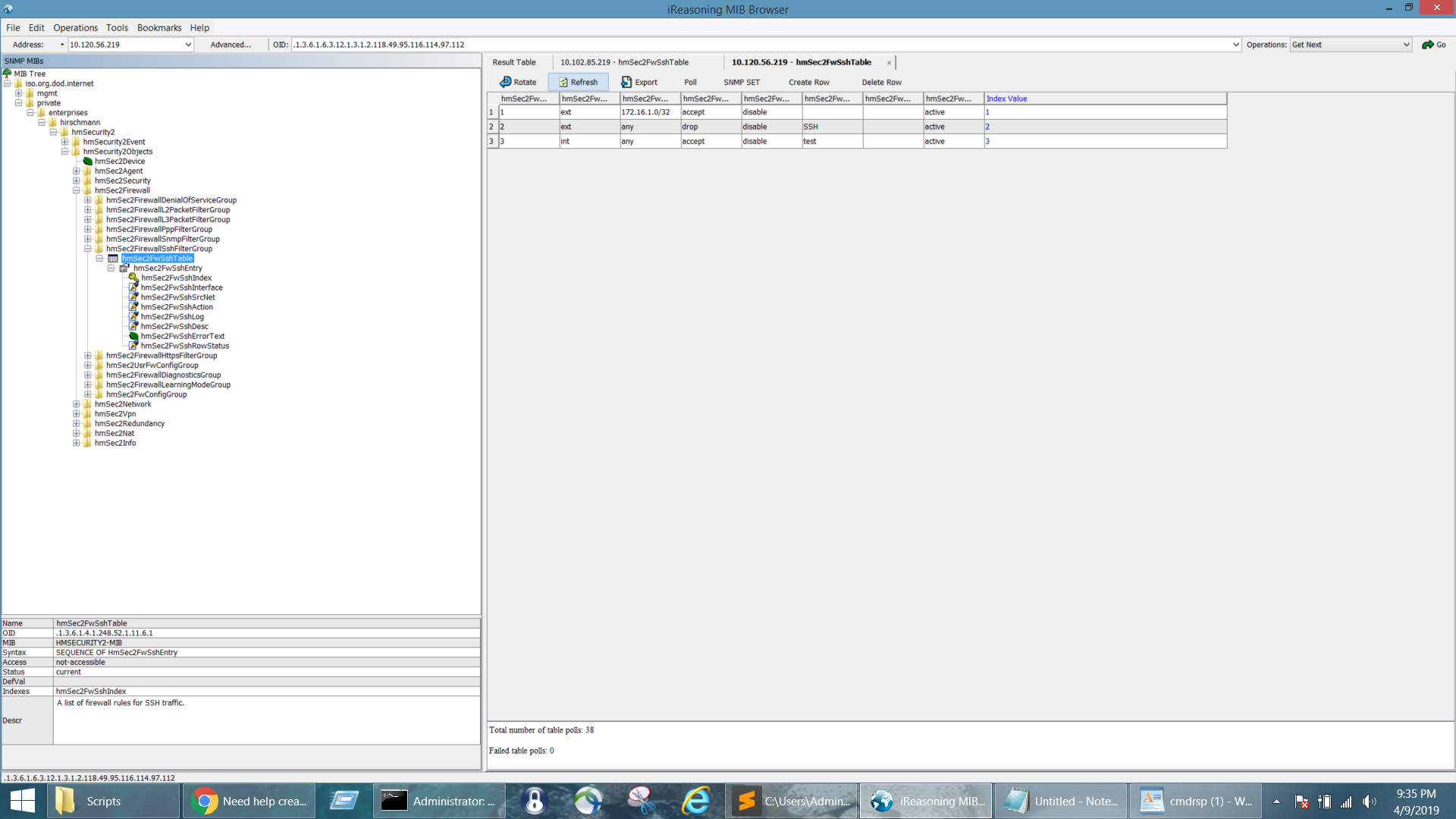
I have attached the table screenshot to have a better view of what rows I want to create at the table.
In short, adding rows to a table requires
- The SNMP agent allows it.
- You perform the correct SET operations.
For PySNMP test agent, a dedicated test case has been provided to illustrate the entire process,
https://github.com/lextudio/pysnmp/blob/v7.0.2/tests/hlapi/asyncio/manager/cmdgen/test_v1_set.py#L33
The issue you described, however, is different, where you use an SNMP agent from a vendor. It's not clear whether the vendor provides this functionality or if there are extra steps you need to enable table creation there. Thus, this isn't something PySNMP repo can answer.
