
optimism
 optimism copied to clipboard
 ethereum-optimism
Fatal: No genesis block configured.
Describe the bug Docker compose error message: Fatal: No genesis block configured.
To Reproduce Steps to reproduce the behavior:
- Clone the project
- Go to infra/op-replica/docker-compose folder
- Copy
default-mainnet.envfile to.env - Run
docker-compose up
.env file:
COMPOSE_PROJECT_NAME=op-replica
COMPOSE_FILE=replica.yml:replica-shared.yml:replica-toml.yml
ETH_NETWORK=mainnet
DATA_TRANSPORT_LAYER__L1_RPC_ENDPOINT=https://mainnet.infura.io/v3/<infura_key>
DATA_TRANSPORT_LAYER__L2_RPC_ENDPOINT=https://mainnet.optimism.io
REPLICA_HEALTHCHECK__ETH_NETWORK_RPC_PROVIDER=https://mainnet.optimism.io
SEQUENCER_CLIENT_HTTP=https://mainnet.optimism.io
SHARED_ENV_PATH=../envs/mainnet
GCMODE=full
L2GETH_IMAGE_TAG=0.5.17
DTL_IMAGE_TAG=0.5.26
HC_IMAGE_TAG=1.0.4
L2GETH_HTTP_PORT=9991
L2GETH_WS_PORT=9992
DTL_PORT=7878
GETH_INIT_SCRIPT=check-for-chaindata-berlin.sh
Expected behavior Start to sync
System Specs:
- OS: Ubuntu 18
- Package Version (or commit hash): master
Error Log
l2geth-replica_1        | Chain config:
l2geth-replica_1        | INFO [04-11|14:06:12.196] Maximum peer count                       ETH=50 LES=0 total=50
l2geth-replica_1        | INFO [04-11|14:06:12.196] Smartcard socket not found, disabling    err="stat /run/pcscd/pcscd.comm: no such file or directory"
l2geth-replica_1        | INFO [04-11|14:06:12.197] Allocated cache and file handles         database=/geth/geth/chaindata cache=16.00MiB handles=16
l2geth-replica_1        | Fatal: No genesis block configured.


Tried with Ubuntu 20, same error occurred
Attaching to op-replica_l2geth-replica_1
l2geth-replica_1        | + echo running /scripts/check-for-chaindata-berlin.sh
l2geth-replica_1        | running /scripts/check-for-chaindata-berlin.sh
l2geth-replica_1        | + GETH_DATA_DIR=/geth
l2geth-replica_1        | + GETH_CHAINDATA_DIR=/geth/geth/chaindata
l2geth-replica_1        | + GETH_KEYSTORE_DIR=/geth/keystore
l2geth-replica_1        | + '[' '!' -d /geth/keystore ]
l2geth-replica_1        | + echo '/geth/keystore missing, running account import'
l2geth-replica_1        | + echo -n pwd
l2geth-replica_1        | + echo -n 6587ae678cf4fc9a33000cdbf9f35226b71dcc6a4684a31203241f9bcfd55d27
l2geth-replica_1        | + geth account import '--datadir=/geth' '--password=/geth/password' /geth/block-signer-key
l2geth-replica_1        | /geth/keystore missing, running account import
l2geth-replica_1        | INFO [04-12|01:24:15.206] Maximum peer count                       ETH=50 LES=0 total=50
l2geth-replica_1        | INFO [04-12|01:24:15.206] Smartcard socket not found, disabling    err="stat /run/pcscd/pcscd.comm: no such file or directory"
l2geth-replica_1        | Address: {00000398232e2064f896018496b4b44b3d62751f}
l2geth-replica_1        | + echo 'get account import complete'
l2geth-replica_1        | get account import complete
l2geth-replica_1        | + '[' '!' -d /geth/geth/chaindata ]
l2geth-replica_1        | + echo '/geth/geth/chaindata missing, running init'
l2geth-replica_1        | /geth/geth/chaindata missing, running init
l2geth-replica_1        | + geth init '--datadir=/geth' https://storage.googleapis.com/optimism/mainnet/genesis-berlin.json 0x106b0a3247ca54714381b1109e82cc6b7e32fd79ae56fbcc2e7b1541122f84ea
l2geth-replica_1        | INFO [04-12|01:24:19.955] Fetching genesis file                    url=https://storage.googleapis.com/optimism/mainnet/genesis-berlin.json
l2geth-replica_1        | INFO [04-12|01:25:01.838] Maximum peer count                       ETH=50 LES=0 total=50
l2geth-replica_1        | INFO [04-12|01:25:01.839] Smartcard socket not found, disabling    err="stat /run/pcscd/pcscd.comm: no such file or directory"
l2geth-replica_1        | INFO [04-12|01:25:01.840] Allocated cache and file handles         database=/geth/geth/chaindata cache=16.00MiB handles=16
l2geth-replica_1        | INFO [04-12|01:25:01.855] Writing custom genesis block
l2geth-replica_1        | Killed
l2geth-replica_1        | + echo running /scripts/check-for-chaindata-berlin.sh
l2geth-replica_1        | running /scripts/check-for-chaindata-berlin.sh
l2geth-replica_1        | + GETH_DATA_DIR=/geth
l2geth-replica_1        | + GETH_CHAINDATA_DIR=/geth/geth/chaindata
l2geth-replica_1        | + GETH_KEYSTORE_DIR=/geth/keystore
l2geth-replica_1        | + '[' '!' -d /geth/keystore ]
l2geth-replica_1        | /geth/geth/chaindata exists, checking for hardfork.
l2geth-replica_1        | Chain config:
l2geth-replica_1        | + '[' '!' -d /geth/geth/chaindata ]
l2geth-replica_1        | + echo '/geth/geth/chaindata exists, checking for hardfork.'
l2geth-replica_1        | + echo 'Chain config:'
l2geth-replica_1        | + geth dump-chain-cfg '--datadir=/geth'
l2geth-replica_1        | INFO [04-12|01:27:59.454] Maximum peer count                       ETH=50 LES=0 total=50
l2geth-replica_1        | INFO [04-12|01:27:59.457] Smartcard socket not found, disabling    err="stat /run/pcscd/pcscd.comm: no such file or directory"
l2geth-replica_1        | INFO [04-12|01:27:59.465] Allocated cache and file handles         database=/geth/geth/chaindata cache=16.00MiB handles=16
l2geth-replica_1        | Fatal: No genesis block configured.
l2geth-replica_1        | Fatal: No genesis block configured.
Some thing wrong with my steps ?
Hmmm yeah something weird going on here, I can't reproduce at all. What version of docker-compose are you using?

Hi! I have the exacly same problem :(
I did the same steps and getting the same error.
DATA_TRANSPORT_LAYER__L1_RPC it's working bc it's syncing:
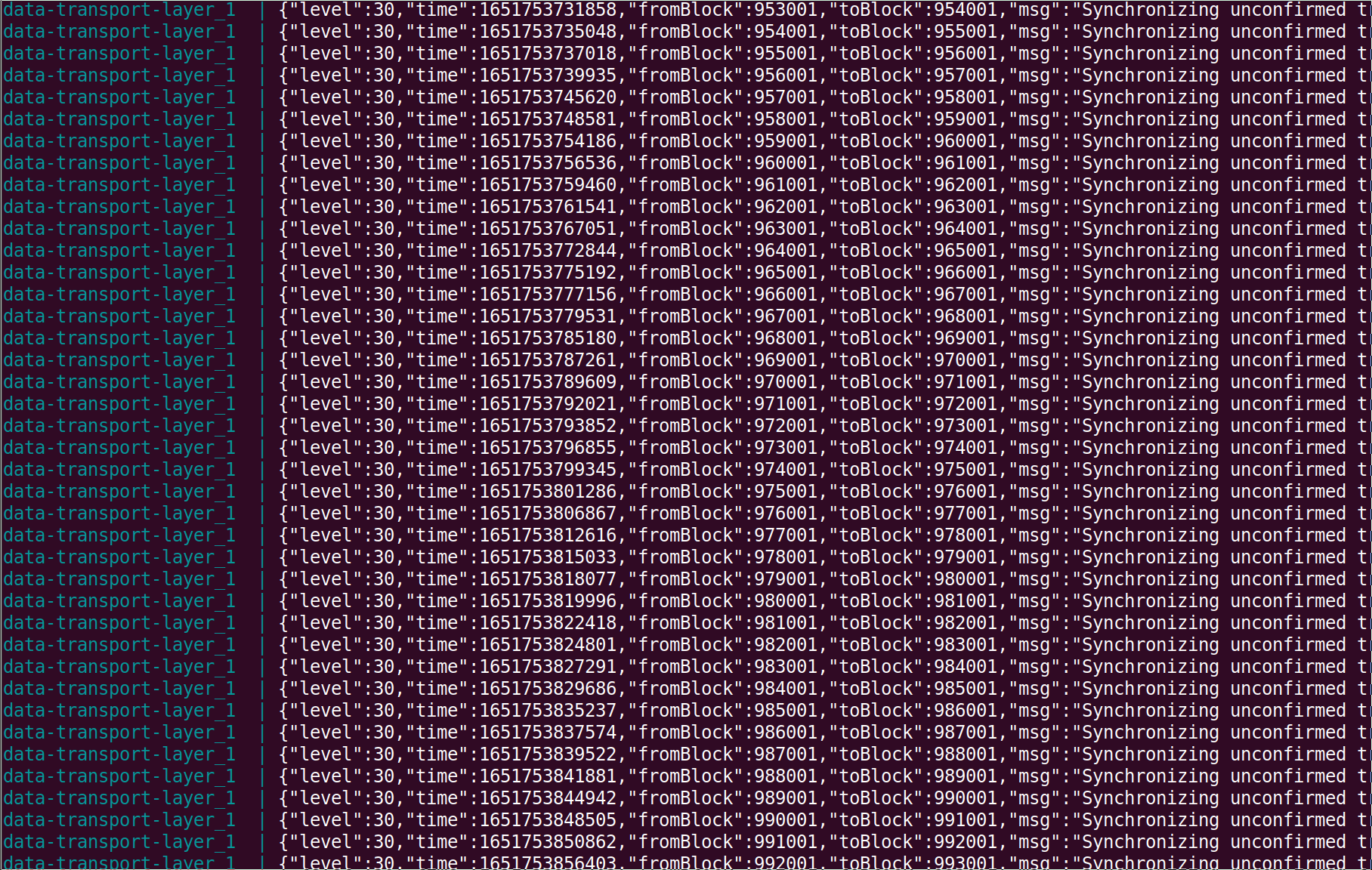
but when I check the l2geth-replica log I'm getting the same issue.

any thoughts?

@0xsShady @primejacks are you running this on a machine that's already running a Geth instance for Ethereum?
hi @smartcontracts I've just clonned the monorepo + modified the .env (clonned from mainnet.env)
COMPOSE_PROJECT_NAME=op-replica COMPOSE_FILE=replica.yml:replica-shared.yml:replica-toml.yml ETH_NETWORK=mainnet DATA_TRANSPORT_LAYER__L1_RPC_ENDPOINT=https://mainnet.infura.io/v3/INFURAID DATA_TRANSPORT_LAYER__L2_RPC_ENDPOINT=https://mainnet.optimism.io REPLICA_HEALTHCHECK__ETH_NETWORK_RPC_PROVIDER=https://mainnet.optimism.io SEQUENCER_CLIENT_HTTP=https://mainnet.optimism.io SHARED_ENV_PATH=../envs/mainnet GCMODE=archive L2GETH_IMAGE_TAG=latest DTL_IMAGE_TAG=latest HC_IMAGE_TAG=latest L2GETH_HTTP_PORT=9991 L2GETH_WS_PORT=9992 DTL_PORT=7878 GETH_INIT_SCRIPT=check-for-chaindata-berlin.sh
RESTART=unless-stopped
And then I run the command docker-compose up. It seems that DATA_TRANSPORT_LAYER__L1_RPC it's working bc it's syncing but l2geth-replica log it's showing the problem above.

So, apparently, the issue here was lack of RAM. This happens because the first time l2geth runs, it gets killed and then upon restart, it tries to fetch the genesis block which is not there. Increasing to 8GB RAM fixed the issue for us @0xsShady and @smartcontracts.
Hi! thanks for the reply!
Where do I have to change it exacly?
So, apparently, the issue here was lack of RAM. This happens because the first time l2geth runs, it gets killed and then upon restart, it tries to fetch the genesis block which is not there. Increasing to 8GB RAM fixed the issue for us @0xsShady and @smartcontracts.
So, apparently, the issue here was lack of RAM. This happens because the first time l2geth runs, it gets killed and then upon restart, it tries to fetch the genesis block which is not there. Increasing to 8GB RAM fixed the issue for us @0xsShady and @smartcontracts.
Ah, fascinating. That would explain why it's working on my machine. I'll make sure to add 8GB RAM as a requirement in the docs.
My computer has more than 8GB of RAM, do I have to change any var to "dedicate" them to the replica node?
Make sure to remove the docker containers with
docker-compose down -v and then try docker-compose up -d again
Make sure to remove the docker containers with
docker-compose down -vand then trydocker-compose up -dagain
Now It seems to be working...but I don't understand what changed from the last time I did docker-compose down -v and then docker-compose up -d

Has anyone found a solution to this? I have the same problem.
Increase the amount of RAM given to L2Geth, then docker compose down -v and docker compose up -d again
Has anyone found a solution to this? I have the same problem.
Increase the amount of RAM given to L2Geth, then
docker compose down -vanddocker compose up -dagain
how can I do that?