esrlabs
Accept copy from a part of the log and paste as text in the search
Prerequisites
affected version: 2.26.3
make sure to check this before filing an issue:
- [ x] I checked the documentation and found no answer
- [ x] I checked to make sure that this issue has not already been filed
Describe what you would like to have
When I'm looking into the logs I see a text that I want to search, there is already an option to copy:
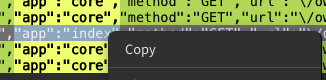
But there is no option to paste in the Search request.
Potential Workaround
So far I have to type the text.
More Information
Using Mac

Hello @cdamken , sorry for being late with the feedback. Am I right, you would like to see the option Paste in the context menu of search-input?

@cdamken Does it mean that ctrl + V (cmd + V) doesn't work for you as a way to paste copied text?
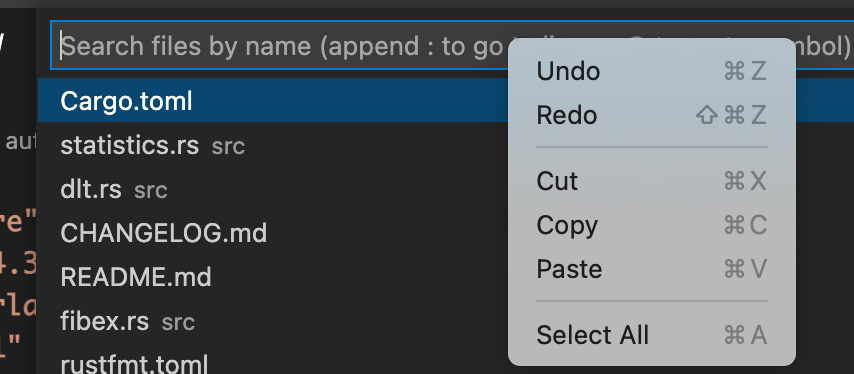
The issue seems to be that the RMB doesn't create a context menu in the search input leave alone show the Paste option. This seems to be confusing as we show the Copy option inside the main view.
I think it'd be good if we not only provide the Paste option in the search input but anywhere we can type (e.g. editing filter name, filtering notifications, etc.)

I wanted to expand on this. From what I can tell, on Mac OS 13.0.1 (Apple Silicon) Paste of any kind does not work within the "Search Request" Text box. No Keyboard Shortcuts, right click paste options, nothing like that.

- with 3.4.18 pasting into the search bar works
- still no context menu shown
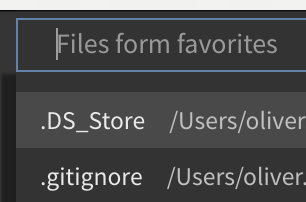
- same for favorites etc.
chipmunk:
VS Code: