

 espressif
Indexer issue "symbol could not be resolved" related to using "#pragma once" in header files (IEP-755)
Describe the bug Using constants defined in header files causes indexer error "Symbol 'XXX' could not be resolved". Project compiles without problem and works fine. I used in my project a few header files with many definitions. I decided to open this project in eclipse for some tests and I found this indexer problem. After investigation I found that using "#pragma once" directive in header files causes abnormal indexer bahaviours. Moving header file to the top of included files helps for symbols from only this file. Replacing "#pragma once" with classic "#ifndef XXX_H ... " resolving issue. Unfortunatelly driver components from esp-idf library are using this pragma and indexer shows undefined symbols like "UART_NUM_0".
To Reproduce I prepared the simplest source code to demonstrate this issue.
#include <stdio.h>
#include "driver/uart.h"
#include "driver/gpio.h"

void app_main(void)
{
	printf("First included uart.h defs = %d %d %d\n", UART_NUM_0, UART_PIN_NO_CHANGE, UART_FIFO_LEN);
	printf("Second included gpio.h defs = %d\n", GPIO_PIN_COUNT);
}
Expected behavior
There should be no errors shown in IDE.
Screenshots
As you can see symbols from second included file are not found:

Environment Information:
Operating System: windows 10 Java Runtime Version: 17.0.4+8 Eclipse Version: 4.24.0.v20220607-0700 Eclipse CDT Version: 10.7.1.202208160035 IDF Eclipse Plugin Version: 2.6.0.202208110735 ESP-IDF v4.4.2 Python set for IDF_PYTHON_ENV: Python 3.10.6

I have verified this on Windows and macOS and I couldn't reproduce the problem with the sample code attached.
Operating System: windows 10
Java Runtime Version: 11.0.14+9-LTS
Eclipse Version: 4.21.0.v20210906-0500
Eclipse CDT Version: 10.4.1.202109142059
IDF Eclipse Plugin Version: 2.6.0.qualifier
ESP-IDF v5.1-dev-187-g5b11895700
Python set for IDF_PYTHON_ENV: Python 3.7.9
Please find the attachment from windows.

Regarding #pragma once header files, could you enable the following indexer preference option and see if that helps?

src: https://stackoverflow.com/questions/27217857/eclipse-luna-cdt-what-is-a-header-variant

Thanks for help. This option doesn't help me. I also tried to reinstall whole enviroment but also without success.
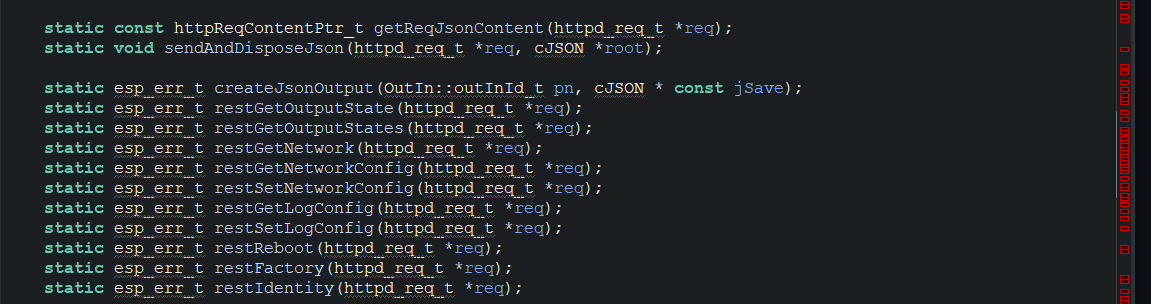
Omg.... I tried selecting "Index all header variants" and the problem got many times worse.... It even flags esp-idf defined types even though I am including the correct esp-idf headers to define them (the code compiles fine):

Same here.
Clean install via ESP IDF Tools Online and using espressif-ide 2.7.0. Exactly same issue if I manually install the tools in Eclipse 12.2022.
Deleting everything and reinstalling doesn't help. Going to go to check if VSCode is any better.

Going to go to check if VSCode is any better.
I love eclipse and use it for many other projects but for esp32 it doesn't work as I expect. I switched my project to VS Code with original esp plugin. First configuration took some time but I am happy now :) Indexer works very good and even better than in eclipse.
Eclipse 12.2022
Eclipse 12.2022 is a new release from the Eclipse platform which is not yet supported by the plugin. I would recommend using Eclipse 2022-09 and 06 version.
I've had on-again/off-again issues with both Eclipse and VS Code. Just different issues. I like the smart code interface that Eclipse has better than the one in VS Code, so I end up back at Eclipse. Other than the indexer being flakey, Eclipse has been working well for quite a while. There's a bit of manual reconfiguration that has to be done, though, when upgrading ESP-IDF and this doesn't seem well-documented anywhere. I've figured it out just by working at it.
There's a bit of manual reconfiguration that has to be done, though, when upgrading ESP-IDF and this doesn't seem well-documented anywhere. I've figured it out just by working at it.
Hi @mbratch Thanks for your feedback. Would you mind sharing bit more details on the documentation part so that we could enhance it?
Updating ESP-IDF from Espressif-IDE/Eclipse plugin
- As documented here we could use
Espressif > Download and Configure ESP-IDFto install the latest stable version - For updating the master branch, we could use
Espressif > ESP-IDF Tools Manager > Update ESP-IDF Master
Updating ESP-IDF Using Online and Offline Windows Installer If you're a windows user, you could use Online and Offline Windows Installers for installing ESP-IDF and the entire tools set along with the Espressif-IDE. This provides an option to choose the specific ESP-IDF version during installation.
Updating ESP-IDF through CLI https://docs.espressif.com/projects/esp-idf/en/latest/esp32/versions.html?highlight=clone#updating-release-branch
Any feedback on these would be appreciated.
Hello @kolipakakondal
I will say initially here that I don't claim I am taking the optimum approach to upgrading ESP-IDF as an Eclipse user. I've done several ESP-IDF upgrades since using Eclipse and each one has been a bit of an adventure as I have fallen into one trap or other along the way and then managed to work my way out. But the last couple of times have gone a lot more smoothly, if a bit laborious.
So with that out of the way...
- I use Windows as my development platform (Windows 11 to be exact). So the first step I take when upgrading ESP-IDF is to use the latest Windows offline installer.
- Open a command or PowerShell prompt, navigate to the ESP-IDF folder and run "install.bat" to make sure the latest tools are installed
- Check the Windows environment variables to make sure any prior ESP-IDF version paths are updated to the new version. If any changes are made, logout and log back in after making the changes.
- At this point, the Windows ESP-IDF PowerShell or Command shell will work and do a proper build with the new ESP-IDF.
- In Eclipse go to menu
Espressif > Download and Configure ESP-IDF(Note that the dialog I get with Eclipse 09-2022 version doesn't look like the one pictured in the link you have, and theUpdate ESP-IDF Masterdoesn't exist). Check the box that says "Use an existing ESP-IDF from the file system" and click Finish. - In Eclipse go to menu
Espressif > ESP-IDF Tools Manager > Install Tools. Note that here it shows a later version of Python than was installed by the ESP-IDF windows installer or as installed byinstall.bat. Click the Install Tools button. - If it's desired to match the Python version used in the command line ESP-IDF build environment with version used in Eclipse, manually edit the
(ESP-IDF path)/.espressif/esp-idf.jsonfile and set it to point to the newer version. - In Eclipse go to menu
Window > Preferences > C/C++ > Build > Environmentand update the variables shown there as needed. - In Eclipse go to menu
Windows > Preferences > C/C++ > Build > Global Tools PathsandWorkspace Tools Pathsand make sure that the IDF Folder is set to the latest version. - Apply all the preferences changes and exit Eclipse. Logout and log back into Windows.
- Open Eclipse and check
Windows > Preferences > C/C++ > CMakeand verify that the tool chain paths are accurate. After the above changes they should be but I've had to fuss with these before. I think I tried the Remove and Add... buttons to fix, but I think Eclipse figures these out from somewhere automatically (??)
After doing the above, the version of Python used by the PowerShell might be a little older than the one used by Eclipse. That seems to be fine as they both satisfy the minimum version requirements. But I sometimes update the json file noted in step 4 after installing the tools for Eclipse in step 6.
Anyway I think that's everything. Yes, it's a lot of stuff that seems to have to be done for this to actually all be configured correctly. It does make me think maybe I'm doing something wrong. But after lots of trials with ESP-IDF upgrades, this is where I've landed as far as steps that eventually get me where I need to be. I have done lots of searching online trying to find my way through this, looking for answers to questions about where things are configured and came up with nothing. I had to figure all this out by lots of digging and trials.
Early on, I did use the CLI to update my ESP-IDF, but I found that using the installer and post-tool install was easier as it at least does some of the configuration needed.
As a related anecdote, when I went through these steps going from ESP-IDF v4.4.2 to v5.0, I carelessly made some kind of error hand-editing a config file that caused Eclipse builds to fail immediately. I couldn't figure out what I had changed to cause the error, and I couldn't find any information at all online about the error I was seeing. To finally solve it, I just went to my Windows file history and copied all of my Eclipse configuration from a month earlier into my Eclipse config folder (I had to redo some of the above steps to re-setup the ESP-IDF). The funny thing is, after doing this, nearly all of the indexer errors I was previously plagued with disappeared. There are just a couple of stragglers that I gave up trying to make go away.
I've noticed that on every other launch of Espressif-IDE, the indexer works, symbols resolve, and Open Declaration drill-down works as expected. But for the other launches the indexer is broken, there are tons of unresolved symbols listed in Problems, and Open Declaration doesn't work. Example: Launch ide and indexer is broken. Quit IDE, then launch again, and indexer is okay. Quit ide, then launch again, and indexer is broken. This cycle repeats over and over and seems to be 100% repeatable with clean install of Espressif-IDE 2.10.0, IDF v5.1, and blink example project. Maybe a clue as to the underlying indexer issue?
Another Update: The alternating working/not working behavior happens when a file is left open when exiting Espressif-IDE. For example, if hello_world/main/hello_world_main.c is currently open when exit Espressif-IDE, then re-launch Espressif-IDE and that file automatically re-opens, the indexer alternates between working and not working on subsequent IDE launches. If you close all files before exiting Espressif-IDE, then re-launch the IDE, the indexer seems to work properly and continues to work properly on subsequent launches as long as there are no source files open when you exit and re-launch.
