
filebin2
 filebin2 copied to clipboard
 espebra
Memory usage when uploading files to filebin2
Espen,
As you know we use filebin2 running on Kubernetes which means each instance is running in a container of its own and shares the DB and the S3 buckets.
Things have been working very well until this morning when someone reported they could not transfer a 300Mb+ file. On further inspection it looked like the container was being memory starved. So as a test of a hunch rather than anything else we upgraded the container to have a bit more memory and everything worked.
However, that got me testing even larger files and I noticed what I think is a pattern and wanted to see if you can confirm my theory.
I think when uploading files to filebin2 it holds those files in memory and then once received sends them on to S3 storage. Which is just fine on a chunky server with lots of memory and swap.
But a container is a little limited on infra .. For the moment each of our containers now has 4Gb of memory and handles a single 1GB file just fine (all/most) of the time.
Is this theory correct ? Is there anyway to stream straight through to S3 perhaps ? or if we need to cache locally use disk rather than memory ?
Looking forward to your reply..
I know I could look at the code :-) But I am not Go friendly yet !

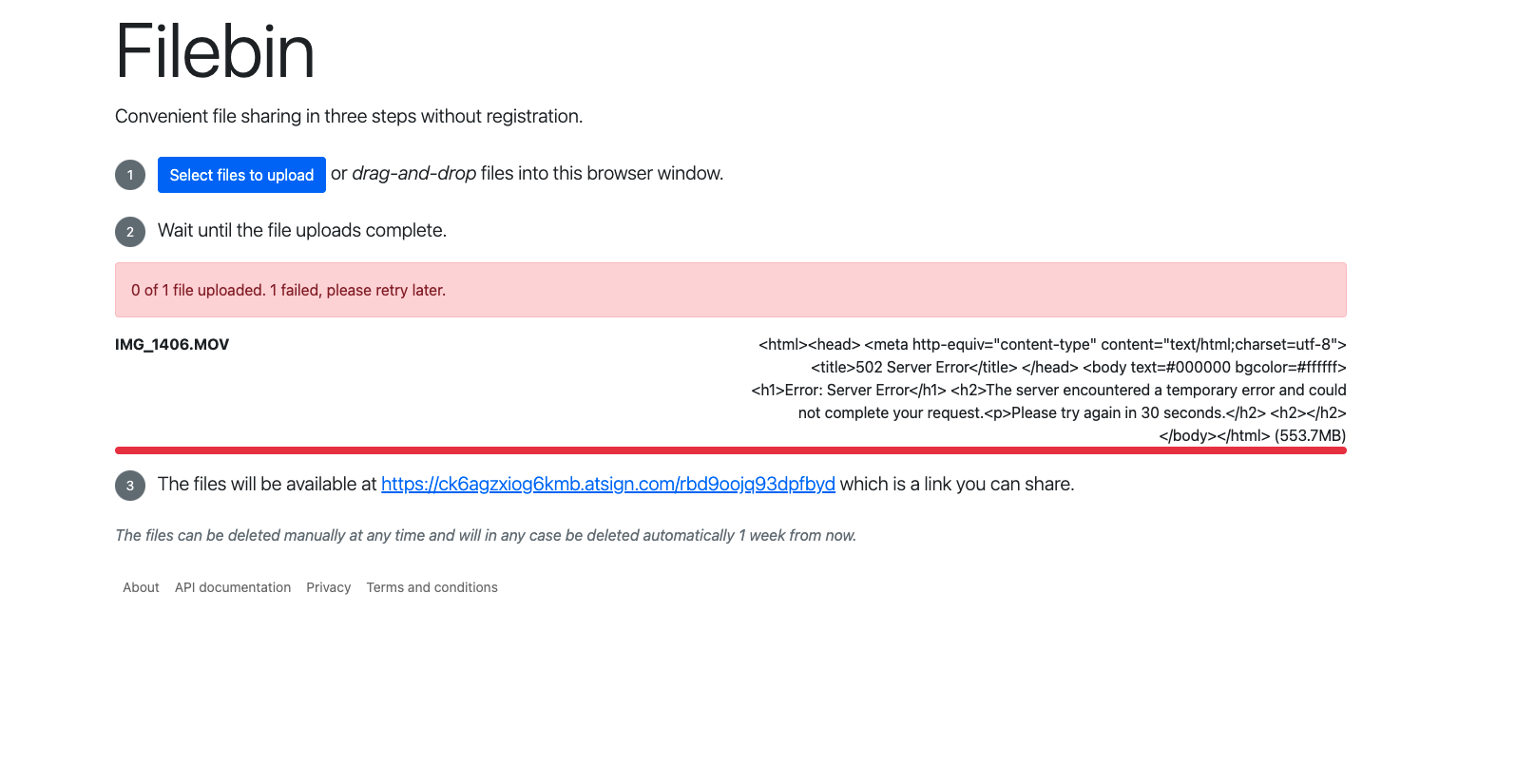
Couple more things.. I noticed/remembered that files are stored in /tmp so increased the space in the container accordingly.
But I still think there is something memory dependent, as I have a 10GB /tmp space and with a container with 4GB of memory I can not upload a 5GB file.. But 1GB files work every time..
Although I do see the file uploaded getting to /tmp just fine the Web UI says it is Server side processing... and then that fails..
ls -l in the container shows the file :-)
filebin2@filebin2upstream-9f599b668-pq9zz:/tmp$ ls -la
total 5107408
drwxrwxrwt 1 root     root           4096 Mar 15 23:22 .
drwxr-xr-x 1 root     root           4096 Mar 15 22:56 ..
-rw------- 1 filebin2 filebin2 5229973504 Mar 15 23:45 filebin997919731
filebin2@filebin2upstream-9f599b668-pq9zz:/tmp$
The file in /tmp is then deleted after a few seconds.
Hope that helps a little to explain what we are seeing
It is a bit weird that memory limitations make the upload fail for large files, this should not be the case.
What happens on upload is that the request body is written to a temporary file, and then this temporary file is uploaded to S3. This means that the temporary folder (specified with the -tmpdir parameter) needs to have sufficient amount of capacity to fit the entire file. The tempfile is automatically deleted after the S3 upload is complete or the client aborts the upload. The upload process does not (should not at least) buffer the entire file in memory, so it is fine if the file is larger than the amount of memory available.
The relevant lines in the code are https://github.com/espebra/filebin2/blob/master/http_file.go#L217-L358. This part of the code isn't the prettiest and it could benefit from some refactoring. I don't think I'll have available time to do this in the near future unfortunately.
Can you extend /tmp beyond 10 GB? It is possible that it helps to increase it.

I have upgraded our k8s set up to:-
4GB RAM 100GB of /tmp
I see the same issues unfortunately.
1GB file uploads and downloads fine 5GB file uploads (I see the file in /tmp)... Then failure as above.
Log files
2022-03-21 17:09:57.580 PDTStored object: 063fa7724a9df879482401c8c9bcf3f23947323d813bc1204811ab44c680a16d/efdc5ec9df2d8b56579900e501b3c87a7a121aa27473b3d1ca7ade7409c07772 (5229973504 bytes) in 71.445s
2022-03-21 17:09:57.591 PDTUploaded filename Win11_Ukrainian_x64v1.iso (5.2 GB) to bin zqn7kqkfavuc5zg2 (db in 0.045s, buffered in 1321.111s, checksum in 94.752s, stored in 71.449s, total 1487.358s)
2022-03-21 17:11:40.902 PDTLurker completed run in 0.010s

A quick look at the code and I wonder if it is the checksum calcs that are tripping us up ? I will ask @gkc to take a look ..
Thanks
I don't believe it's the checksums. Both the md5 and sha256 checksums are generated by streaming the file. I've verified this in a small program which makes a tempFile copy of a 926mb file I happened to have lying around, calcs md5 and sha256 checksums on it, and prints memory usage as it goes.
$ go run hash_large_file.go
Starting
	Alloc = 161568 bytes	NumGC = 0
Copied 970992707 bytes
	Alloc = 194696 bytes	NumGC = 0
Generated MD5 checksum: ZDhiODFlODU1ZmQ5MDgxMDY3MDRjYjc4Y2ZhMGMyYzI=
	Alloc = 228112 bytes	NumGC = 0
Generated SHA256 checksum: 23d4baeed6427470c0ba07b923a492eb4e4d5333b727b72677c4879656f1d3a7
	Alloc = 261352 bytes	NumGC = 0
Ran GC
	Alloc = 159936 bytes	NumGC = 1

@cconstab Do you have a proxy that sits in front of the filebin process? Some proxies buffer request and response bodies before passing them on to the backend, which could explain the high memory consumption.
No proxy that we are aware of.. It sits in GCP behind a load balancer, but that's just an IP LB..
The proxy errors are coming from the load balancer, as the filebin2 binary crashes and it has no where to send the packets to. Now to find out why the binary crashes.. More logging to come...
So the filebin2 binary is not crashing at all after the /tmp increases (great news).. I am running another test right now but..
I did get the same error message in the browser but the file is actually in the bin ..
I will run again and see what if anything I can capture in the logs..


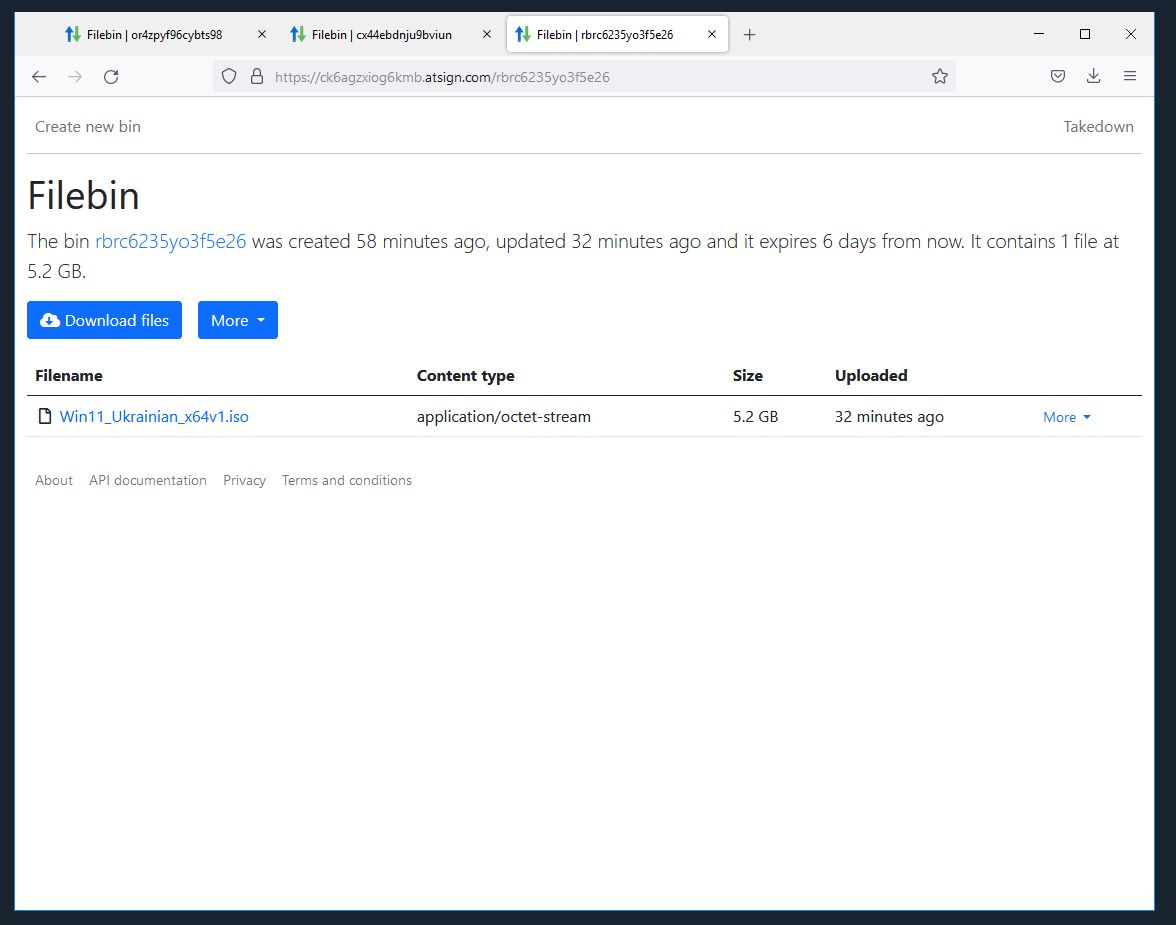
Which leads me to think this indeed a proxy/load balancer issue in GKE land..
Thank you for researching this. I was just thinking that it can be related to the timeout of the built-in server also? The timeout is set to one hour and should really be made configurable. See https://github.com/espebra/filebin2/blob/master/http.go#L171-L178
We still have this issue but increased the memory on the container to allow 1G files to work reliably ... Will circle back to this next week..
Hi @cconstab. I'll close this now as it has been inactive for a while. Please reopen if you come across new data points or ideas.