
mime-icon-generator
 mime-icon-generator copied to clipboard
 erikyo
🎯 All the filetype icons you need in supersharp SVG format! Cannot find the icon set it's for you? With this scss loop you can generate all the icons you need quickly and how you like it
mime-icon-generator 

DEMO: https://erikyo.github.io/mime-icon-generator/
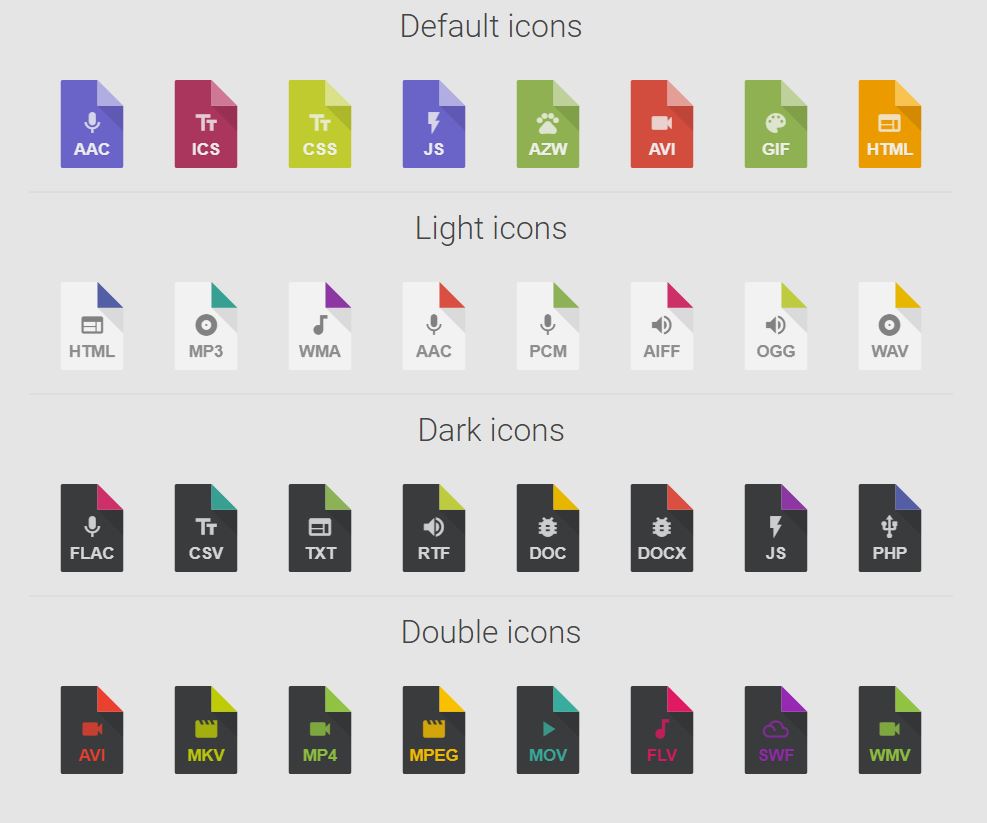
Create easily all the icons you need in supersharp SVG format!
Configuration is very fast ... in the $icon-list array you have to enter some parameters like file extension, color (if you want a custom tone), and shape... icons will be automatically generated and you recall them easily in your site or in your app using the class .mime-icon.ico-$fileextension.
All svg icons are merged into a single css sheet and this allows for a very lightweight file: ~450 icon gzipped size is only 13kb! less than one 256x256 png icon.
INSTALLATION
git clone https://github.com/erikyo/mime-icon-generator.git && cd mime-icon-generator && npm install
gulp watch - sass watch (witj sourcemap and autoprefixer)
gulp finalize - (default) like gulp watch but the generated files are moved to the dist folder. a gzipped version of the minified one is also created)
USAGE
1. Default mixin
There are two ways to make a way to make an icon... the first is with the mixin.
Its basic form is this "@include do-icon(**$color**)".
You can specify a color that will be assigned to the icon if no the default color is used (in the Config Section of the scss sheet)
.ico-myico .ico:after {
      @include do-icon($color);
}
You can recall your newly generated icon whit this code
<div class="mime-icon">
  <div class="ico-myico"></div>
</div>
2. Mass generated icons with icon font
But to generate many icons at once? I prepared a @for loop that loops all the items in the $icon-list:
$icon-list:
...
(abc,  "", $music),
...;
- The first argument used for the class (in the example will be
.mime-ico.ico-applicationand.mime-ico.ico-abc). it's also used for the filetype inside the icon - The second argument is optional: if it is not passed (or is not a color) will be used a color from the array called $icon-colors https://github.com/erikyo/mime-icon-generator/blob/master/scss/generator-colors.scss
- The third argument is the icon ascii. You can pass one of the variables of "scss/generator-vars.scss" https://github.com/erikyo/mime-icon-generator/blob/master/scss/generator-vars.scss. Remember to load the font fonts you like and edit this set of variables that will be very convenient to you
Versions
- 0.9.0 - Initial test release
- 0.9.1 - Style fixes
- 0.9.2 - Style fixes
- 1.0.0 - First release. Fix colors into nested svg and come with some updates (like gulp v4)
Utilities - google sheet docs (can be useful to mass generate your icons)
https://docs.google.com/spreadsheets/d/15Xg_7qReclvRpHDXnVL2go9T-QntLAZJj58KdY4YURU/edit?usp=sharing
 erikyo