

 eranif
[Bug]: Using lldb-vscode with Default Build system generates error
What happened?
If I run a debug a project using the CodeLite MakeFile Generator build system, I am able to use lldb-vscode as the debugger and all is good.
However, if I debug the same program using the default build system with lldb-vscode, I get an error: 'Failed to launch debugee: Could not create a target for a program. It is unable to find the executable and provides the path for the executable, which I can confirm is there.
Sometimes I prefer the Default build system when I have workspaces with multiple projects and I want to have the executable in each project's Debug folder. Thanks
Version
Self compiled
Operating system
Windows 10
Steps to reproduce
Create a simple Hello World Project using the CodeLite Makefile Generator build system.
Set the debugger to lldb-vscode
Run and Debug

Now, change the Build system to Default.
Rebuild, Run and Debug
Relevant log output
No response

I just tried that: i switched from CodeLite Makefile Generator -> Default
started lldb-vscode and it worked...

Here's the specific error message I am getting along with the filesystem view that shows the executable is there:
Here it is on Windows:
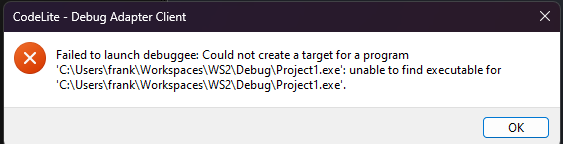
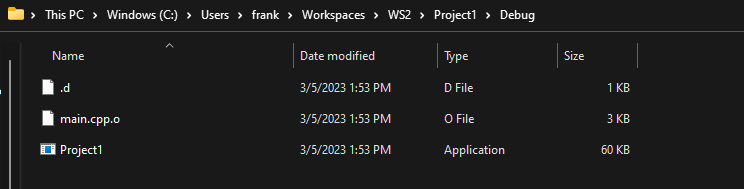
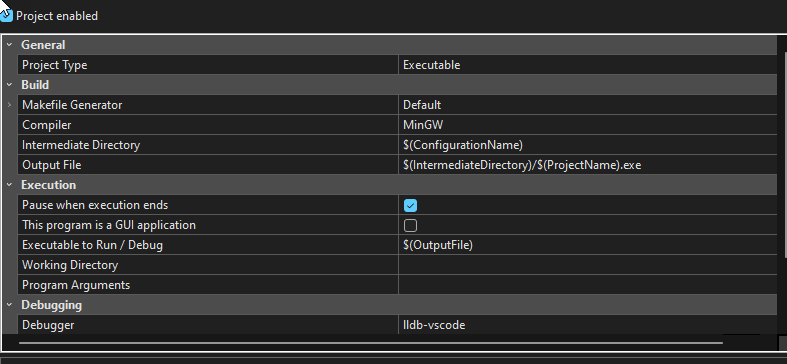
And I get the same issue on Ubuntu jammy:
It looks like the path being used to find the executable is incorrect based on the Default build system's settings.
If I change the Project's Working Directory to $(ProjectPath) then the executable is launched by the debugger.
Note: The gdb debugger works fine without having to change the Working Directory entry. Hope this helps.
I've had dozens of students in my course report the same issue when using the Default build system and lldb-vscode. Reports on Windows, Mac, and Linux. Some were able to tweak project settings but then did not get a terminal window when the debugger actually started. The one thing they all have in common is CodeLite 17.1 with a completely fresh install. The gdb debugger works great on Windows and Linux, but Mac users are outta luck. Below is the log output on one of my systems. As mentioned in the previous post, the path to the executable is incorrect. I'm not sure what else is wrong, but the Default build system was used without any modification to any of the $Macros in the log run below.
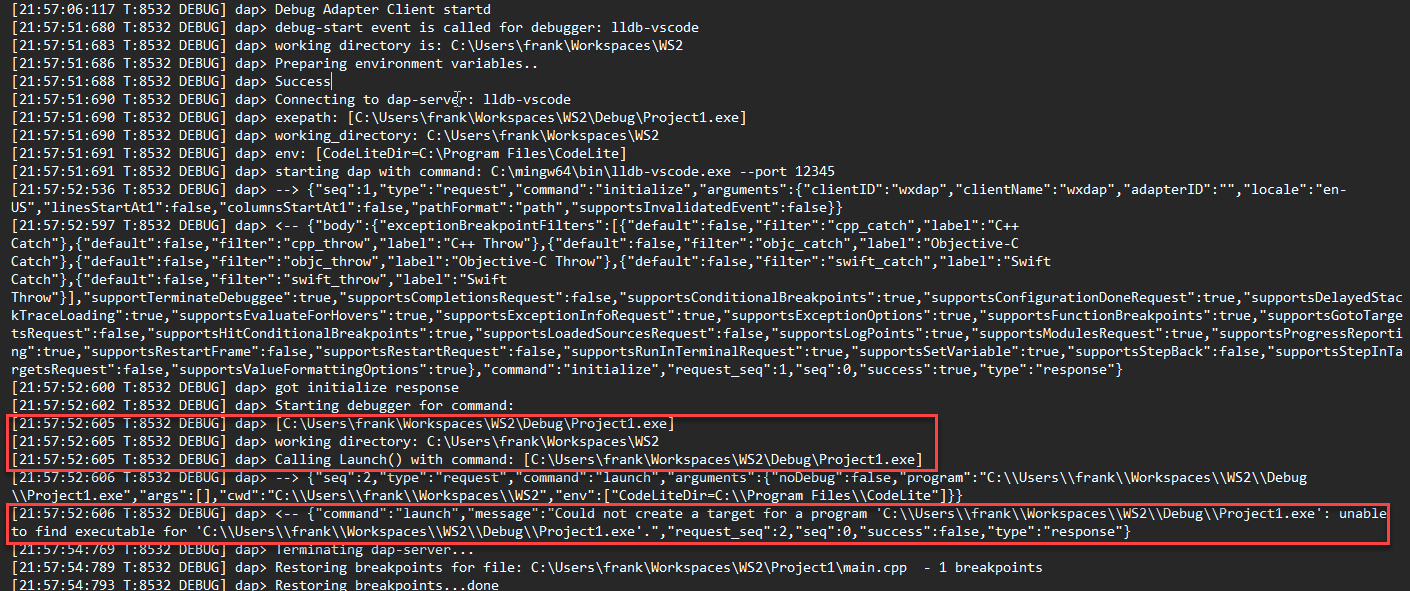 Thanks
The error reports keep coming in. Some students have installed CodeLite 17.3 on Mac and they are getting the same issue. Can you install CodeLite on a machine that has had all remnants of prior CodeLite installations removed and try it? This seems to be a function of a clean install, not an update. Thanks!