

 equalsraf
problem in writing Bengali language on neovim-qt
##see the link https://github.com/neovim/neovim/issues/13623#issuecomment-752353493

From the original issue, this was the text you inserted
আমি ভাল ছেলে। জীবন সুন্দর
and this was your screenshot

Running in windows with neovim-qt 0.2.8.
For the same text this is what i get in my Linux system.
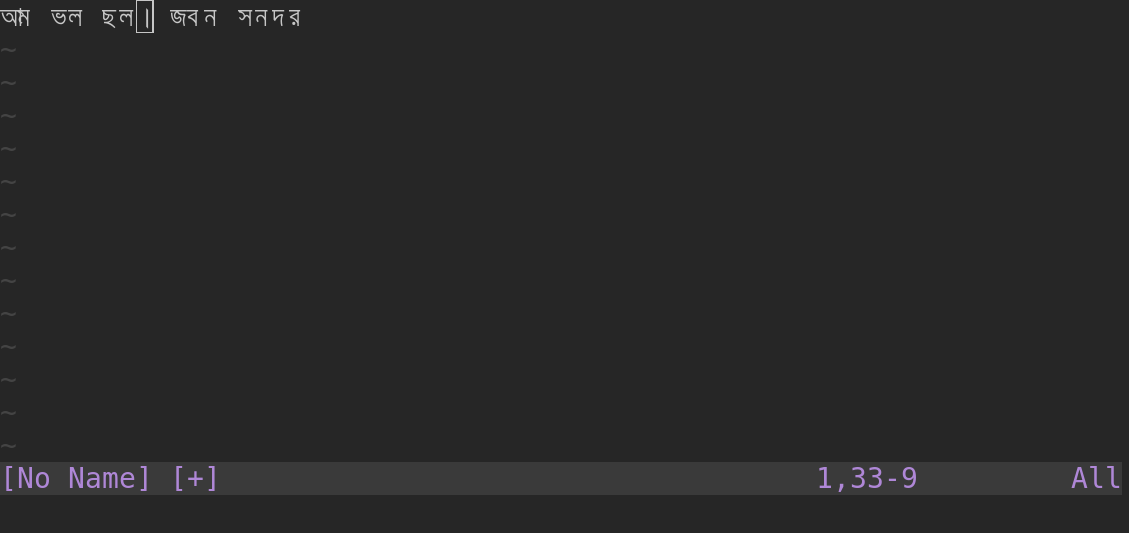
Could this be a font problem? Can you tell us what font you are using? set guifont? should display its name/size.

@equalsraf
In your machine meaning is wrong ..some characters are missing ....
set guifont? not showing any output
Try the commands: :set guifont or :GuiFont
I'm not familiar with Bengali. Is it a language that requires font ligatures to render?
Font ligatures are responsible for the behavior when placing two characters (correct terminology?) on the screen changes the rendering of both. CHAR_A + CHAR_B => LIGATURE_C. This is problematic for neovim-qt because we render characters one-by-one in isolation onto the Neovim grid.
Similar Issue: #412
