

 epam
epam
Impossible to use all available symbols in the text area for giving badge in Safari in the specific case
Prerequisites
Please answer the following questions for yourself before submitting an issue. YOU MAY DELETE THE PREREQUISITES SECTION.
- [х] I am running the latest version
- [х] I checked the documentation and found no answer
- [х] I checked to make sure that this issue has not already been filed
Description
[Browse specific] Impossible to use all available symbols in the text area for giving badge in Safari in the specific case. If the user starts writing a text, which starts from the new line, the count of available symbols is decreased.
Steps to Reproduce
Please provide detailed steps for reproducing the issue.
- Start writing text and using that some of text starts from the new line (TextArea);
- Try to use all available symbols in the text area.## Actual result
What is the current behavior?
Expected result
t should be possible to use all available symbols in the text area for giving badge in Safari
Environment
Please provide any relevant information about your setup. This is important in case the issue is not reproducible except for under certain conditions.
- UUI version: 4.6.3
- Browser name: Safari
- Operating System: MacOS

Dear @arsen2494, could you please provide a video of the reproduction of this bug on our components presented on the site uui.epam.com "Components" tab?

Screen Recording 2022-07-18 at 12.09.26.mov.zip
@NatalliaAlieva you can find attached zip file which contains a video from or QA engineers
@arsen2494 we can't reproduce such behavior on our environment, can you please try to reproduce it on our TextArea demo or create the codesandbox with you code example - https://codesandbox.io/s/kb3vwq?file=/Example.tsx

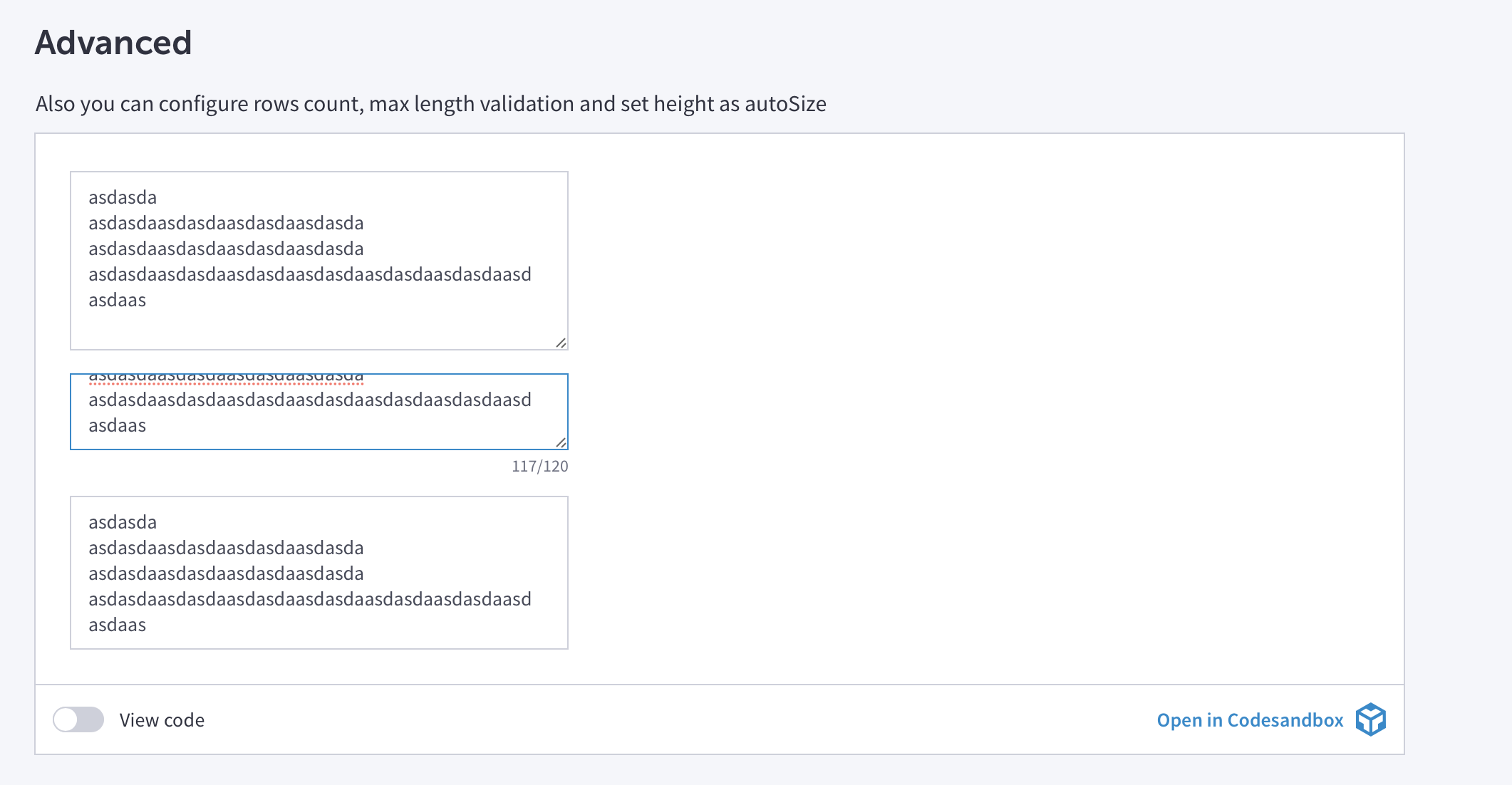
It's reproduced on demo see screenshot and make sure you're using safari on macOS
@AlekseyManetov Hi, this issue is still reproduced
https://github.com/epam/UUI/assets/57751283/7a1de37d-14af-4428-b299-f031f9f1befd