

 epam
epam
[RTE] Issues and improvements related to the Rich Text Editor
This issue contains bugs (Part 1) and improvements (Part 2).
Part 1 - Bugs
Case №1 - Fixed
Steps to Reproduce
- Open https://uui.epam.com/demo?id=RTE
- Click in Rich Text Editor area.
- Try to find Sticky Toolbar.
Expected Result
Sticky Toolbar should be always be visible even if the editing area is larger than the screen.
Actual Result
Sticky toolbar is located at the bottom of the editing area and isn't visible because the edit area is larger than the screen area.

Case №2
Description
Text styles from word are not completely copied to RTE.
Steps to Reproduce
- Create document in Word.
- Write any text with bold, italic and underline text.
- Copy the text from word document.
- Click in Rich Text Editor area.
- Paste the text.
- Check the text style.
Expected Result
Text style in the Word and RTE editting area is the same.
Actual Result
Text style isn't completely copied from Word to RTE.
https://user-images.githubusercontent.com/57751283/160602034-ee5d5580-0e53-4473-b4bf-e8685e8a8bd4.mp4
Case №3
Description
User cannot change colors one by one. Menu with color selection closes after selection.
Steps to Reproduce
- Open RTE component.
- Select "add block" option on the sticky toolbar.
- Select any color, e.g. red.
- DON'T close menu with color selection.
- Chose other color, e.g. blue.
Expected Result
User can change colors one by one. Menu with color selection doesn't close after selection.
Actual Result
Menu with color selection closes after user selects second color of the bock.
https://user-images.githubusercontent.com/57751283/162066449-9518897d-2baf-4b62-b679-858656bbcfb8.mp4
Case №4
Description
Page crash after setting list on empty line.
Steps to Reproduce
- Type text like this:
text
text

text

text
- Set list like this:
- text
- text

- text
-
- text
- Cut first and second lines.
- text
-
- text
- Paste cut lines in the empty line in the list
- text
- text
- text
- text
Expected Result
The cut lines are pasted at the selected location.
Actual Result
Error "Smth went wrong" appers.
https://user-images.githubusercontent.com/57751283/185620097-edd8987d-e9af-4811-a1bf-6b19ebcadc2b.mp4
Case №5
Description
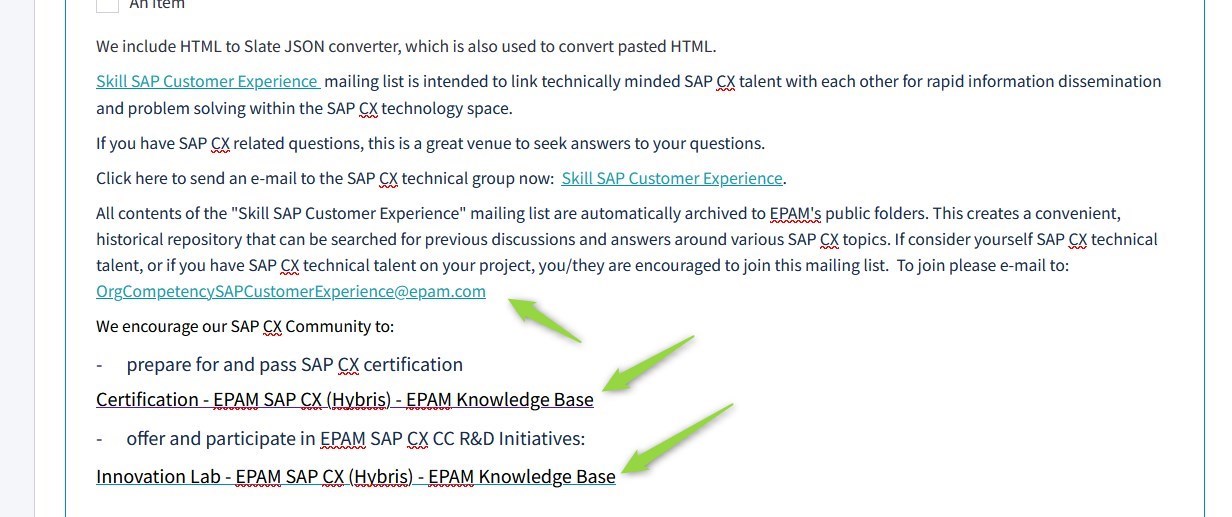
Links copied from Word are pasted into RTE with different styles.
Steps to Reproduce
- Open RTE component.
- Copy text from file Text example_links.docx.
- Paste copied text.
Expected Result
Links copied from the file and pasted into the RTE have the same style.
Actual Result
Links copied from the file and pasted into the RTE have two different styles.
https://user-images.githubusercontent.com/57751283/190007193-1752d04a-f69f-4a13-b578-a68682a5e1e6.mp4
Part 2 - Improvements
Case №1
Preconditions
Open https://uui.epam.com/demo?id=RTE
Now
Blue-orange.jpg picture is uploading and downloading for all file types.
To Do
Make stubs for different types of files:
- when uploading a pdf file to RTE;
- when downloading, depending on the file type (word, excel, txt, pptx, xml, etc.).
Case №2
Preconditions
- Open https://uui.epam.com/documents?category=components&id=richTextEditor&skin=UUI4_promo
- Select any text.
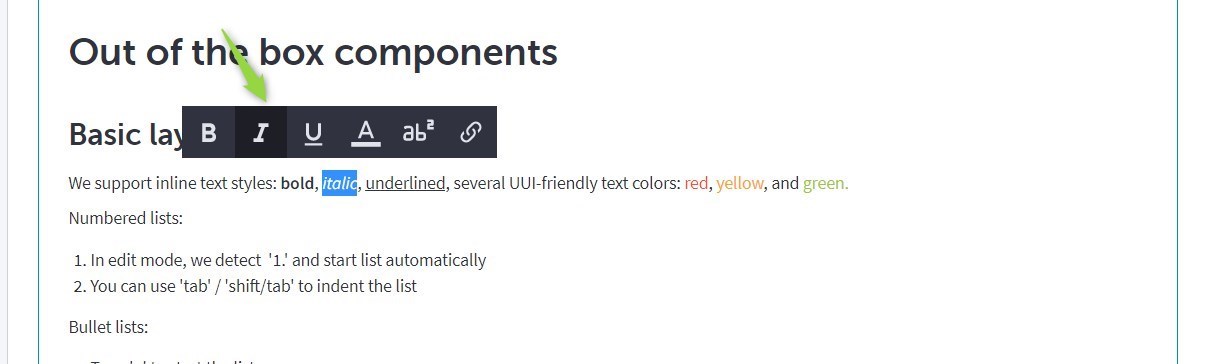
- Change the text style (to italics, for example).
- Notice how the style button on the toolbar is highlighted
Now
The button with the selected style barely differs from the other buttons
To Do
Make the button with the selected style more different from the other buttons
Case №3
Preconditions
- Open https://uui.epam.com/documents?category=components&id=richTextEditor&skin=UUI4_promo
- Move to the end of the editing area.
- Select "add video" option on the sticky toolbar.
- Paste the video link in the "video url" field in the appeared pop-up.
- Click [Ok] button.
- Move to the bottom of the video.
- Locate where the cursor takes the form of an arrow.
- Press "Enter" -> new line appeared after video.
Now
There are too many steps to add a new line after the video.
To Do
Make adding a new line after the inserted video easier and more obvious.
https://user-images.githubusercontent.com/57751283/161846470-eb336570-f0e4-40ab-aa07-abd0b1466cc9.mp4
