
litex

litex copied to clipboard
 enjoy-digital
RISC-V toolchain won't install through litex_setup.py script
For some reason, when I ran sudo ./litex_setup.py --gcc=riscv as described in the installation instructions from the README, the script would download the toolchain, extract it and (apparently) do nothing else:
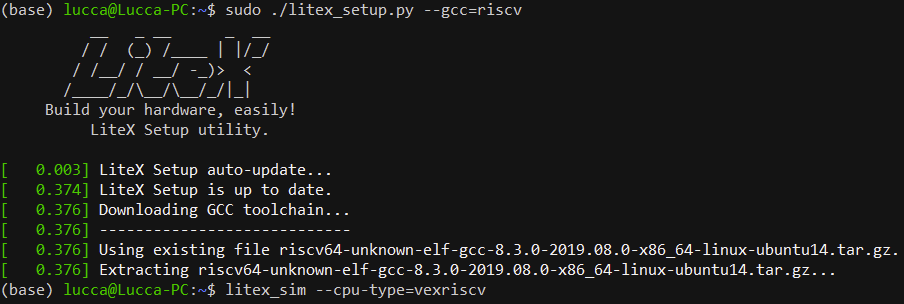
Then, when trying to run litex_sim --cpu-type=vexriscv, an error "OSError: Unable to find any of the cross compilation toolchains" occurs.
I'm using Ubuntu 20.04 on WSL2. An easy fix was installing riscv64-unkown-elf-gcc with its package manager.

You ned to ensure the extracted bin directory is on you path. However on arm64 host (debian pi) it install the x86 version of the 8.3 compiler and can't find the proper installed one so YMMV -good luck.
