

 emre-gon
userDataDir
how to use this parameter userDataDir?
options.AddArgument("user-data-dir="+ userDataDir);
not work

ISet<string> driverarguments = new HashSet<string>();
            string thisdir= Environment.CurrentDirectory + @"\";
            string dirAllUsers = thisdir + "usersdata"+ @"\";
            string username_sanitize = "pepe";
            string full_path = dirAllUsers + username_sanitize;
            if (!Directory.Exists(full_path))
            {
                Directory.CreateDirectory(full_path);
            }
            driverarguments.Add("user-data-dir=" + full_path);
            Sl.Selenium.Extensions.Chrome.ChromeDriverParameters chromeDriverParameters = new()
            {
                Headless = false,
                DriverArguments = driverarguments,
                Timeout = new TimeSpan(0, 0, 22)

            };
Driver = UndetectedChromeDriver.Instance(chromeDriverParameters);
chrome://version/


ISet<string> driverarguments = new HashSet<string>();
            string thisdir= Environment.CurrentDirectory + @"\";
            string dirAllUsers = thisdir + "usersdata"+ @"\";
            string username_sanitize = "pepe";
            string full_path = dirAllUsers + username_sanitize;
            if (!Directory.Exists(full_path))
            {
                Directory.CreateDirectory(full_path);
            }
            driverarguments.Add("user-data-dir=" + full_path);
            Sl.Selenium.Extensions.Chrome.ChromeDriverParameters chromeDriverParameters = new()
            {
                Headless = false,
                DriverArguments = driverarguments,
                Timeout = new TimeSpan(0, 0, 22)

            };
Driver = UndetectedChromeDriver.Instance(chromeDriverParameters);
chrome://version/
@firecrauter i think u forgot something at Sl.Selenium.Extensions.Chrome.ChromeDriverParameters chromeDriverParameters = new() xxxxxxxxxxxxx;

@RifHut i think u forgot something at Sl.Selenium.Extensions.Chrome.ChromeDriverParameters chromeDriverParameters = new() xxxxxxxxxxxxx;
The code works for me, what do you think is missing? (It was in the previous update, I don't know if anything has changed)
new()
missing new ChromeDriverParameters() !?
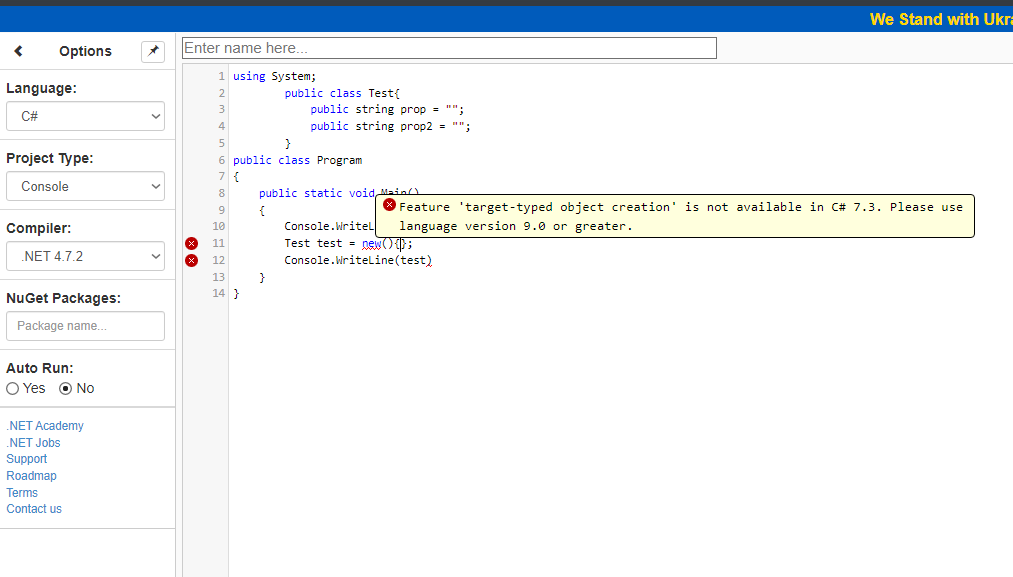 Need c# 9 or greater.
try this:
            Sl.Selenium.Extensions.Chrome.ChromeDriverParameters chromeDriverParameters = new();
            chromeDriverParameters.Timeout = new TimeSpan(0, 0, 22);
            chromeDriverParameters.DriverArguments = driverarguments;
            chromeDriverParameters.Headless = false;
Sl.Selenium.Extensions.Chrome.ChromeDriverParameters chromeDriverParameters = new(); chromeDriverParameters.Timeout = new TimeSpan(0, 0, 22); chromeDriverParameters.DriverArguments = driverarguments; chromeDriverParameters.Headless = false;
Yes u are right dude , I'm Working in Old Project with .Net framework v4.8 , that's why I get errors,
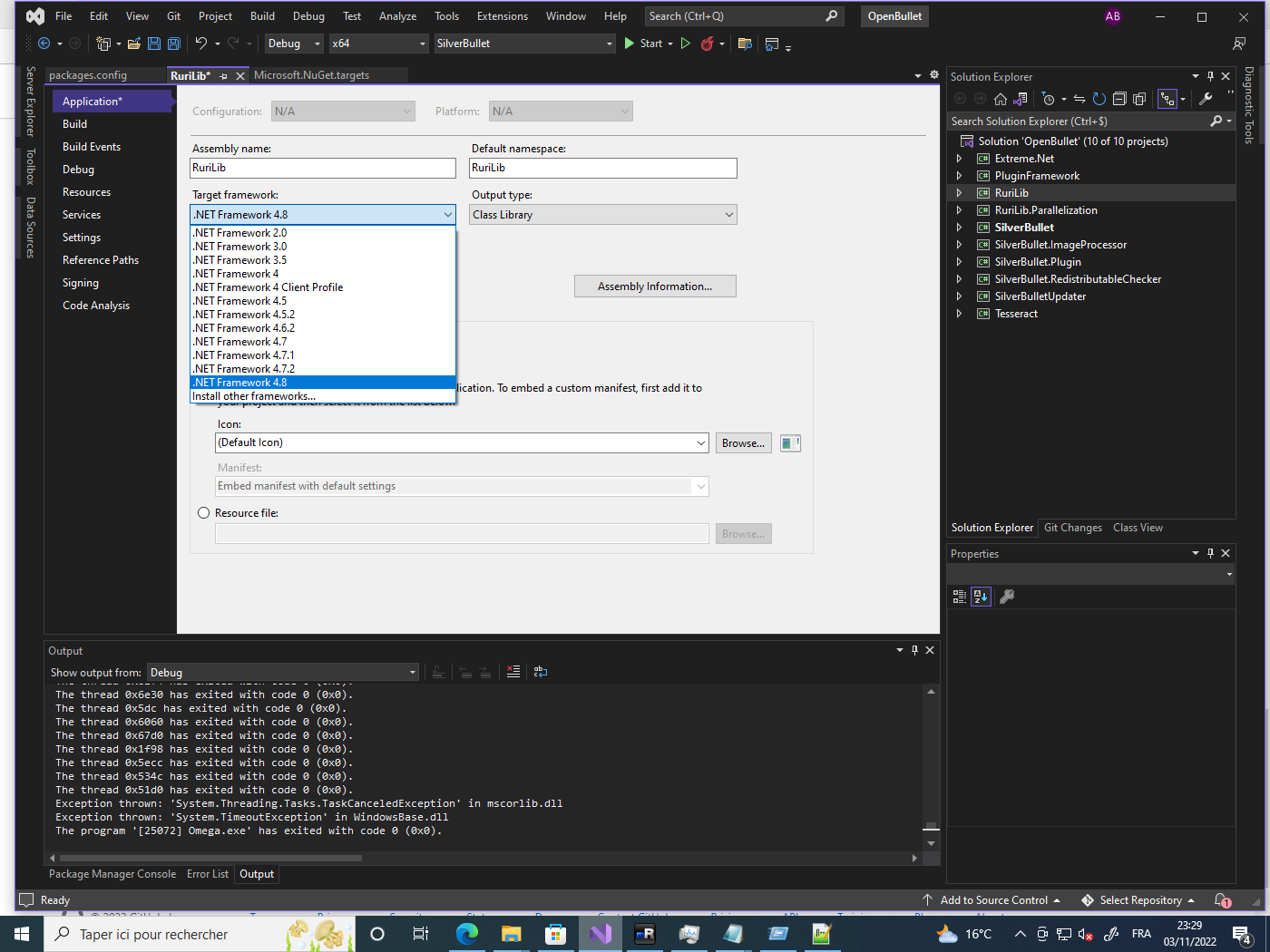
All Ok with framework v4.8 , but still detected on cloudflare , the example in this project "Tests" work fine. (net 6.0).
2 - also the shell window of undetect_chromedrive.exe still showing !
Thank You!
Yes u are right dude , I'm Working in Old Project with .Net framework v4.8 , that's why I get errors
All Ok with framework v4.8 , but still detected on cloudflare , the example in this project "Tests" work fine. (net 6.0). 2 - also the shell window of undetect_chromedrive.exe still showing !
Thank You!
just in case, there is openbulletv2, which is being updated and uses net6
Yes u are right dude , I'm Working in Old Project with .Net framework v4.8 , that's why I get errors All Ok with framework v4.8 , but still detected on cloudflare , the example in this project "Tests" work fine. (net 6.0). 2 - also the shell window of undetect_chromedrive.exe still showing ! Thank You!
just in case, there is openbulletv2, which is being updated and uses net6
You are right that's what i
Yes u are right dude , I'm Working in Old Project with .Net framework v4.8 , that's why I get errors All Ok with framework v4.8 , but still detected on cloudflare , the example in this project "Tests" work fine. (net 6.0). 2 - also the shell window of undetect_chromedrive.exe still showing ! Thank You!
just in case, there is openbulletv2, which is being updated and uses net6
I previously developed this SB project, but it has an old framework, the best I would do is moving to OB2, thanks dude. i'm newbie at c# , i'm so sorry :) !