

 emilk
emilk
Weird image persistence behavior on macOS when transparent is enabled
Describe the bug
On macOS (Apple Silicon), but not e.g. on Linux, enabling transparency in eframe's NativeOptions produces a weird image persistence behavior (see screenshots). Basically, the first rendered ui does not disappear when the App is updated.
To Reproduce Here is a minimal working example:
Cargo.toml:
[package]
name = "transparent"
version = "0.1.0"
edition = "2021"

[dependencies]
eframe = { version = "0.21" }
src/main.rs:
use eframe::egui::{CentralPanel, Context, Frame, RichText};
use eframe::{run_native, App, NativeOptions, Result};
use std::time::Duration;

fn main() -> Result<()> {
    let options = NativeOptions {
        transparent: true,
        ..Default::default()
    };
    run_native(
        "Transparent",
        options,
        Box::new(move |_| Box::<Window>::default()),
    )
}

#[derive(Default)]
struct Window {
    count: usize,
}

impl App for Window {
    fn update(&mut self, ctx: &Context, _frame: &mut eframe::Frame) {
        //if self.count > 10 {
        CentralPanel::default()
            .frame(Frame::none())
            .show(ctx, |ui| {
                ui.label(RichText::new(self.count.to_string()).size(200.));
            });
        ctx.request_repaint_after(Duration::from_secs(1));
        //} else {
        //ctx.request_repaint();
        //}
        self.count += 1;
    }

    //fn clear_color(&self, _visuals: &eframe::egui::Visuals) -> [f32; 4] {
    //    [0.; 4]
    //}
}
Expected behavior
The first rendered ui should not persist.
Screenshots
The observed behavior:
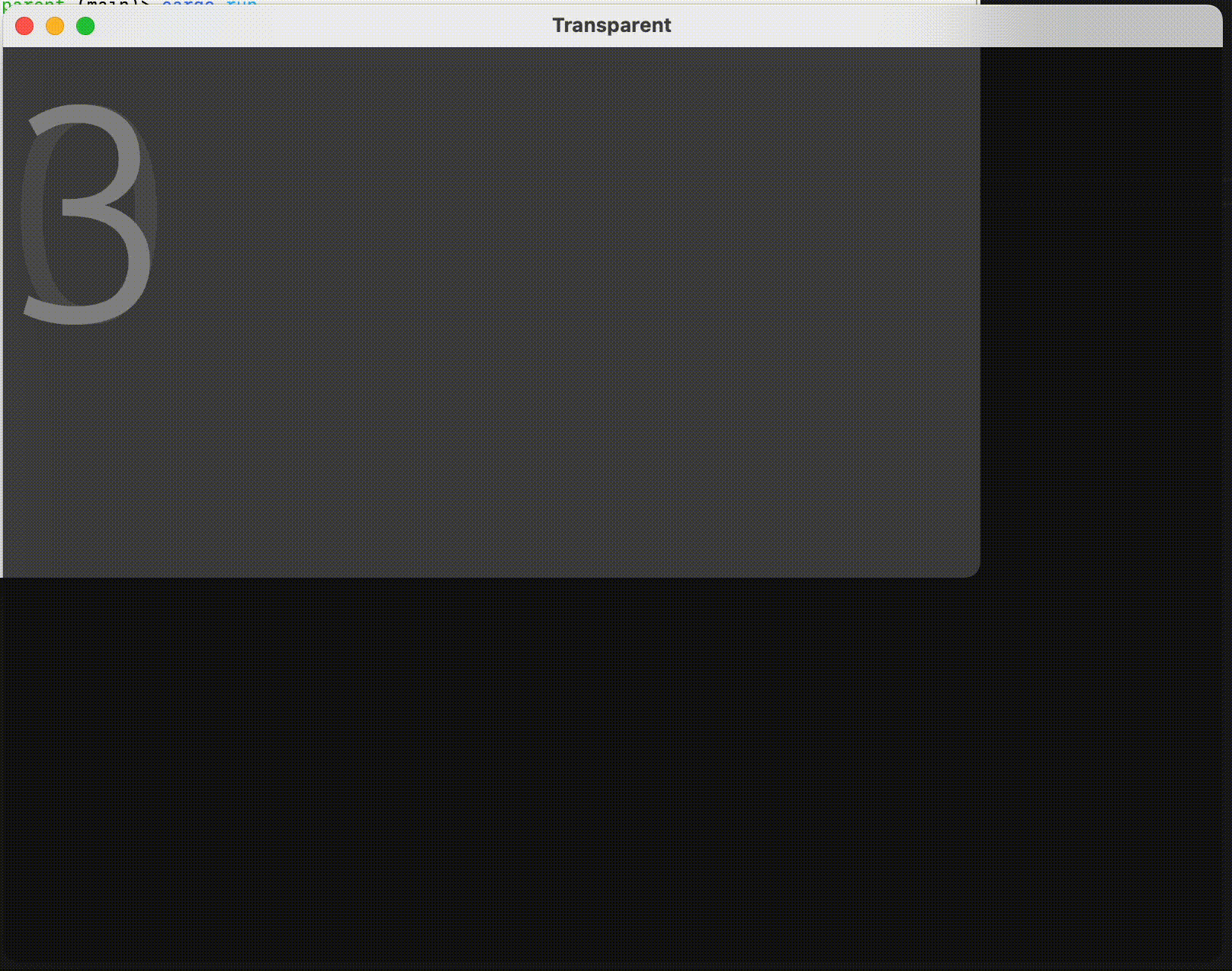 Note: In the MWE, integer numbers are written to screen in increasing order. "0", the first painted number, persists on screen while the other numbers are painted. Numbers greater than or equal to 1 (i.e. every number except for the first one to be painted) do not persist.
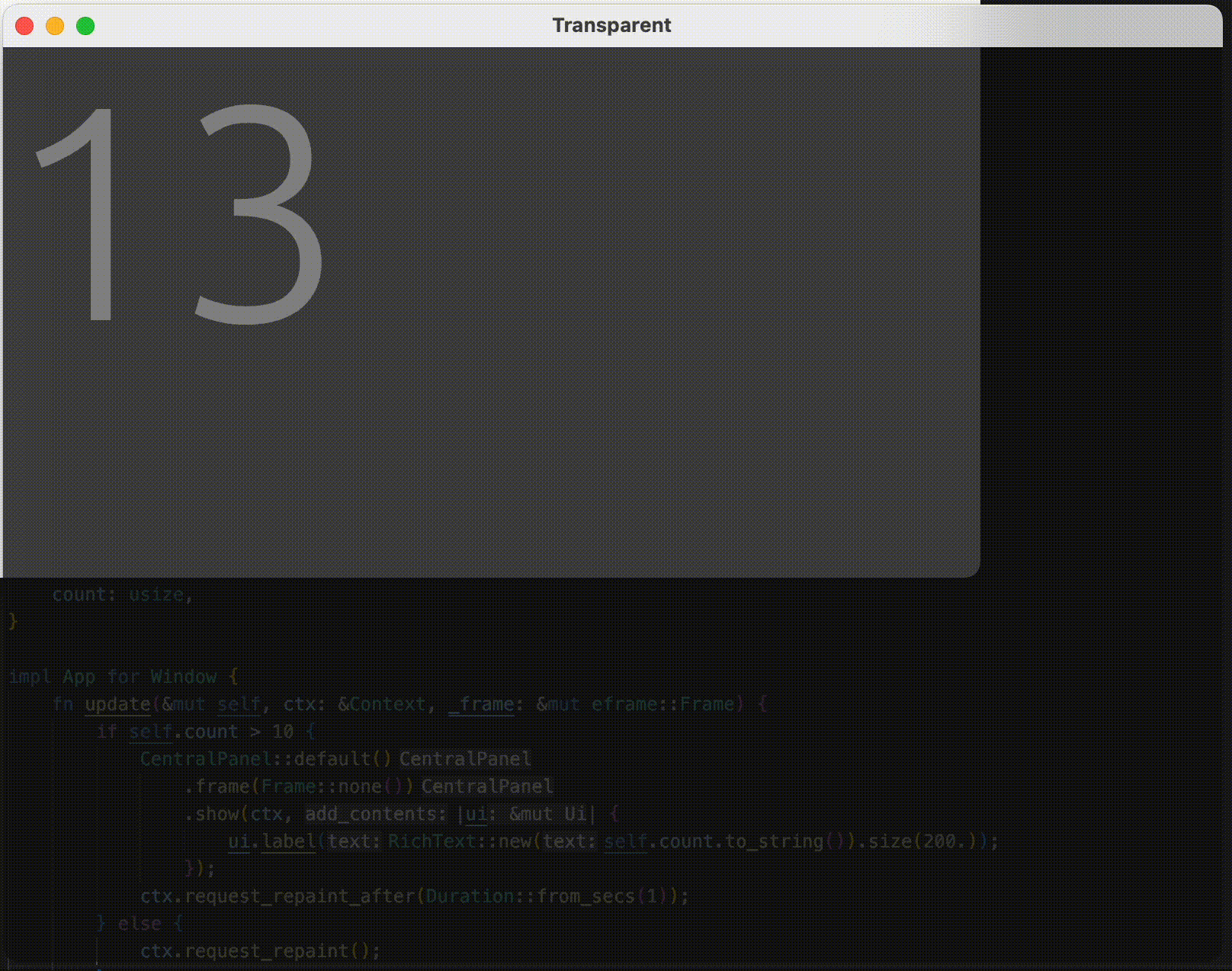
Result of an unstable workaround (see last point in "Additional context"):
Desktop (please complete the following information):
- OS: MacOS (Apple Silicon)
- Version 0.19-0.21, current master
Additional context
- This happens on Apple Silicon. I did not test it on Intel chips, but can do so if you wish me to
- If the window is resized, the persisting
uidisappears, but then it is the firstuipainted after the resize to persist - In the MWE I used
RichTextjust to increase the font size. The issue also arises if I useui.label(),ui.painter().text(), or otherui.painter()methods (e.g..line_segment()) - Implementing
App::clear_color()yields the same behavior, making it even more evident due to the complete lack of a background - Using containers other than
CentralPanelyields the same behavior - Rendering with WGPU does not solve the issue
- Building the app with an older macOS SDK does not solve the issue
- The current master branch and versions 0.19 and 0.20 show the same behavior (I didn't try going further back, and to test 0.19 and 0.20 I had to adapt the code)
- An unstable workaround is not to start painting immediately, but only after a few updates. For example, in the MWE, uncommenting the
if self.count > 10 ...conditional completely solves the issue (the number 10 is totally arbitrary; less may work, more could be needed). The result is shown in the second screenshot. However, if the window is resized, then the firstuipainted after the resize still persists (as mentioned above), so the workaround is really only applicable to non-resizable apps
Other comments You guys are doing a great job, thank you!

Experiencing exactly same issue using egui & eframe: 0.28.1
Dirty solution with self.count > 10 worked.
