

 elsa-workflows
Elsa 2.0 Deployment issue
When I import the necessary packages for Elsa 2.0 Dashboard + server and run it at local IIS Express it works absolutely fine. But when I deploy the solution all the references used in _Host.cshtml are lost.
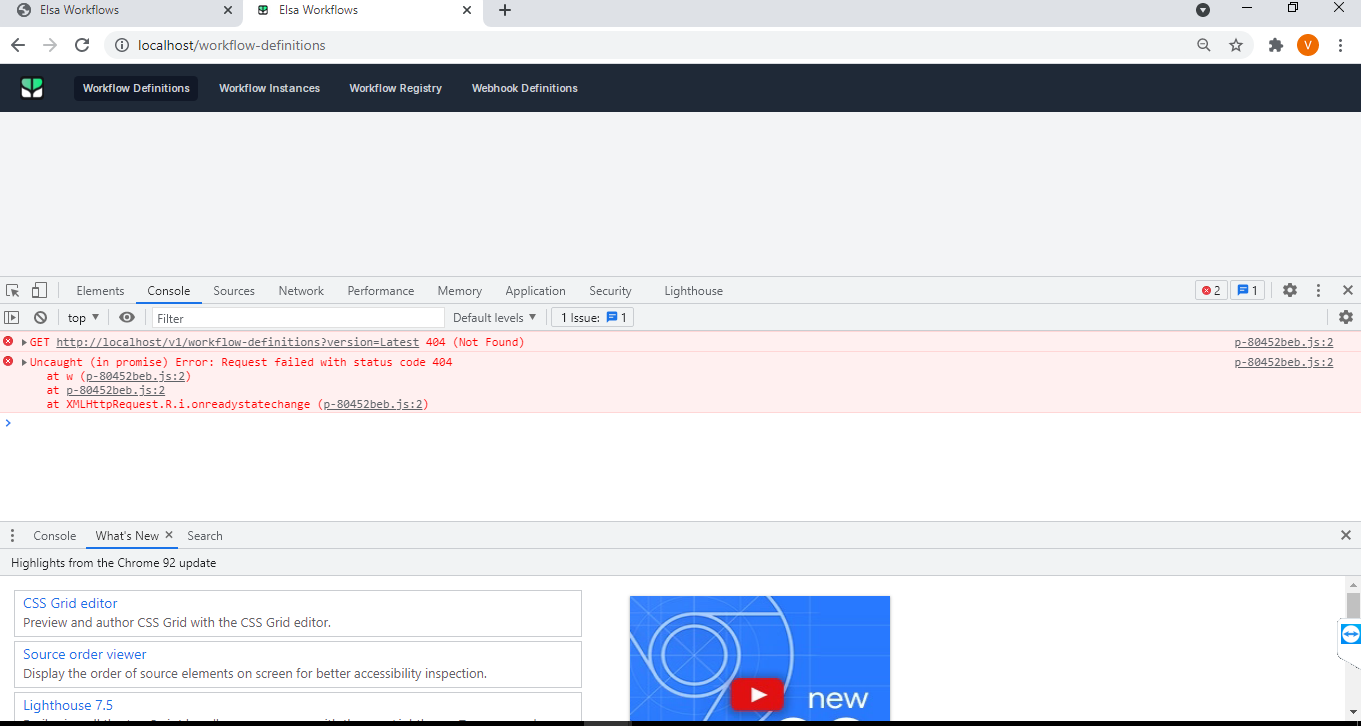
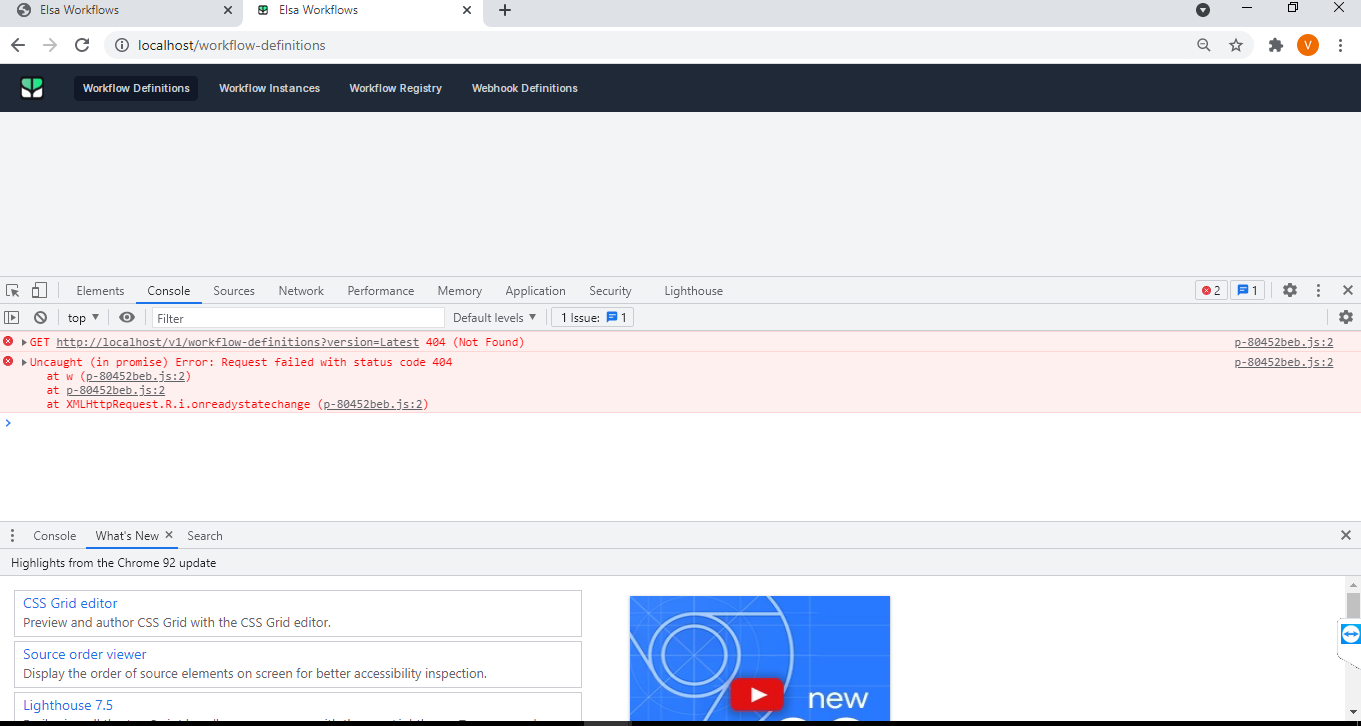
Is there any step that I have missed on.

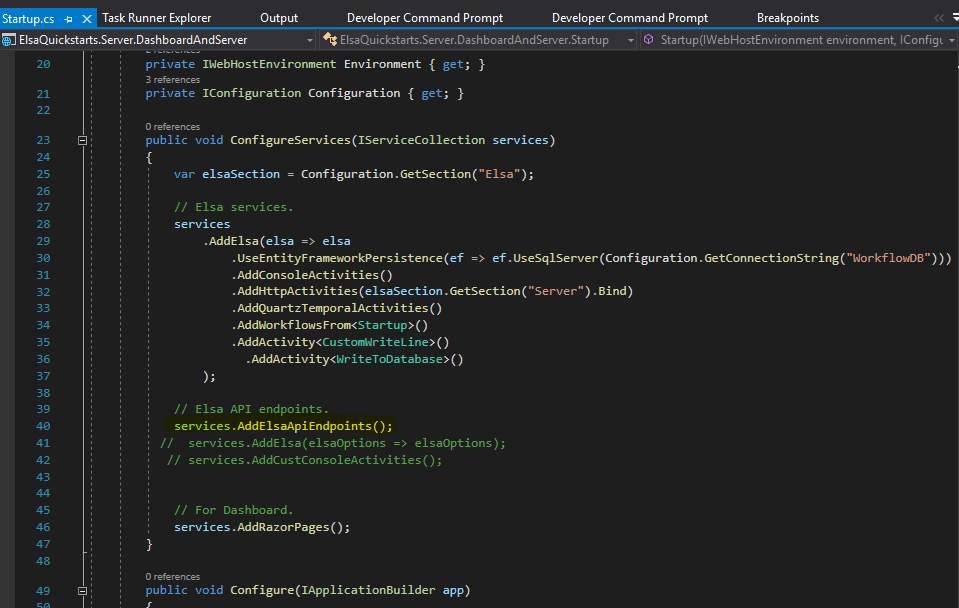 Yes I have included the same in startup.cs
Can you check that you have got the server URL dynamically in code, check the @serverUrl property @page "/" @{ var serverUrl = $"{Request.Scheme}://{Request.Host}"; }
<elsa-studio-root server-url="@serverUrl" monaco-lib-path="_content/Elsa.Designer.Components.Web/monaco-editor/min">
    <elsa-studio-dashboard></elsa-studio-dashboard>
</elsa-studio-root>


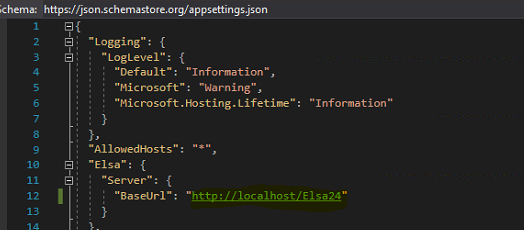 base url
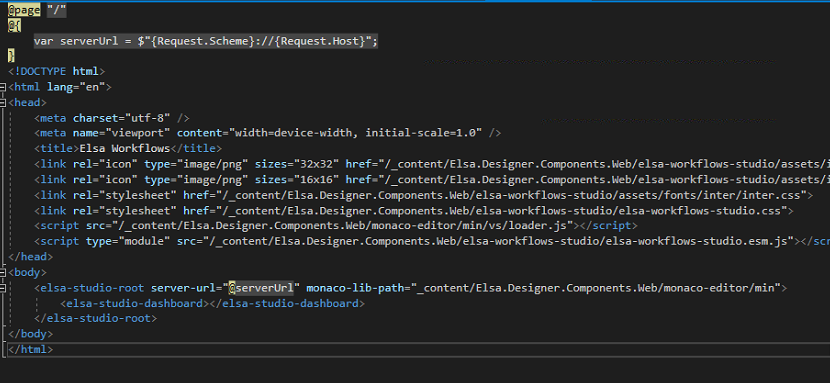 host.cshtml
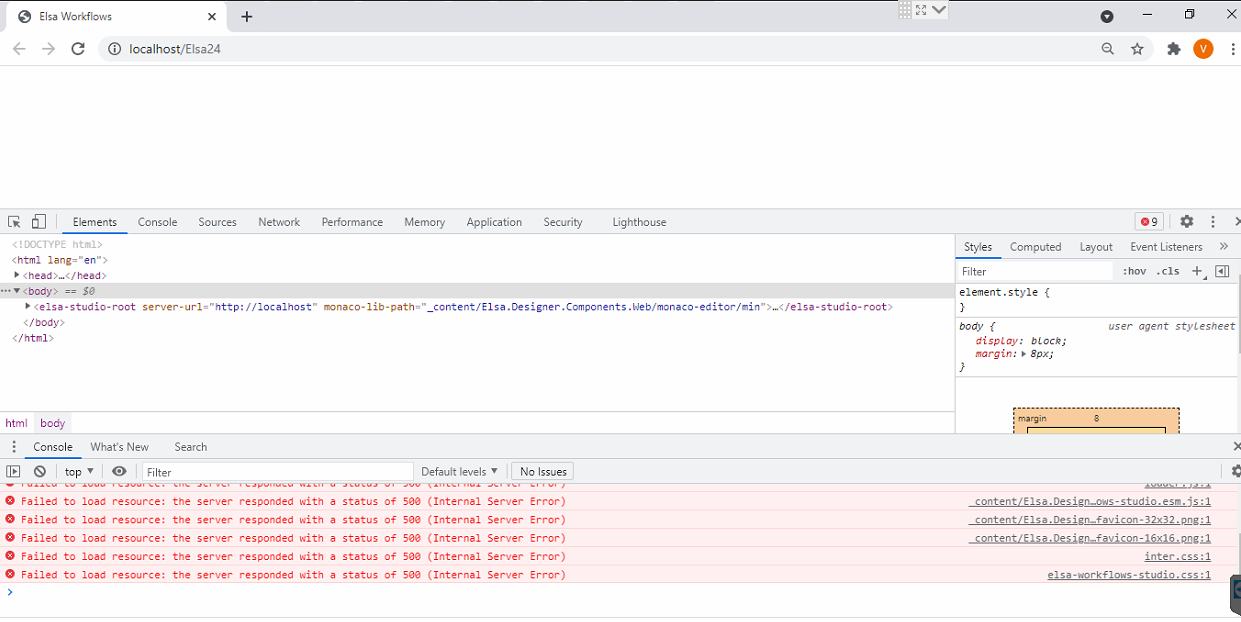 after hosting its not taking http://localhost/elsa24
any change I need to do so that the application picks the right path
Just for some additional information I have deployed the applicatin under default web site
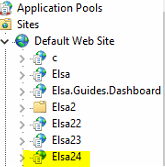
Ah, so its running as a virtual directory application rather than a site. I think there was another post/discussion somewhere for the same problem but I wasn't following the outcome (I have not run a virtual applications since 2009~ so not the best to help with that). Does it need to run as a virtual application or can it just run as 'the' localhost website (default web site)? Or you could simply create a new website and bind localhost to a new port
Also worth a try for your current setup:
Add app.UsePathBase("/elsa24") into the startup.cs
Add <base href="~/elsa24/" /> into _host.cshtml
all the rest of the resources might need a ~/ at the beginning in that case
<link ... href="~/_content... " >
<script src="~/...">
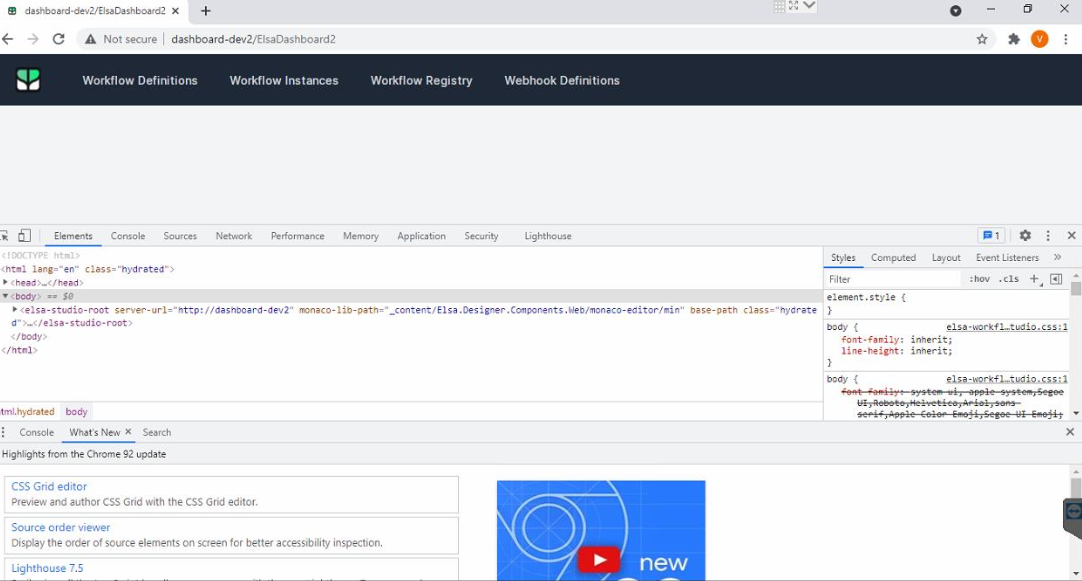 I am still getting the same error
Isn't this the same setup as defaultwebsite + virtual app folders? but with dashboard-dev2 + "Elsa Dashbaord 2" in this case.
Have you tried dropping the virtual app folders and simply running it as a website first. Any reason you need them?
Back to basics: http://dashboard-dev2/
Those error 500's were probably getting close to a solution. You would need to check the logs to see why its failing. Event Viewer maybe.
http://dashboard-dev2/ElasDashboard2 In this the server name is Dashboard-Dev2 and ElsaDashboard2 is the application under default web site
Here are the steps that worked for me:
- Make sure you are using the latest Elsa Dashboard package (2.3.x preview from MyGet to be safe, but if that works and you need 2.2.x then feel free to try that one as well).
- Update your _Host.cshtml file as follows:
@page "/"
@inject IConfiguration Configuration;
@{
    var serverUrl = Configuration["Elsa:Server:BaseAddress"];
    var basePath = Configuration["Hosting:BasePath"];
}
<!DOCTYPE html>
<html lang="en">
<head>
    <meta charset="utf-8"/>
    <meta name="viewport" content="width=device-width, initial-scale=1.0"/>
    <title>Elsa Workflows</title>
    <link rel="icon" type="image/png" sizes="32x32" href="@basePath/_content/Elsa.Designer.Components.Web/elsa-workflows-studio/assets/images/favicon-32x32.png">
    <link rel="icon" type="image/png" sizes="16x16" href="@basePath/_content/Elsa.Designer.Components.Web/elsa-workflows-studio/assets/images/favicon-16x16.png">
    <link rel="stylesheet" href="@basePath/_content/Elsa.Designer.Components.Web/elsa-workflows-studio/assets/fonts/inter/inter.css">
    <link rel="stylesheet" href="@basePath/_content/Elsa.Designer.Components.Web/elsa-workflows-studio/elsa-workflows-studio.css">
    <script src="@basePath/_content/Elsa.Designer.Components.Web/monaco-editor/min/vs/loader.js"></script>
    <script type="module" src="@basePath/_content/Elsa.Designer.Components.Web/elsa-workflows-studio/elsa-workflows-studio.esm.js"></script>
</head>
<body>
<elsa-studio-root server-url="@serverUrl" base-path="@basePath" monaco-lib-path="@basePath.TrimStart('/')/_content/Elsa.Designer.Components.Web/monaco-editor/min">
    <elsa-studio-dashboard></elsa-studio-dashboard>
</elsa-studio-root>
</body>
</html>
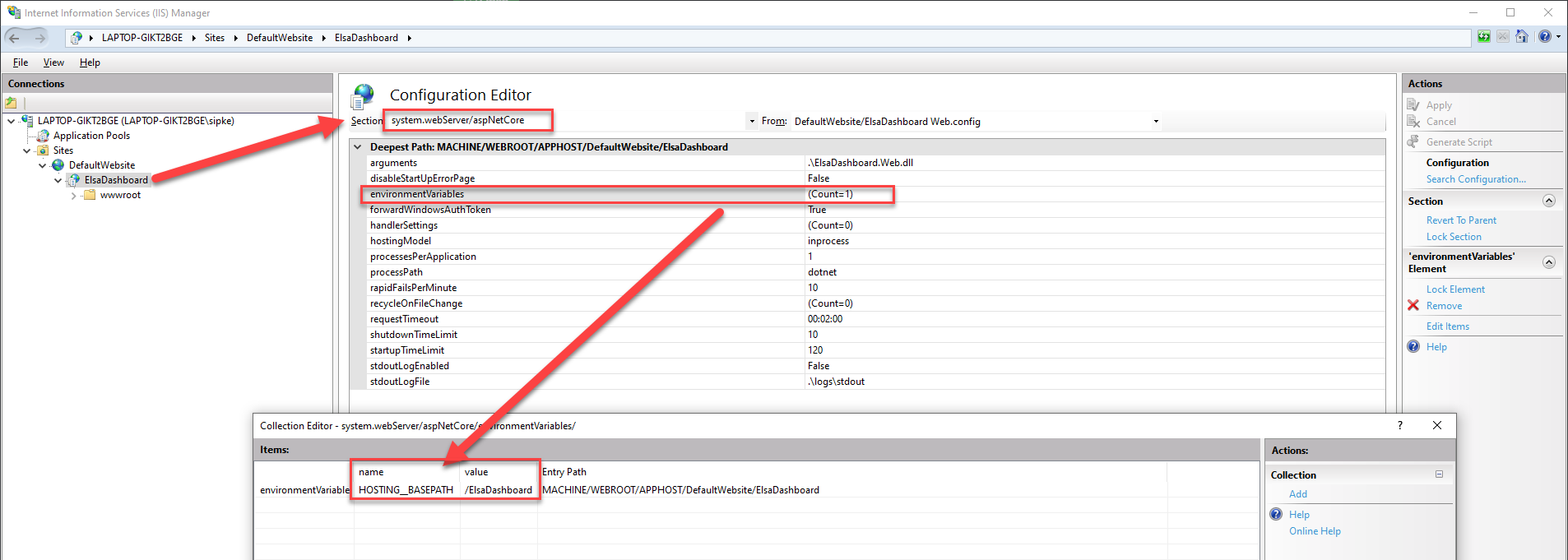
Notice the addition of the basePath variable which is read from configuration. We will be setting this from IIS as an environment variable to the following value: \ElsaDashoard (the virtual directory I am using for this example).
Notice also that I'm setting this basePath value to the base-path attribute on the elsa-studio-root element and also use it as a prefix for all of the included resources (scripts and styles).
Another important part is to trim away the starting slash for the monaco path. This is kind of a rough edge that I might get to improve eventually, but for now a simple @basePath.TrimStart('/') will suffice.
- Configure your IIS virtual directory / application as follows:
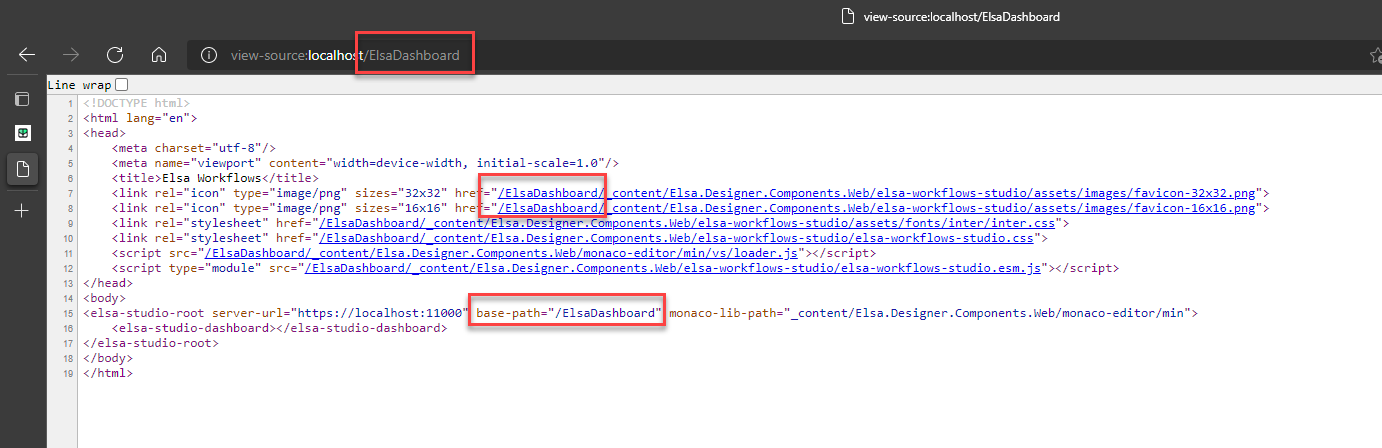
When you deploy these changes to IIS (dotnet publish -f net5.0) and restart the site then you should see the resources are now loaded correctly:
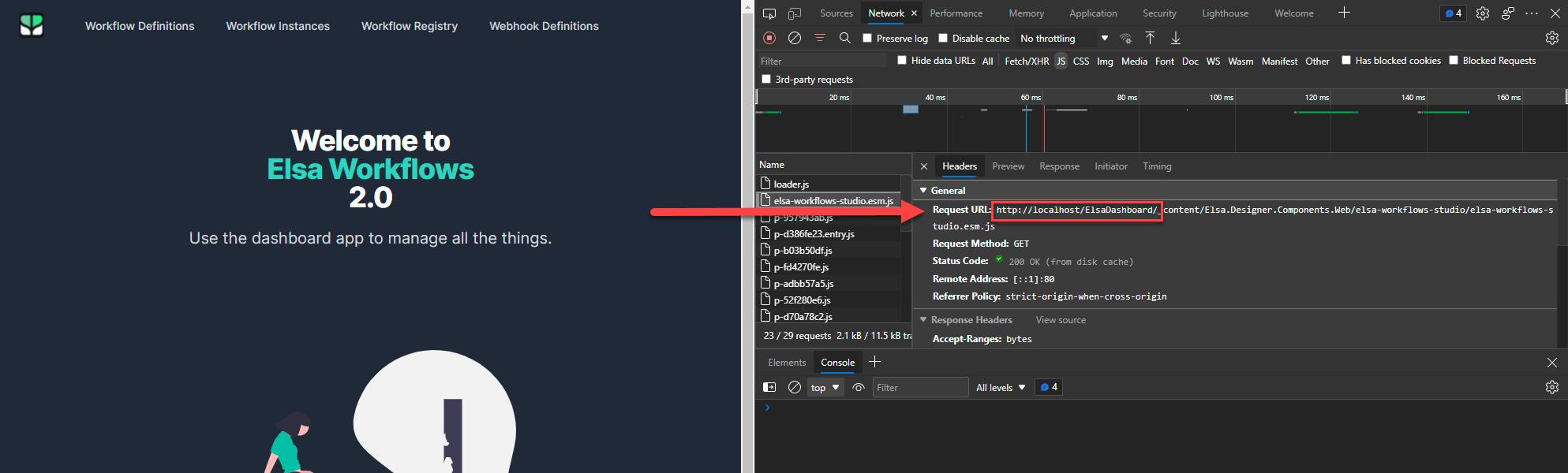
With that, the dashboard now works when served from the ElsaDashboard IIS application directory:

Note that some may need to explicitly denote the namespace for IConfiguration in the _Host.cshtml page: @inject Microsoft.Extensions.Configuration.IConfiguration Configuration;

Dear @sfmskywalker,
Thanks for the information & steps to resolve this issue. Even I am facing the same issue, and I have tried with the steps you have provided as above.
However I am facing an issue to load the Elsa portal and no action is happening when click on the buttons in main page.
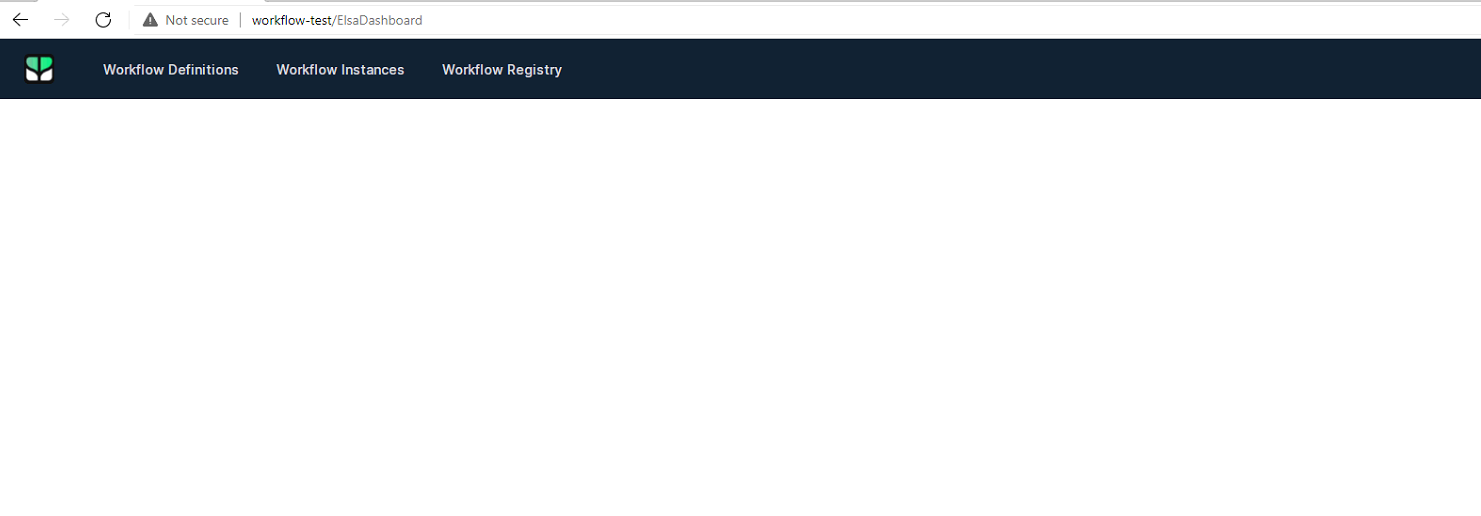
Browser view source code:
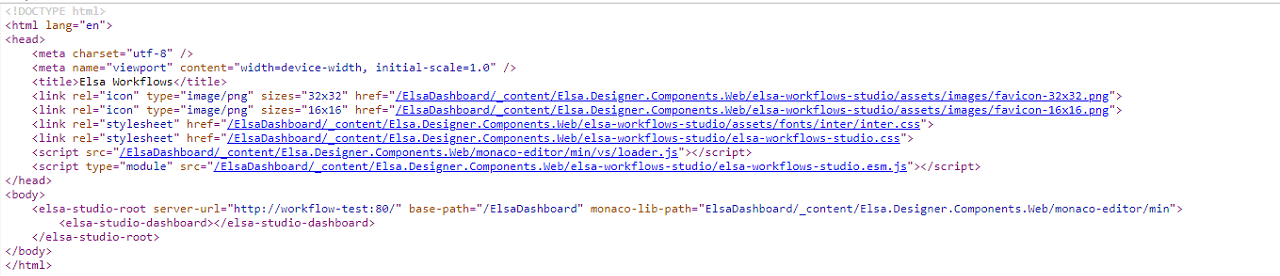
Steps I have performed is as,
- _Host.cshtml
@inject Microsoft.Extensions.Configuration.IConfiguration Configuration;
@{
    var serverUrl = Configuration["Elsa:Server:BaseUrl"];
    var basePath = Configuration["Hosting:BasePath"];
}
<!DOCTYPE html>
<html lang="en">
<head>
    <meta charset="utf-8" />
    <meta name="viewport" content="width=device-width, initial-scale=1.0" />
    <title>Elsa Workflows</title>
    <link rel="icon" type="image/png" sizes="32x32" href="@basePath/_content/Elsa.Designer.Components.Web/elsa-workflows-studio/assets/images/favicon-32x32.png">
    <link rel="icon" type="image/png" sizes="16x16" href="@basePath/_content/Elsa.Designer.Components.Web/elsa-workflows-studio/assets/images/favicon-16x16.png">
    <link rel="stylesheet" href="@basePath/_content/Elsa.Designer.Components.Web/elsa-workflows-studio/assets/fonts/inter/inter.css">
    <link rel="stylesheet" href="@basePath/_content/Elsa.Designer.Components.Web/elsa-workflows-studio/elsa-workflows-studio.css">
    <script src="@basePath/_content/Elsa.Designer.Components.Web/monaco-editor/min/vs/loader.js"></script>
    <script type="module" src="@basePath/_content/Elsa.Designer.Components.Web/elsa-workflows-studio/elsa-workflows-studio.esm.js"></script>
</head>
<body>
    <elsa-studio-root server-url="@serverUrl" base-path="@basePath" monaco-lib-path="@basePath.TrimStart('/')/_content/Elsa.Designer.Components.Web/monaco-editor/min">
        <elsa-studio-dashboard></elsa-studio-dashboard>
    </elsa-studio-root>
</body>
</html>
- appsettings.json
  "Logging": {
    "LogLevel": {
      "Default": "Information",
      "Microsoft": "Warning",
      "Microsoft.Hosting.Lifetime": "Information"
    }
  },
  "AllowedHosts": "*",
  "ConnectionStrings": {
    "WorkflowDB": "Data Source=localhost;Initial Catalog=Else21;User ID=sa;Password=password"
  },
  "Elsa": {
    "Server": {
      "BaseUrl": "http://workflow-test:80/"
    }
  },
  "Hosting": {
    "BasePath": "/ElsaDashboard"
  }
}
- Configured IIS virtual directory / application as follows:

Please guide me if I have missed any configuration.

Hi @sfmskywalker ,
I managed to get the links working after some tweaks. However, I noticed that the link for Instances under workflow definitions is not using the base path. Same link under registry is working fine.
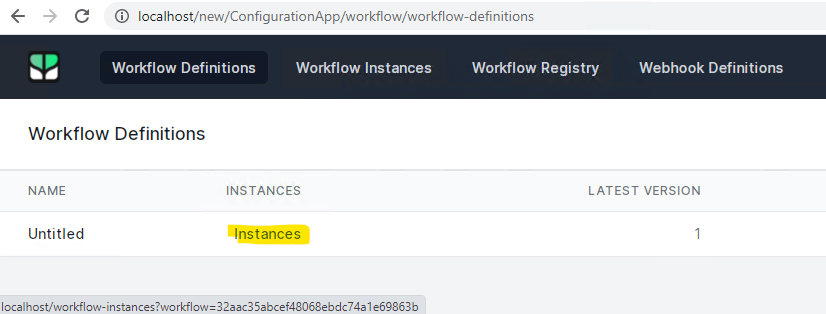
I'm using version 2.2.1, is it fixed in the 2.3-preview?

I can confirm I'm seeing the same behavior in my test install of Dashboard.
@jayachandra21 Perhaps the issue is that your workflow server (assuming that's hosted separately given your server-url attribute pointing to https://workflow-test:80 is not properly running? If you open the console window in your browser, you're likely to see some some errors. If so, please share them here so we might see what's going on.
@mohdali It was indeed an omission. I just pushed a fix that should now use the correct path.
@sfmskywalker [ver: 2.3.0] After setting BasePath, there is something wrong with the Pager component in Workflow Instances page.
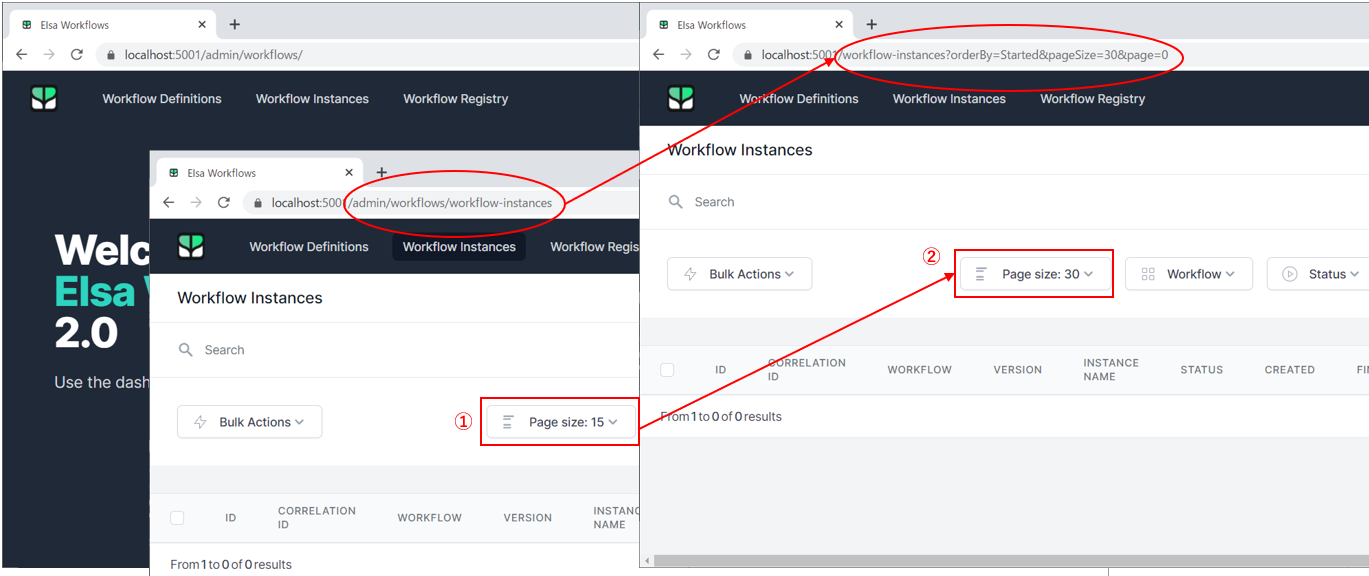
It can be fixed by modifying the following code.


I am getting some troubles running Elsa in a subdirectory.
When I try to open the designer I get a 404 for /v1/features.
I correctly set @basePath and I can see it is used in all requests except for /v1/features.
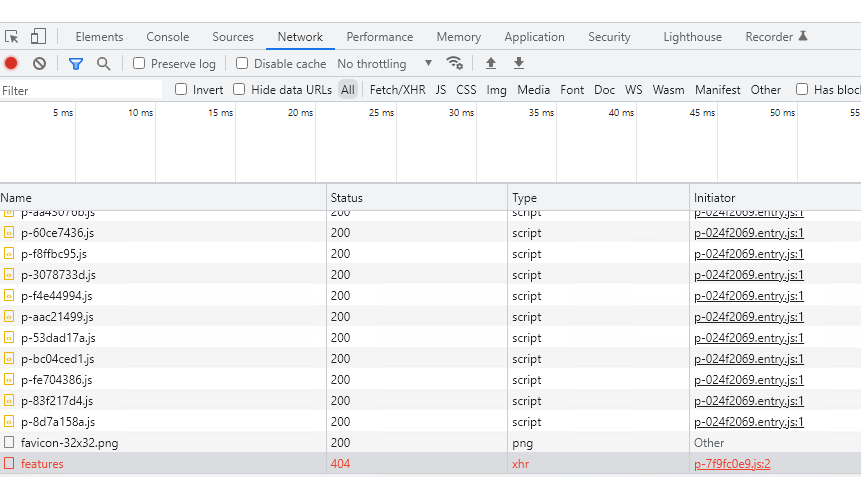
My configuration is: host and path: myserver.com/dev/workflowserver elsa v2.5.0 web server: IIS 10
Is there something more that needs to be done with latest version?

Hi @andreapier. The fact that it fails on the /features endpoint makes me believe that the issue may be solved when upgrading to the latest 2.6-preview release from MyGet. Perhaps you can give that a try and let me know?
Hi @andreapier. The fact that it fails on the
/featuresendpoint makes me believe that the issue may be solved when upgrading to the latest 2.6-preview release from MyGet. Perhaps you can give that a try and let me know?
Hi, I just tried again using v2.6.0 and it is still not working. Same error
OK. Thanks for checking.
Sorry, I was wrong. It works. I just missed the final / in Elsa:Server:BaseUrl 🤦
This is the relevant configuration to serve the editor from a sudirectory:
appsettings.json
...
"Elsa": {
    "Server": {
      "BaseUrl": "http://localhost/workflow-server/"
    }
  },
  "Hosting": {
    "BasePath": "/workflow-server"
  },
...
_Host.cshtml
@page "/"

@inject Microsoft.Extensions.Configuration.IConfiguration Configuration;

@{
    var serverUrl = Configuration["Elsa:Server:BaseUrl"];
    var basePath = Configuration["Hosting:BasePath"];
}
<!DOCTYPE html>
<html lang="en">
<head>
    <meta charset="utf-8" />
    <meta name="viewport" content="width=device-width, initial-scale=1.0" />
    <title>Elsa Workflows</title>
    <link rel="icon" type="image/png" sizes="32x32" href="@basePath/_content/Elsa.Designer.Components.Web/elsa-workflows-studio/assets/images/favicon-32x32.png">
    <link rel="icon" type="image/png" sizes="16x16" href="@basePath/_content/Elsa.Designer.Components.Web/elsa-workflows-studio/assets/images/favicon-16x16.png">
    <link rel="stylesheet" href="@basePath/_content/Elsa.Designer.Components.Web/elsa-workflows-studio/assets/fonts/inter/inter.css">
    <link rel="stylesheet" href="@basePath/_content/Elsa.Designer.Components.Web/elsa-workflows-studio/elsa-workflows-studio.css">
    <script src="@basePath/_content/Elsa.Designer.Components.Web/monaco-editor/min/vs/loader.js"></script>
    <script type="module" src="@basePath/_content/Elsa.Designer.Components.Web/elsa-workflows-studio/elsa-workflows-studio.esm.js"></script>
</head>
<body>
    <elsa-studio-root server-url="@serverUrl" base-path="@basePath" monaco-lib-path="@basePath.TrimStart('/')/_content/Elsa.Designer.Components.Web/monaco-editor/min">
        <elsa-studio-dashboard></elsa-studio-dashboard>
    </elsa-studio-root>
</body>
</html>
Startup.cs
public void Configure(IApplicationBuilder app, IWebHostEnvironment env)
{
    ...
    // app.UseAuthentication(); //if needed

    app
        .UseStaticFiles()
        .UseRouting();
   // app.UseAuthorization();//if needed
   ....
}
Tricky business, these paths with trailing slashes 😄 Glad you figured it out!