

 elkowar
[FEATURE] Add `calc()` to geometry's width property
Description of the requested feature
I'd like to be able to have my bar 100%-10px wide, but it seems like that's not possible. I've tried setting 99.5% but that also doesn't work.
Is there a way to set it how I want through different methods? If not, can it be implemented?
Proposed configuration syntax
(defwindow bar
  :monitor 0
  :geometry (geometry
    :x "0px"
    :y "0px"
    :width "calc(100%-10px)"
    :height "32px"
    :anchor "top center")
  :stacking "fg"
  :exclusive true
  (bar))
Additional context
Using eww in Hyprland with 99% width instead makes it look like this
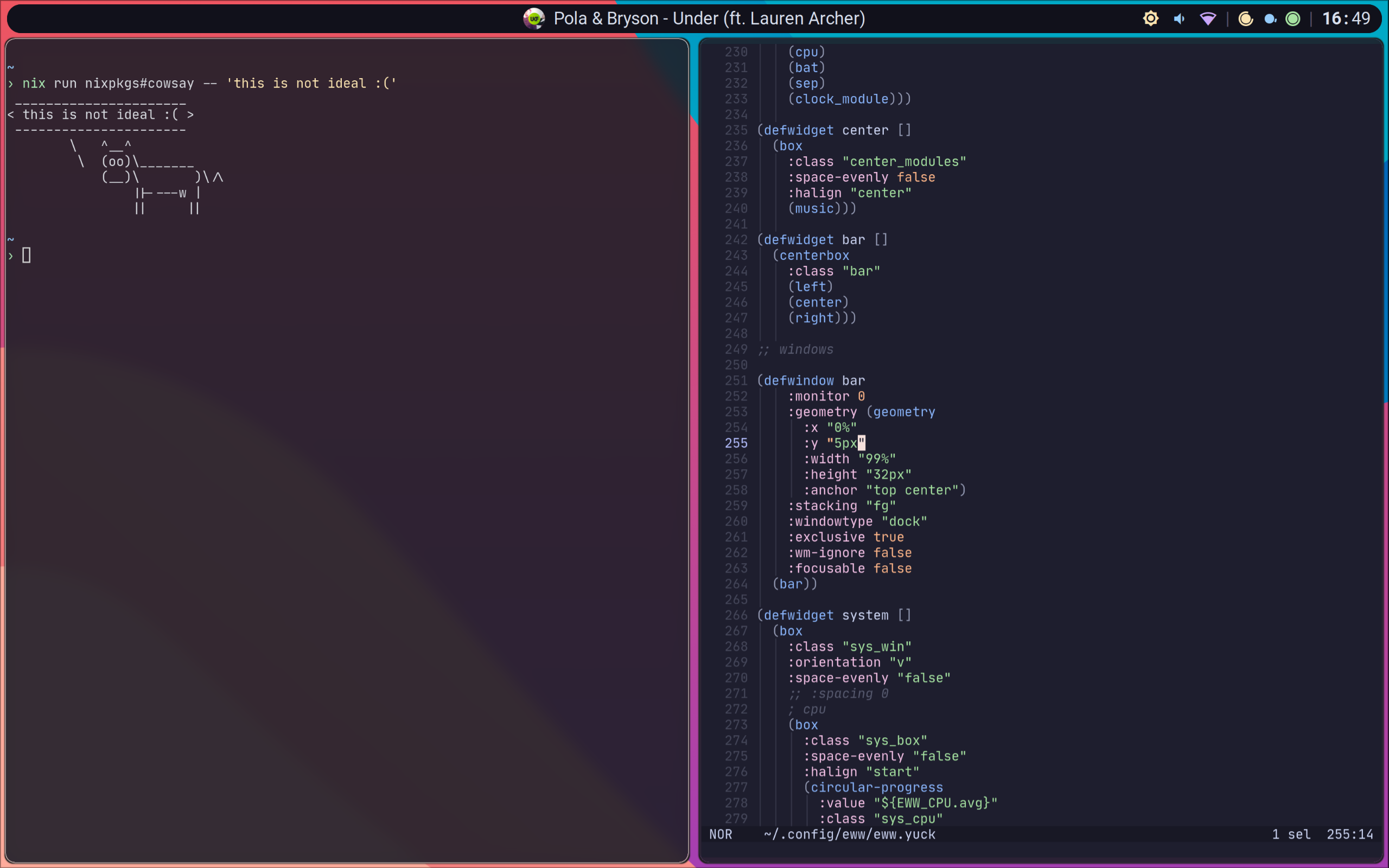
...which isn't as pleasing to look at as at a bar that "respects" gaps.

The easieset way is just to know how many pixels wide your monitor is, and then set it to that minus whatever gap you want on each side times two.

You could also just have the window take the whole width, have a transparent backgorund and set a padding of a certain number of pixel on it. IIRC the calc feature shouldn't require too much work to be implemented tho

@viandoxdev
You could also just have the window take the whole width, have a transparent backgorund and set a padding of a certain number of pixel on it.
Hey, can you elaborate on this with an example? Not really sure how this would work.

These workarounds don't work well when you don't know your monitor's resolution, such as when you spawn bars dynamically on all monitors of arbitrary sizes.
My workaround for now is to make the bars take a width as an argument, and use an expression like "${width -32}". Since I'm looping over the monitor data from hyprctl monitors -j to create the bars in the first place, I know their widths when creating my bars.
