
vscode-elixir-ls
 vscode-elixir-ls copied to clipboard
 elixir-lsp
Add syntax rule for typespec definitions
Problem
Typespec rules are not recognised as an independent syntax token.
I was following PR #12 , a request to add syntax highlighting for @spec definitions. That issue was closed with the following reason:
However this can be accomplished for you locally with a local override: https://code.visualstudio.com/docs/getstarted/themes#_customizing-a-color-theme
This comment is incorrect. You can see that VSCode tokenizes @spec as variable.other.readwrite.module.elixir. There is no specific tokenization rule for typespecs, therefore no way to create a local override.
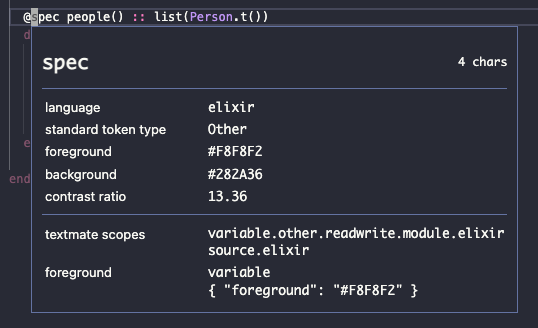
Solution
I agree with @axelson in #12: typespecs aren't comments. So this PR adds an entirely new rule: entity.name.typespec.elixir.
This means that there are zero visual changes for users, nothing changes until you add a custom local override.
I use the following settings:
    "editor.tokenColorCustomizations": {
        "[Dracula]": {
            "keywords": "#80516b",
            "textMateRules": [
                {
                    "scope": "entity.name.typespec.elixir ",
                    "settings": {
                        "foreground": "#80516b",
                    }
                }
            ],
        }
    }
Which looks like this:
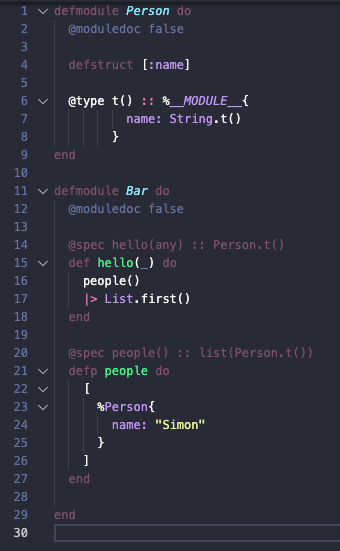
This change focusses only on spec definitions, not type definitons or anything else.
