elementary
Add battery stats/health section
Something GNOME Power Statistics provides is information about the system's battery, like its "Capacity" which is essentially the battery's percentage of full charge compared to its design. We could use this stat to show a battery's health, possibly explaining that the user might experience rapid power loss or unexpected shutdowns if the health is low—similar to what Apple is doing in iOS these days.

I'm particularly interested in this because I had a terrible battery and the system would shut down unexpectedly, which, if I didn't know it was the battery's fault, would be frustrating. I also just replaced it with a new battery, so it would be nice to be able to check up on it as well as it ages (I'm currently using GNOME Power Statistics for that).
I'm particularly interested in this because I had a terrible battery and the system would shut down unexpectedly, which, if I didn't know it was the battery's fault, would be frustrating. I also just replaced it with a new battery, so it would be nice to be able to check up on it as well as it ages (I'm currently using GNOME Power Statistics for that).
@cassidyjames I had exactly the same issue! It would be a goof thing to be able to follow the battery health stats without having to use some software which are not easy to use for most of users.

It looks like this info is available on org.freedesktop.UPower over DBus, even including a nice pre-calculated "Capacity" as a percent of 100, which would be equivalent to the "health" seen on iOS.
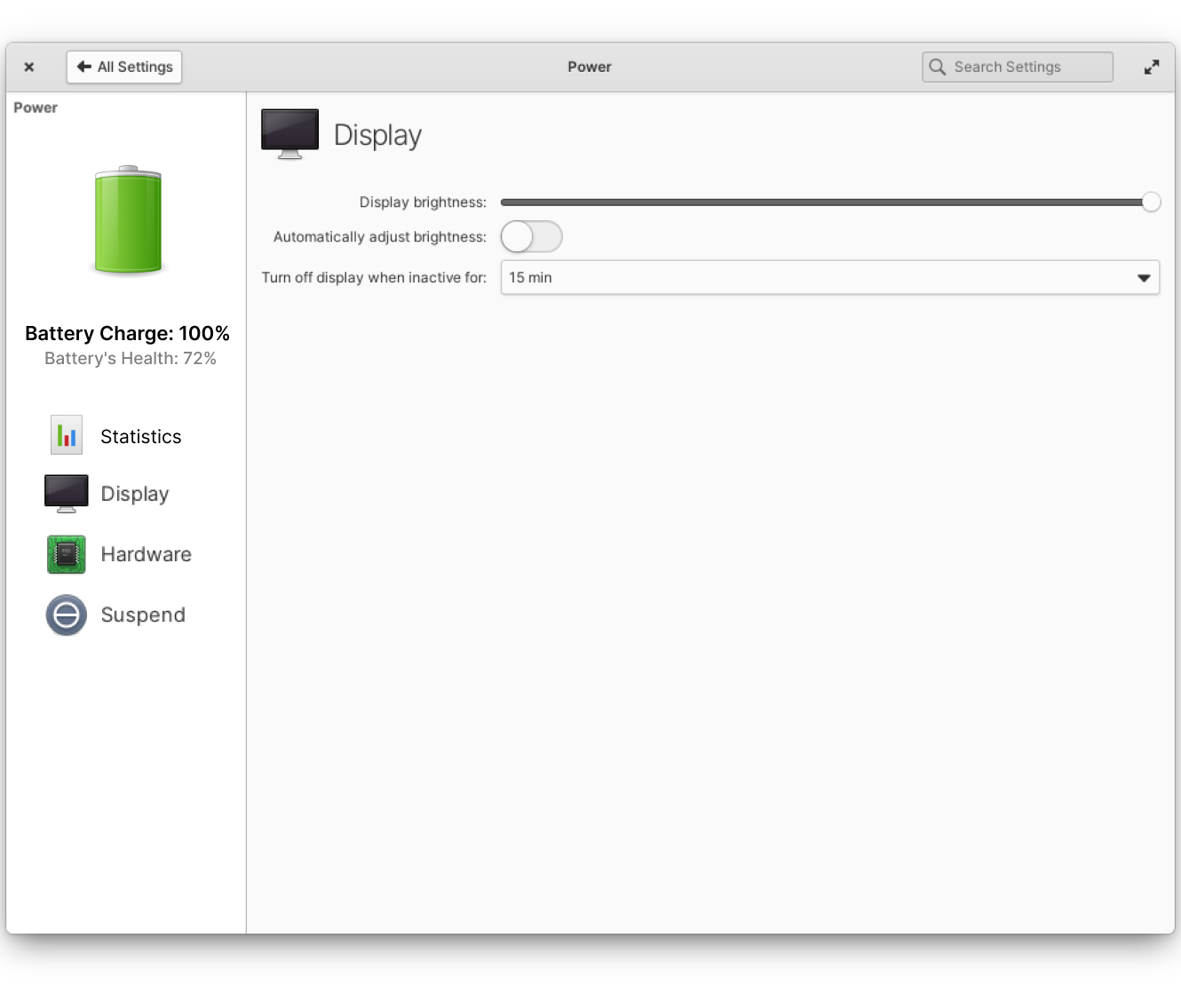

I'd like to spend some time mocking up/sketching something more in line with the elementary conventions than just copying the macOS sidebar here. It would probably make sense to use a Granite SettingsSidebar and SimpleSettingsPages here. Alternatively a StackSwitcher up top could work, but the sidebar is more flexible, especially if we plan to support more devices.
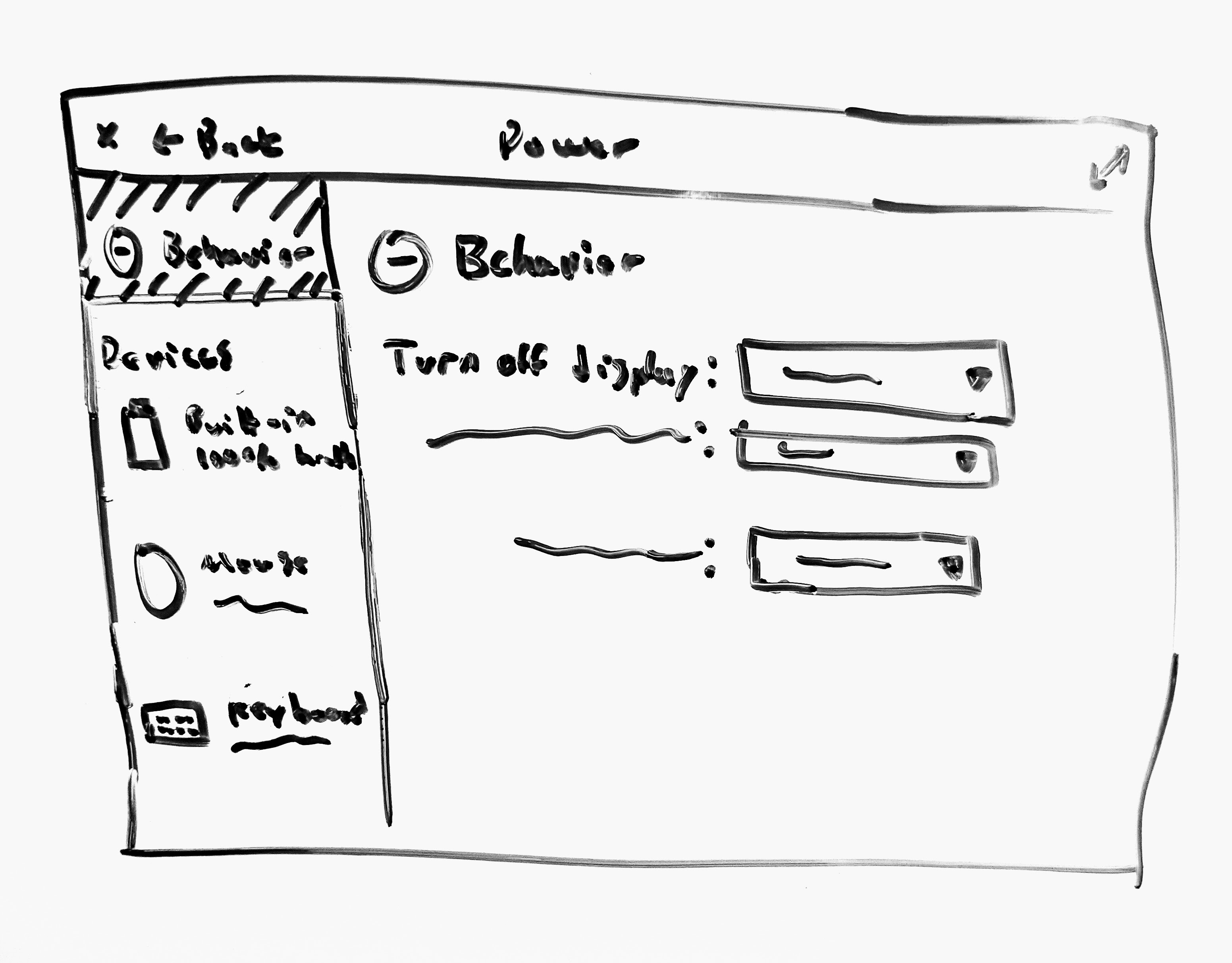
Here's a rough whiteboard sketch of what I'm thinking for just a very basic amount of info. We'd have room to add a graph of health over time if we wanted, as well.
| Behavior | Devices |
|---|---|
 |
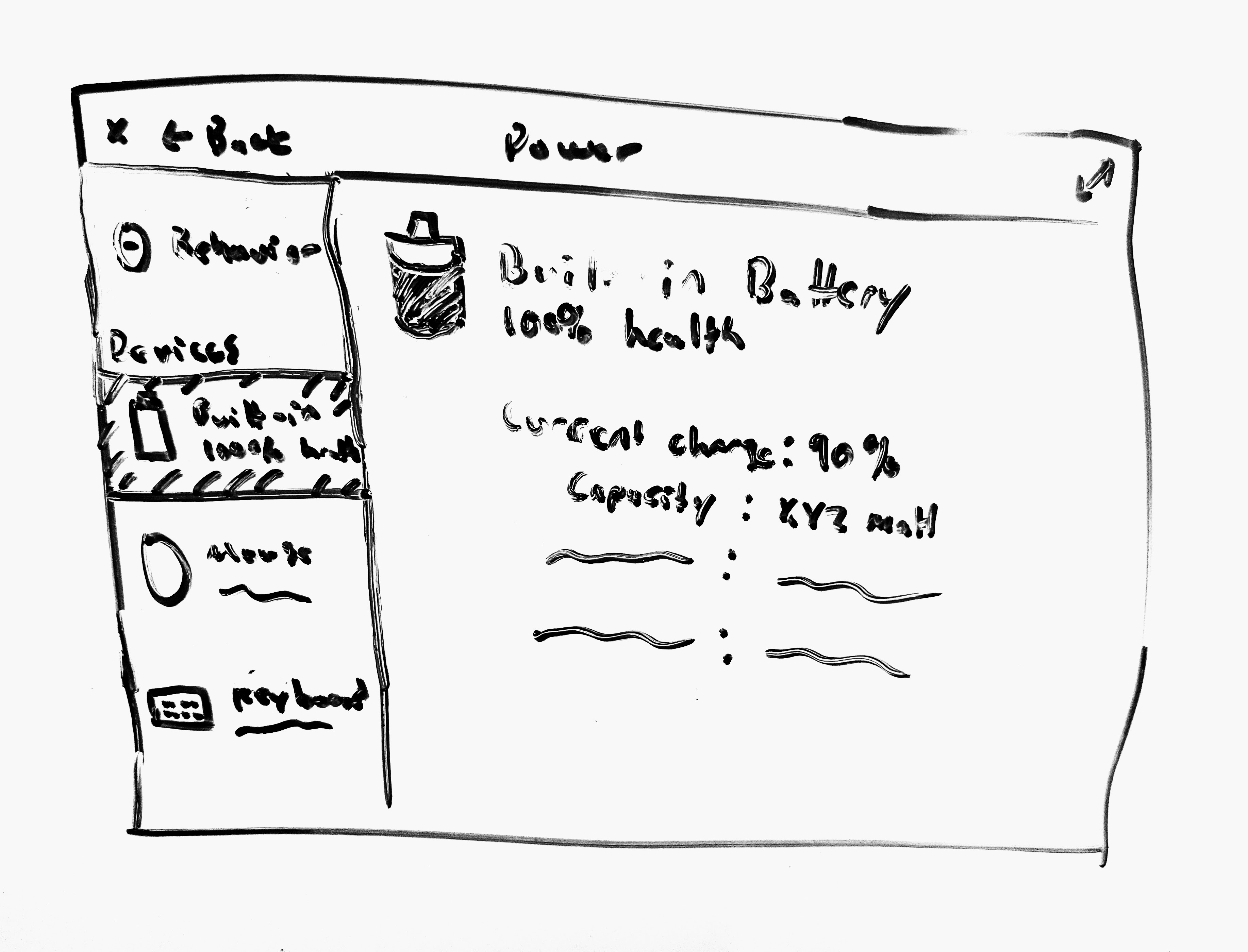 |
| The current contents of the plug. I'm unsure about the icon to use here, but the settings could be moved here as-is or cleaned up a bit. | A sidebar item and page for each detected device with a battery (for example, the power indicator and gnome-power-statistics both show my wireless mouse and keyboard). To start, we can just show some basic information like the current charge and the capacity/design capacity if we have that data. |
If we find a good spot (maybe up top instead of the health there?), we could use this screen to help educate users. I've seen something like this on iOS.
Rechargeable batteries naturally lose capacity over time and when used. To maximize battery health, avoid leaving your device connected to power after it is charged.
In the case of a device's battery capacity being significantly below the design capacity (maybe below 75%?), we could also use this screen to explain what that means:
:warning: 50% health. This battery's current maximum capacity is significantly lower than its original design capacity. Consider replacing it for optimal battery life.
I'm not 100% sure where this info fits in, but it came up when I was thinking through the usefulness of this screen so I thought I'd bang it out in a comment, at least. :smile:
Something else to consider is that this plug will look a little awkward on a desktop with no battery devices connected, but it's probably fine as the Behavior screen would be shown by default. And I think we'd want to leave the sidebar visible in case of hotplugging devices, anyway.
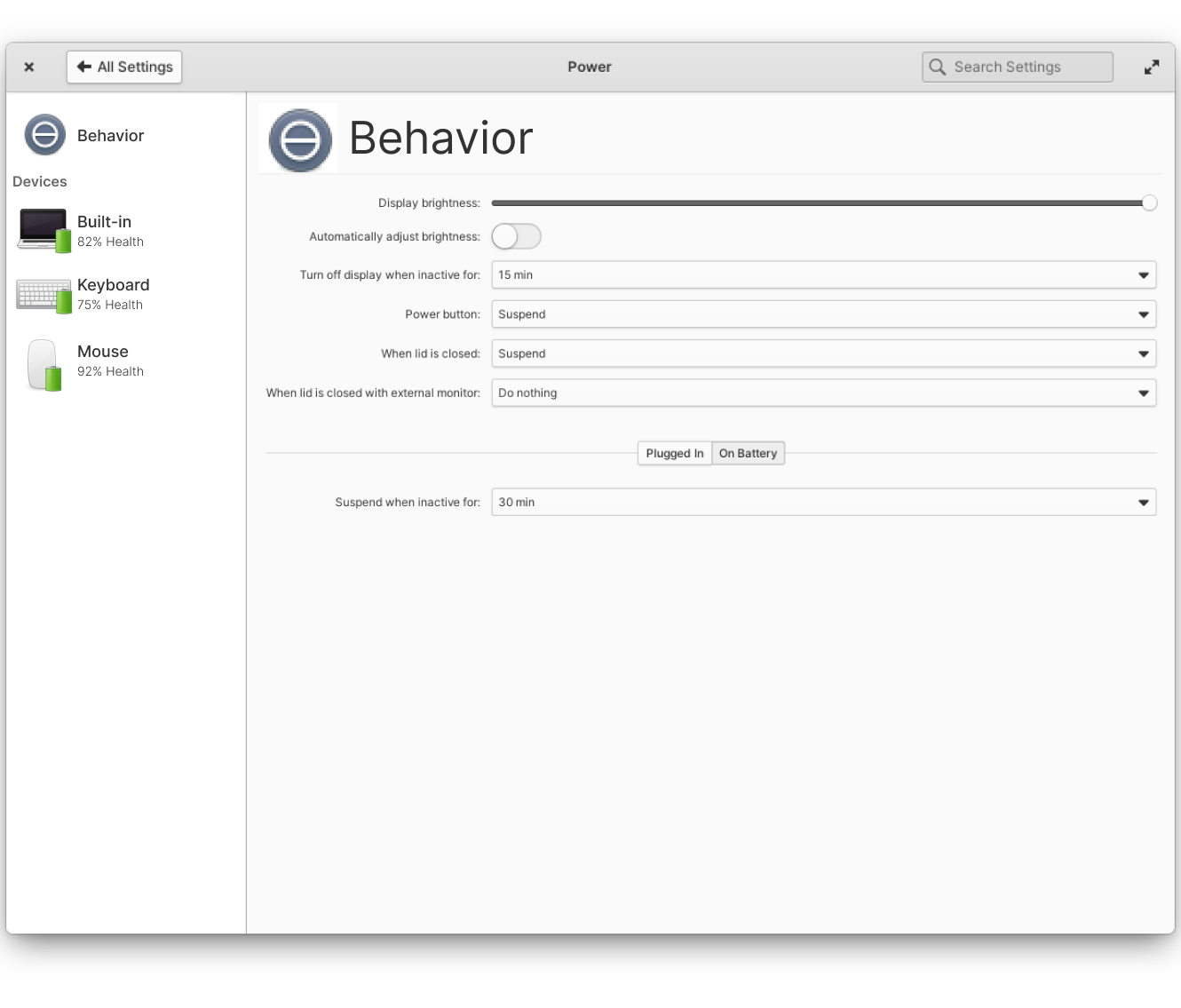
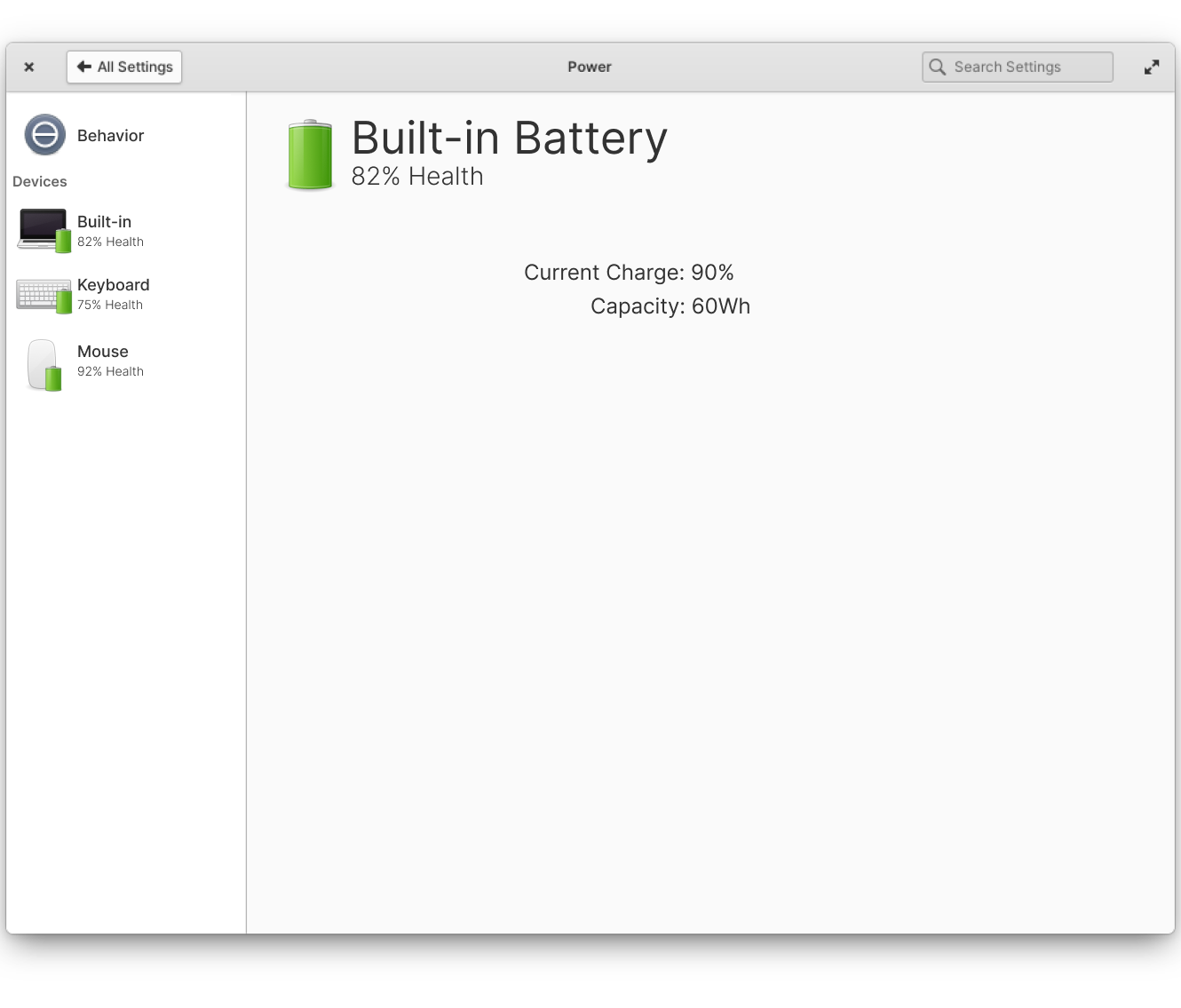
@andirsun yeah that's more or less what I had in mind; though I wonder if it's more useful to expose the current charge in the sidebar instead of the health. In my experience, external devices like mice and keyboards don't report their design capacity, just a percent, so we're unable to calculate health. So it might be more consistent to just report the current charge there.
I like badging those device icons with the battery in the sidebar, though, good call! Makes it much easier to see at a glance.
I think I'd also want to determine where to put any educational text from https://github.com/elementary/switchboard-plug-power/issues/156#issuecomment-875041050; I think it might be more useful in the subheading like we see with the privacy plug, and then just include health (if we can calculate it) as one of the line-items down below.