

 elementary
The line between the source list and folder view sometimes disappears
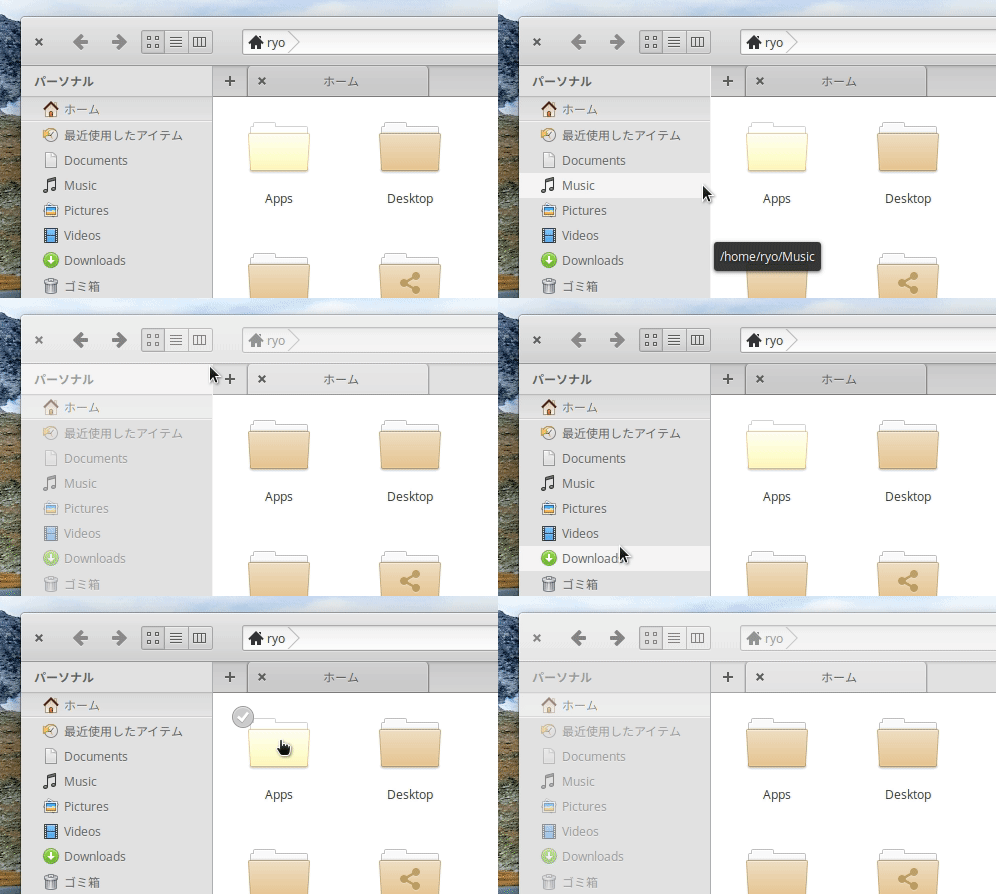
It may be due to my system environment, but the line between the source list and folder view sometimes disappears. I'm on an Core i7-2630QM with NVIDIA GeForce GT 540M. I installed NVIDIA binary driver version 340.106 for GPU from AppCenter.
Want to back this issue? Post a bounty on it! We accept bounties via Bountysource.


@tkashkin or possibly a GTK bug; I don't see why the stylesheet would differ in NVIDIA versus Intel graphics other than due to a bug in GTK.

Interesting, I don't see this with Intel graphics too. But I also don't see anything similar with other GTK themes on NVIDIA.
I do not think this can be fixed in the Files code so I am marking as Out of Scope

I was able to replicate this by installing the nvidia-driver-390 from the appcenter. Before that I had no issues. Running NVIDIA GeForce GTX 950, Juno 5.0.

I was able to replicate this by installing the nvidia-driver-390 from the appcenter. Before that I had no issues. Running NVIDIA GeForce GTX 950, Juno 5.0.
What drivers did you use prior to installing 390 from the AppCenter?

It was just a clean install, so whatever it comes with. Unfortunately I didn't check prior. I also tried updating to nvidia-415 latest driver and I'm still seeing this issue.
Another update. I tested the app "Ping!" which uses Gtk.Paned. It gives the same issues as "Files" on Elementary OS, however, when I tried it on PopOS with Nvidia drivers I did not get the same issue.
@bernardodsanderson I heard that System76 distribute Nvidia drivers differently. So it's either that or it's something specific to elementary OS due to its theme.
Thanks, @danila-io. I did some more digging. The issue seems to come from using a linear-gradient for a background-image to paned.horizontal > separator (in the gtk-widgets.css file). When I used a solid color for a background I did not get this issue. I also noticed when debugging that when using the "Rendering Mode" to "Image" also fixed this issue.
A separate point to make is that I noticed that this only appears when there's no scroll-sidebar in the main pane. When there's a lot of files and you have to scroll to see them all, there's no problem.
paned.horizontal > separator {
    background-image:
        linear-gradient(
            to right,
            @menu_separator 1px,
            @menu_separator_shadow 1px,
            @menu_separator_shadow 2px,
            transparent 2px
        );
    margin-right: -7px;
    min-width: 8px;
}
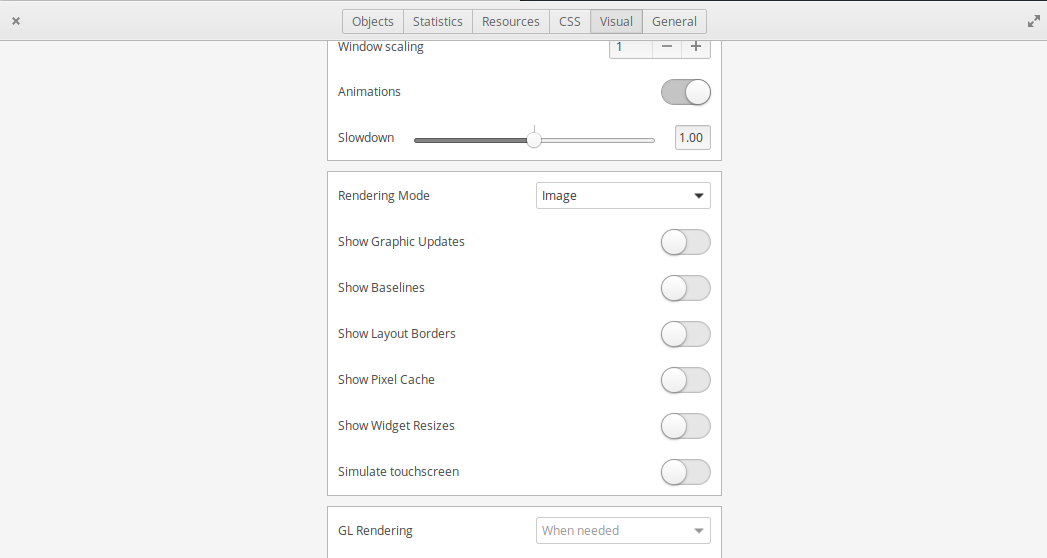
@bernardodsanderson What tool did you use to change rendering mode? Sorry, I'm a bit new to this stuff.
@danila-io no problem, I'm pretty new too! I used GTK_DEBUG=interactive io.elementary.files to get the debug dialog.
For some reason, this issue doesn't happen in hidpi mode
Also happens on vertical dividers (on other apps) so it's probably a gtk thing:
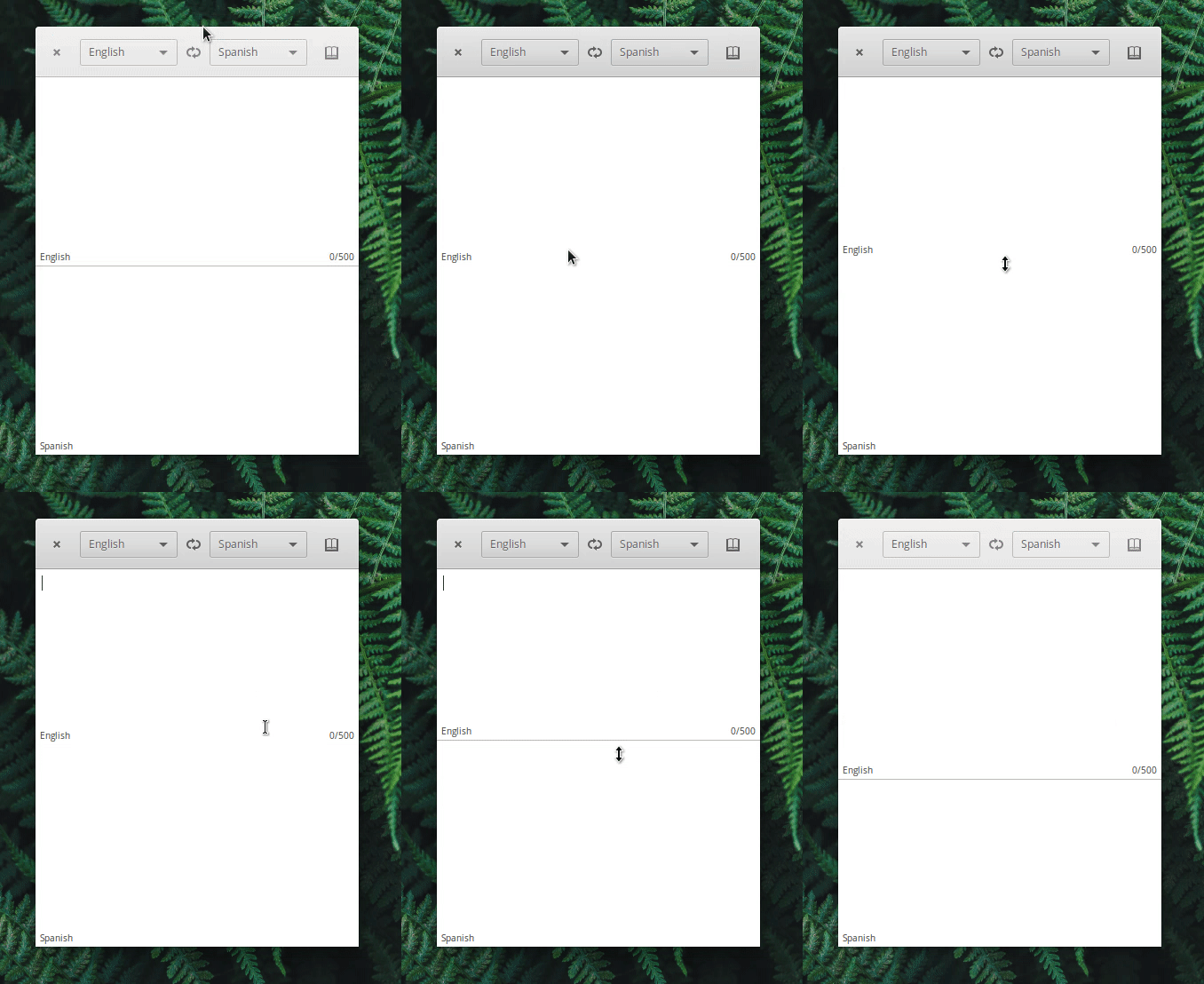
It's fixed by setting
paned.horizontal > separator { background-image: linear-gradient( to right, @menu_separator 1px, @menu_separator_shadow 1px, @menu_separator_shadow 2px, transparent 2px ); margin-right: 0px; min-width: 8px; }
to gtk-widgets.css, but that leaves apps looking like this
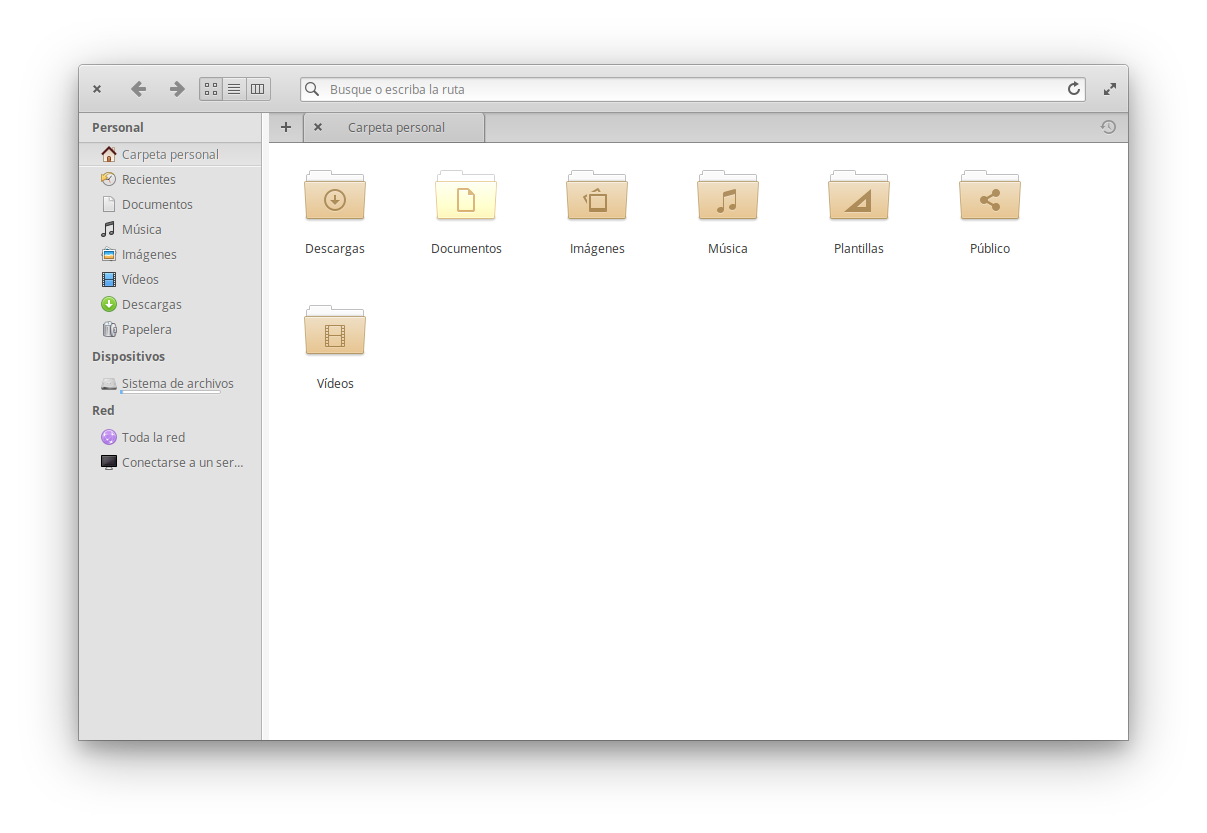
(Also, Mail doesn't have this issue)

I fixed it with this on gtk-widgets.css:
paned.vertical > separator {
    background-image:
        linear-gradient(
            @menu_separator -2px,
            @menu_separator_shadow 1px,
            @menu_separator_shadow 2px,
            transparent 2px
        );
    margin-bottom: 0px;
    min-height: 1px;
}

paned.horizontal > separator {
    background-image:
        linear-gradient(
            to right,
            @menu_separator 1px,
            @menu_separator_shadow 1px,
            @menu_separator_shadow 2px,
            transparent 2px
        );
    margin-right: 0px;
    min-width: 1px;
}
The problem is that it's a bit harder to resize.
I have same Problem, I use Nvidia, new themes have bug too. Change rendering mode to image resolve, is possible change for all applications permant?
a little change in CSS resolved this problem in my setup
paned.vertical > separator {
    background-image:
        linear-gradient(
            to bottom,
            @menu_separator 1px,
            @menu_separator_shadow 1px,
            @menu_separator_shadow 2px,
            transparent 2px
        );
    margin-bottom: -6px;
    min-height: 7px;
}

paned.horizontal > separator {
    background-image:
        linear-gradient(
            to right,
            @menu_separator 1px,
            @menu_separator_shadow 1px,
            @menu_separator_shadow 2px,
            transparent 2px
        );
    margin-right: -6px;
    min-width: 7px;
}
Resizes is normal working.
