

 elementary
Launching Files hangs, gives “Screenshots is not responding” error and then fails
What Happened?
I try to launch Files.
Steps to Reproduce
- Launch files via Applications Menu
Update: Same behaviour now happens whenever a file dialog should display so my system has become basically unsuable.
It hangs.
Then I get an error about Screenshots not responding.
If I kill it, the Files process is also killed. If I wait, I get the same error again.
This started happening after the last time I updated the OS components to the latest (yesterday).
Update: workaround/fix
- Uninstalled Files via AppCenter
- Removed all
/usr/bin/io.elementary.files*binaries. - Restarted
After the restart, Files (and other file dialogues) are back to launching immediately and without issue. Closing.
Expected Behavior
Files should launch.
Possible reasons, unique to my system
- I had a self-built (from source version of Files installed).
- I also had the nightly Nautilus (GNOME) installed for testing.
I’m wondering if #1 messed up the files database or something.
Things I’ve tried to try and fix it
- Uninstalled Files, reinstalled from AppCenter
- Uninstalled Screenshot, reinstalled from AppCenter
- Deleted /usr/bin/io.elementary.files* (app itself, daemon, pkexec file) and reinstalled via AppCenter
Same behaviour.
I also cannot see Files in flatpak list.
Update: OK, this is odd, so Files is but isn’t a Flatpak?
> which io.elementary.files

/usr/bin/io.elementary.files
???
Update on the update: Right, so Files isn’t a Flatpak due to sandboxing issues. See https://github.com/elementary/files/issues/1508
(As I write this, I just tried opening Files from AppCenter and it just worked after taking a very long time to launch so I’m going to use this opportunity to attach some screenshots.)
(Nope, just tried dragging and dropping a screenshot into Web and I’m getting “file is empty”. So no screenshots.) :(
OS Version
6.x (Odin)
Software Version
Latest release (I have run all updates)
Log Output
Output of /var/log/syslog during launch:
Oct 14 11:29:15 dev gala.desktop[2241]: Window manager warning: Buggy client sent a _NET_ACTIVE_WINDOW message with a timestamp of 0 for 0x1800003
Oct 14 11:29:17 dev dbus-daemon[1538]: [session uid=1000 pid=1538] Activating service name='io.elementary.files.db' requested by ':1.3755' (uid=1000 pid=87471 comm="io.elementary.files " label="unconfined")
Oct 14 11:29:17 dev io.elementary.f[87480]: marlind-tagging.vala:78: Database path: /home/aral/.config/marlin/marlin.db
Oct 14 11:29:17 dev dbus-daemon[1538]: [session uid=1000 pid=1538] Successfully activated service 'io.elementary.files.db'
Oct 14 11:29:19 dev tracker-store[87404]: OK
Oct 14 11:29:19 dev systemd[1521]: tracker-store.service: Succeeded.
Oct 14 11:30:01 dev CRON[87699]: (root) CMD ([ -x /etc/init.d/anacron ] && if [ ! -d /run/systemd/system ]; then /usr/sbin/invoke-rc.d anacron start >/dev/null; fi)
Oct 14 11:30:07 dev io.elementary.f[87471]: Application.vala:133: Report any issues/bugs you might find to https://github.com/elementary/files/issues
Oct 14 11:30:07 dev gala[2241]: clutter_actor_remove_child: assertion 'CLUTTER_IS_ACTOR (child)' failed
Oct 14 11:30:07 dev gala[2241]: invalid (NULL) pointer instance
Oct 14 11:30:07 dev gala[2241]: g_signal_connect_data: assertion 'G_TYPE_CHECK_INSTANCE (instance)' failed
Oct 14 11:31:14 dev touchegg[809]: libinput error: client bug: timer event9 debounce short: scheduled expiry is in the past (-10ms), your system is too slow
Oct 14 11:31:19 dev io.elementary.f[87471]: Source ID 42 was not found when attempting to remove it
Hardware Info
OS: elementary OS 6 Odin x86_64
Host: LabTop Mk IV
Kernel: 5.11.0-37-generic
Uptime: 23 hours, 16 mins
Packages: 2355 (dpkg), 65 (flatpak)
Shell: fish 3.3.1
Resolution: 3840x2160
DE: Pantheon
WM: Mutter(Gala)
Terminal: io.elementary.t
CPU: Intel i7-10710U (12) @ 4.700GHz
GPU: Intel Device 9bca
Memory: 4747MiB / 15875MiB
Screenshots
Right, let’s try adding Screenshots by dragging from Files into Firefox instead of Web… right, that seems to work.

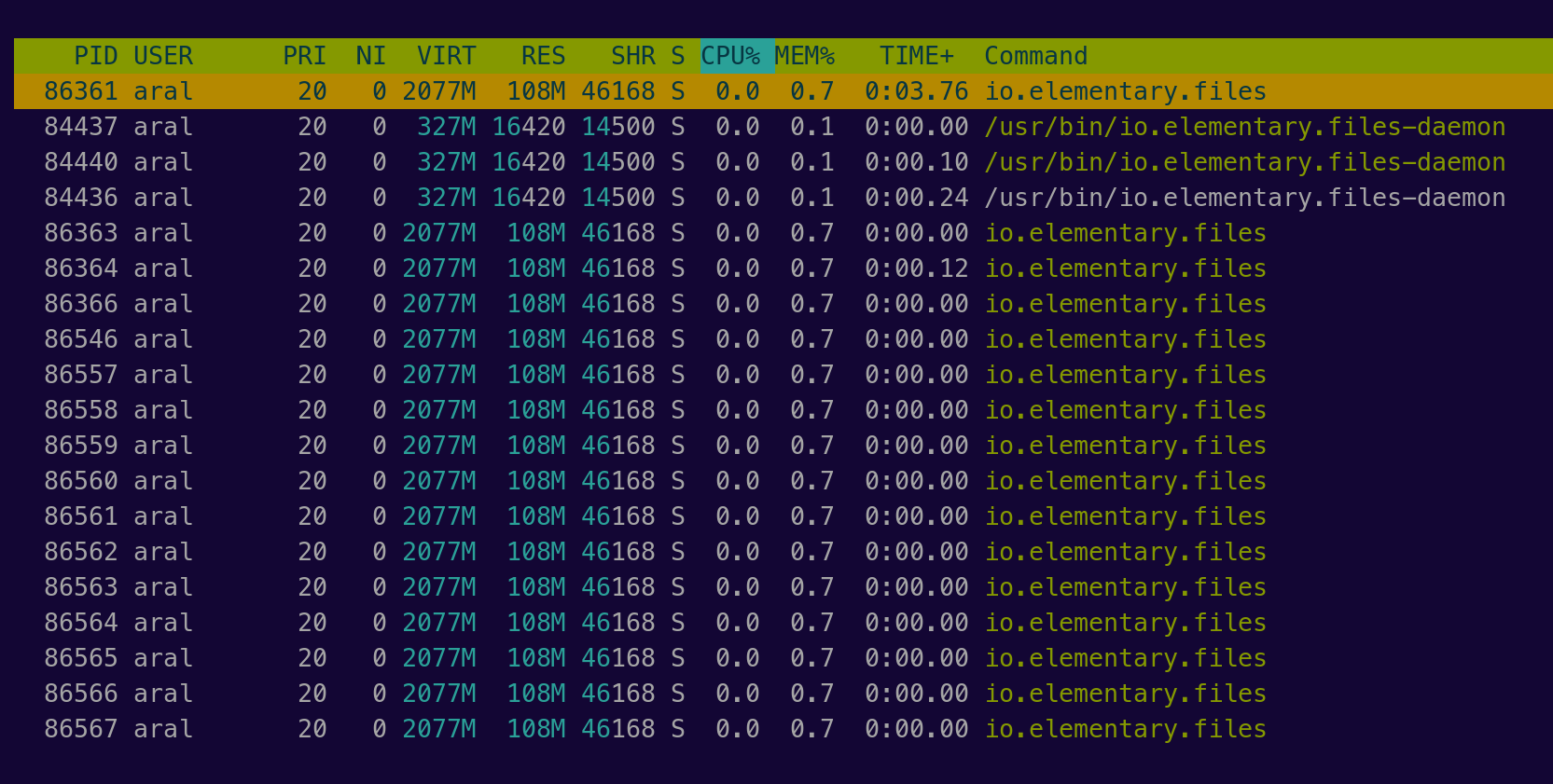


Reopening as it has started doing it again. Nothing’s changed since the last restart when it had started working.
Files is not flatpak'd and is not intended to be run as one. There is nothing in the Files codebase to do with "Screenshots". Is there a process "Screenshots" running. Dragging and dropping images into Web is flaky - best to upload them with the Github interface.
After rebooting to reset things, try launching Files from the terminal with io.elementary.files and post any error messages appearing before the hang.
