

 elementary
Sidebar should show `/home` if it's on a different drive or partition under Devices

Additionally I don't see how much space I have left on /home, only on /.

@marmeladapk You can see how much space is remaining on /home if it is on a different partition by opening that folder, right-clicking on the view and choosing "Properties".

@lainsce I presume you have installed elementary specifying a separate partition for "/home", in which that partition appears as part of of the root filesystem mapped to the "/home"? In that case I am not sure how helpful it is to see the "Home" partition (or whatever label you specified for it) as a device (which cannot be unmounted) other than to see at a glance how much space is remaining on it. Is that the real issue? That issue has been raised here #1283
Note that if you bind mount another partition to somewhere in the root filesystem (e.g. in fstab) it does appear under Devices.
It's more to see how much space is on /home at a glance, in the sidebar, as currently, I can't see without the above instruction, an important info like that. Yes, it's a separate partition in the same HDD of "/", but some people might have it on a separate device, hence the need to show it irregardless just so people know how much is used.
@jeremypw I know I can, however this is not visible at a glance and it's a useful information.
https://github.com/elementary/files/issues/1283#issue-599226559 This mockup (bar under Home folder in a sidebar) would solve it for me. It could be visible only when /home is on another partition or eventually when user has a quota.
I've set up a VM with a separate /home partition and will see what can be done.
I think it really the intention of the Linux system that such a partition should appear transparently as part of the root filesystem rather than a separate device so we have to subvert that somewhat.
@jeremypw I think having a bar under Home folder makes the most sense in this case (and not a separate entry under devices). @lainsce what do you think?
After a little playing around I have found a workaround:
You need to edit your /etc/fstab file (which is potentially dangerous, so back up the original and be prepared to edit it back to the original in recovery mode if the system will not boot because of a typing error). Do this at your own risk.
First (as administrator) create a mount point folder called Home under media\<username> .
Then create an additional line mounting the \home partition at this point.
e.g.
#Home partition
UUID=<uuid of home partition>  /media/<username>/Home  ext4    defaults,noatime,nodiratime,    0       0
Do not amend any other line, particularly the one mounting the \home partition at \home.
Reboot and you should see the Home partition under "Devices" with a storage bar.
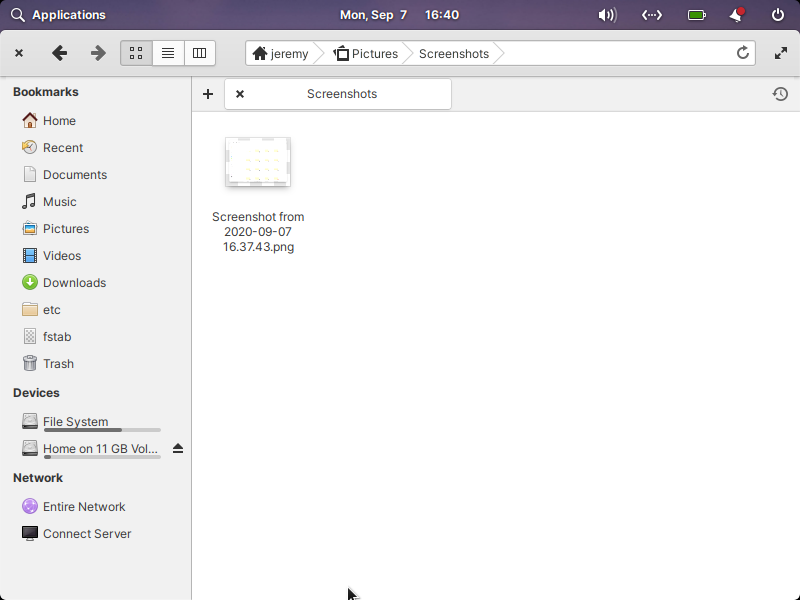
Using the above instructions help, but would be nice to have this by default shown without changing system files.