

 elementary
Sort symbols pane by location
Prerequisites
- [x] I have searched open and closed issues for duplicates.
Feature
The symbols pane is very useful, but I find it difficult to use because it sorts the symbols alphabetically. In other code editors (like Builder and Visual Studio), the symbols outline is sorted by where it appears in the code, or there's an option to do so. So functions that appear at the top of the file appear at the top of the outline, and so on. I think of my code spatially, so this is much more natural to me than alphabetically hunting down the function I'm looking for.
Here's what it looks like in Visual Studio Code. I've included the file with functions collapsed, so you can see how the outline maps functions to their locations in code exactly.
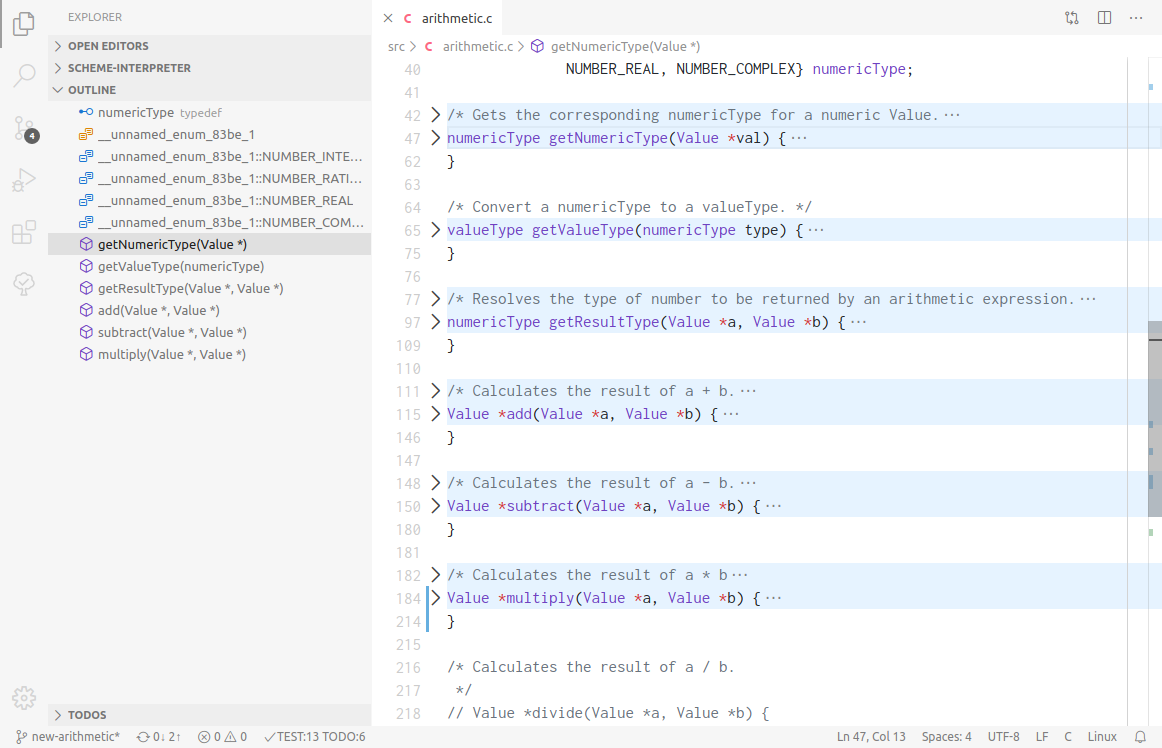
I don't expect this to be the only option, so it would probably require a switching interface of some sort. Again, here's what Visual Studio Code does:
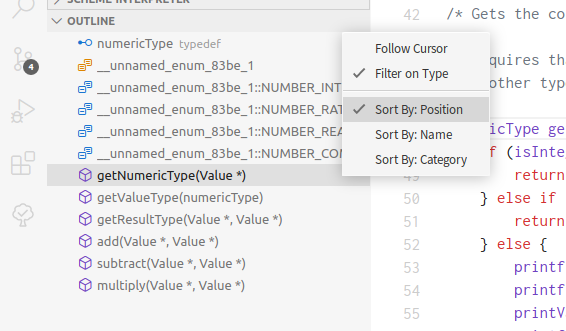

The presence of the symbol filter reduces the need for this. As the symbol objects do have a location property, it would be possible just give a flat list in order of location but not sure how useful this would be.
@mcclurgm Would the desired list be grouped by symbol type or have some other additional structure?
