

 element-hq
Element doesn't reconnect to homeserver after PC wakes up from sleep
Steps to reproduce
- Where are you starting? What can you see?
- Start element normally, works as it should
- What do you click?
- Put desktop to sleep, waking it up in 1, 60, or 3600 minutes makes no difference, when it wakes back up element doesn't reconnect to it's home server (which is on the local network)
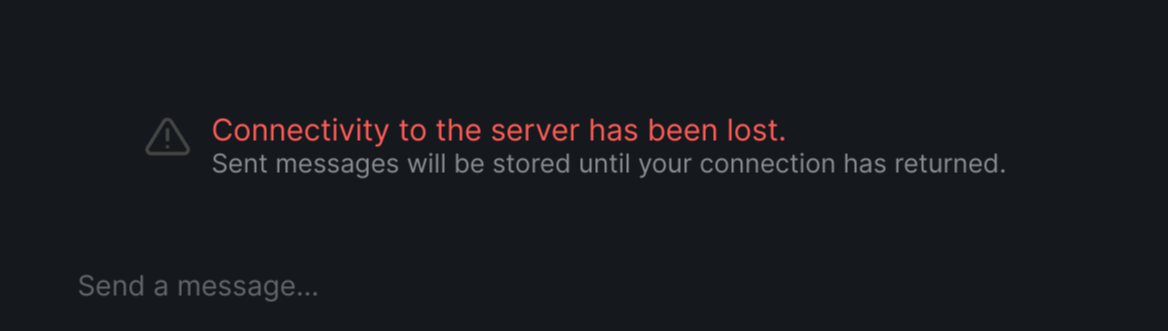
Outcome
What did you expect?
For element to reconnect to it's home server.
What happened instead?
It did not. I have to close the app and re-open it for it to reconnect.
*CTRL+R would be an useful shortcut to have, though it shouldn't be the fix for this problem, if the problem itself is global, and not something local for me.
Operating system
Ubuntu 22.04
Application version
Element version: 1.11.2 Olm version: 3.2.12
How did you install the app?
deb package
Homeserver
synapse docker container - server_version: 1.64.0 python_version: 3.9.13
Will you send logs?
Yes

Do we have any logging around connectivity to the server? I don't see anything in src/components/structures/RoomStatusBar.tsx and nothing in the JS SDK (SyncState.Error). We do have a ConnectionError for failed HTTP requests which is related.
From your rageshake logs, it seems like you're running into a bunch of CORS errors with your homeserver.
ConnectionError: request failed: CORS request rejected: https://<homeserver>/_matrix/client/r0/sync?filter=0&timeout=30000&since=s814077_10475922_61_748593_10669_87_5796_564655_0
    at vector://vector/webapp/bundles/4758a480cb8185932b7e/vendors~init.js:2:832082
    at Object.callback (vector://vector/webapp/bundles/4758a480cb8185932b7e/vendors~init.js:2:831702)
    at u (vector://vector/webapp/bundles/4758a480cb8185932b7e/vendors~init.js:2:12281)
    at i.onreadystatechange (vector://vector/webapp/bundles/4758a480cb8185932b7e/vendors~init.js:2:11711)
Is your homeserver configured correctly? What response headers are you seeing for the /sync requests? (Ctrl + Shift + i to open the devtools inspector, switch to the Network tab) You should be seeing:
access-control-allow-headers: Origin, X-Requested-With, Content-Type, Accept, Authorization
access-control-allow-methods: GET, POST, PUT, DELETE, OPTIONS
access-control-allow-origin: *

These are the response headers I'm getting:
access-control-allow-headers: X-Requested-With, Content-Type, Authorization, Date
access-control-allow-methods: GET, HEAD, POST, PUT, DELETE, OPTIONS
access-control-allow-origin: *
Oddly enough, opening the devtools inspector and doing a CTRL+R seems to have fixed the issue. No changes have been made on the reverse proxy pointing to the homeserver.
Sleeping the desktop and waking it up, has reconnected element to the homeserver on multiple occasions, as it should.
If you don't mind, I would keep this issue open for a few more days, while I perform some more tests.
I saw someone else talking about CORS errors and @reivilibre shared that CORS errors are usually just a façade for something underneath.
In some cases, Synapse error pages don't include the CORS headers, so a generic Synapse error will be reported as a CORS error in Element since the browser forbids it from seeing what the error actually is. We do want to fix up the scenarios where the CORS headers are missing so if you have any specific details about the network requests when it does fail again or reproduction steps, please share.
I haven't been able to reproduce this again after doing a hard refresh in the devtools inspector.
Closing due to lack of information