
search-ui
 search-ui copied to clipboard
 elastic
fail to work with Next.js Client-side navigations ( next/router, next/link )
Hi. I'm using search-ui with my Next.js project.
But I found that when I navigate away from the search page to another page using the Client-side navigations, I cannot go back by using the browser "back" button (I've only tried chrome.)
It seems to be the only lib that support elastic-app-search. Is it correct?
How to replicate:
- Run this demo repo
- visit search page
localhost:3001/search - click
go home pageat the top of sidebar - when home page complete rendering, click your browser
backbutton like this:
Problematic result: The URL do change to localhost:3001/search?...... but page remains in home page.
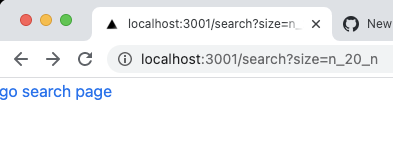
I'm not sure this issue come from search-ui, not from Next.js. I guess this issue has something relate to Smart URL -- which I want to understand more but couldn't find much documents.
BTW I also tried
search-uiwithreact router, they worked well with each other.
Any hint?

Hi @jason-den. I ran your demo, I was able to reproduce.
Unfortunately, I don't have any hunches as to what's wrong.
Interesting to note though... when I set a breakpoint in search.jsx, it is never run. It's like the next router never successfully detects the route change.
When I remove Search UI, the issue is gone.
Something to do with query string in the URL and next? When search-ui initializes we rewrite /search to /search?size=n_20_n`. I don't know, just thinking out loud.

I have an identical issue on my own Next.js project. What I noticed was that when I ran 'console.log(history)', unlike on other pages, the history.state was undefined. Could this be related?

What I have also noticed is that this issue only seems to occur for me when using the Link component for page transitions.
@CallumSlavin yep. if you replace all the related link with tag you will probably be fine. But it doesn't work with " Next.js Client-side navigations"
For personal project it's an acceptable work around. but for project that has lots on link on that page using <Link /> on same page, it's not acceptable.
We're running into this issue too. It seems that search-ui is replacing the NextJS state on initial search. One thing I've noticed is that the history states pushed by NextJS have this property: __N: true
Perhaps Next is ignoring any state changes which don't have that property, or others (asPath, url)?
Maybe some kind of function could be added so that the state could be modified before search-ui pushes it?

We also have this issue. Our workaround:
- Change
trackUrlStatetofalse(it actually fixes the issue, but if you want track URL state go to 2 and 3). - Use
onSearchto push state to query (you can use https://github.com/elastic/search-ui/blob/cb774e2ab1e6831ff40523c62d76b57d4c71ed5f/packages/search-ui/src/URLManager.js or write your own)
   onSearch: (state, queryConfig, next) => {
      const searchString = stateToQueryString(state)

      router.replace(
        `${window.location.pathname}?${searchString}`,
        undefined,
        { shallow: true }
      )

      return next(state, queryConfig)
    }
- Take the query params and set it to
initialStateon the component mount
Hope this will help

This issue has been automatically marked as stale because it has not had recent activity. It will be closed if no further activity occurs. Is this issue still important to you? If so, please leave a comment and let us know. As always, thank you for your contributions.
![botelastic[bot] avatar](https://avatars.githubusercontent.com/u/6764390?v=4 "Published by a pub.dev verified publisher")
Thank you for posting that workaround @Yurii-Adamenko . Unfortunately I haven't been able to get it working when using the searchQuery property. If I comment out the searchQuery part then everything works as expected (except for a bug where the Searchbox will lose focus when a searchAsYouType search is applied):
<SearchProvider
        config={{
          apiConnector: connector,
          /*searchQuery: {
            disjunctiveFacets: ['make', 'model', 'year', 'collection_name', 'block_run_date'],
            facets: {
              year: { type: 'value', size: 250 },
              block_run_date: { type: 'value', size: 250 },
              make: { type: 'value', size: 250 },
              model: { type: 'value', size: 250 },
              collection_name: { type: 'value', size: 100 },
              reserve: { type: 'value' },
              is_charity: { type: 'value' },
            },
            filters: globalFilters,
          },*/
          initialState: {
            resultsPerPage: qstate.size ? qstate.size : 20,
            filters: qstate.filters ? qstate.filters : ifilters,
            sortField: qstate['sort-field'] ? qstate['sort-field'] : 'lot_number',
            sortDirection: qstate['sort-direction'] ? qstate['sort-direction'] : 'asc',
            current: qstate.current ? qstate.current : 1,
            searchTerm: qstate.q ? qstate.q : '',
          },
          trackUrlState: false,
          onSearch: (state, queryConfig, next) => {

            const searchString = stateToQueryString(state);
            router.replace(`${window.location.pathname}?${searchString}`, null, { shallow: true });

            return next(state, queryConfig);
          },
          alwaysSearchOnInitialLoad: false,
        }}
      >
If I uncomment the searchQuery part, it causes an infinite loop where search keeps re-running. The only place I'm using the NextJS router is for the router.replace
So I'm fairly confident there's nothing else interfering with the search state. Has anyone been able to get it working with a searchQuery? Thanks in advance for any help.
Edit: Removed the useEffect because it's not necessary.
I've actually just found a workaround for the above searchQuery bug. If I apply those facets and filter in the beforeSearchCall function, it works correctly.
beforeSearchCall: (existingSearchOptions, next) => {

        const newConfig = {
          ...searchConfig,
          ...existingSearchOptions,
          filters: {
            all: [{ all: [{ auction_id: eventId }] }, ...existingSearchOptions.filters.all],
          },
        };

        return next(newConfig);
      },
However, the SearchBox still loses focus whenever a search is applied.
This issue has been automatically marked as stale because it has not had recent activity. It will be closed if no further activity occurs. Is this issue still important to you? If so, please leave a comment and let us know. As always, thank you for your contributions.
We have a same issue.
I believe the cause is that Search UI tempers and normalizes the URL to manage the state, for some interactions with the Search UI, the URL will be rewritten by Search UI after the initial loading, which messed up with the Next.js history management.
Possibly related to enhancement in this issue. https://github.com/elastic/search-ui/issues/790
