

 elastic
[Observability][Metrics Explorer] should only show graphs where data exists
Describe the feature: Tested on 7.17.3
When going to the metrics explorer and selecting a graph per it should only show graphs where data actually exists instead of showing me a bunch of graphs that are empty.
Describe a specific use case for the feature:
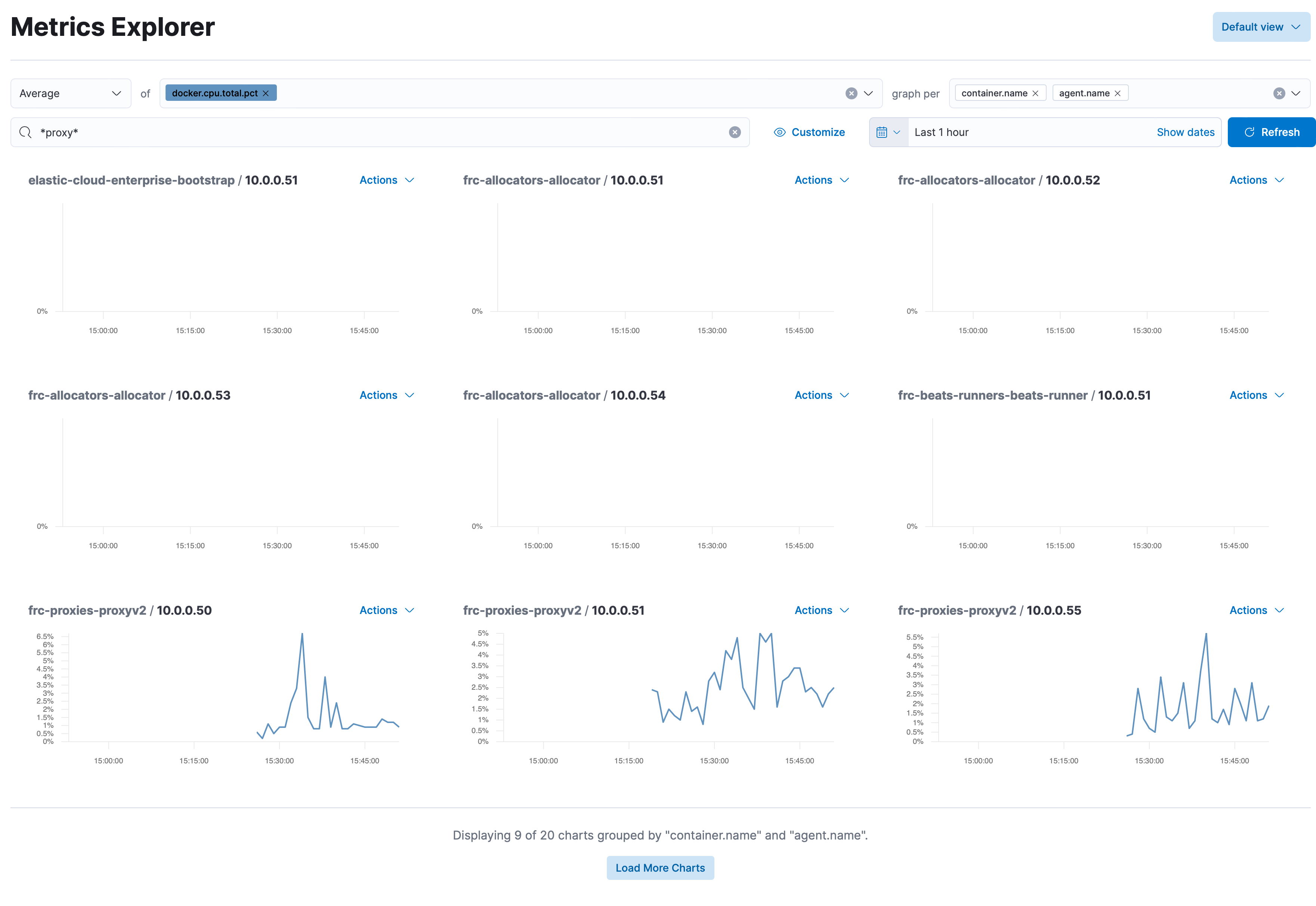


In this case it looks like there are documents for those IP addresses but perhaps without data for those fields.
You could also filter for documents where that docker cpu field exists.
We could consider having an option to hide charts with no data, but it would have to be done at rendering time.

You could also filter for documents where that docker cpu field exists.
This should exactly be done by Kibana automatically. I don't want to write multiple filters, I just want to click on a button and graph it. So I think that Kibana should be intelligent enough to see if data exists for a graph, before trying to graph it.
I would vote for putting this behind a toggle where the default value is to hide empty charts. Sometimes an empty chart can mean something is wrong with data delivery so in those cases it would be great to be able to toggle and see that indeed there is such a host but no data is being shipped for these metrics.

Pinging @elastic/obs-ux-infra_services-team (Team:obs-ux-infra_services)
This issue has been automatically marked as stale because it has not had recent activity. It will be closed if no further activity occurs. Thank you for your contributions.
![botelastic[bot] avatar](https://avatars.githubusercontent.com/u/6764390?v=4 "Published by a pub.dev verified publisher")