
python-docx-template
 python-docx-template copied to clipboard
 elapouya
Cannot merge documents with image
Describe the bug
cannot import a document (with image) within a master doc that has also image
To Reproduce
Expected behavior
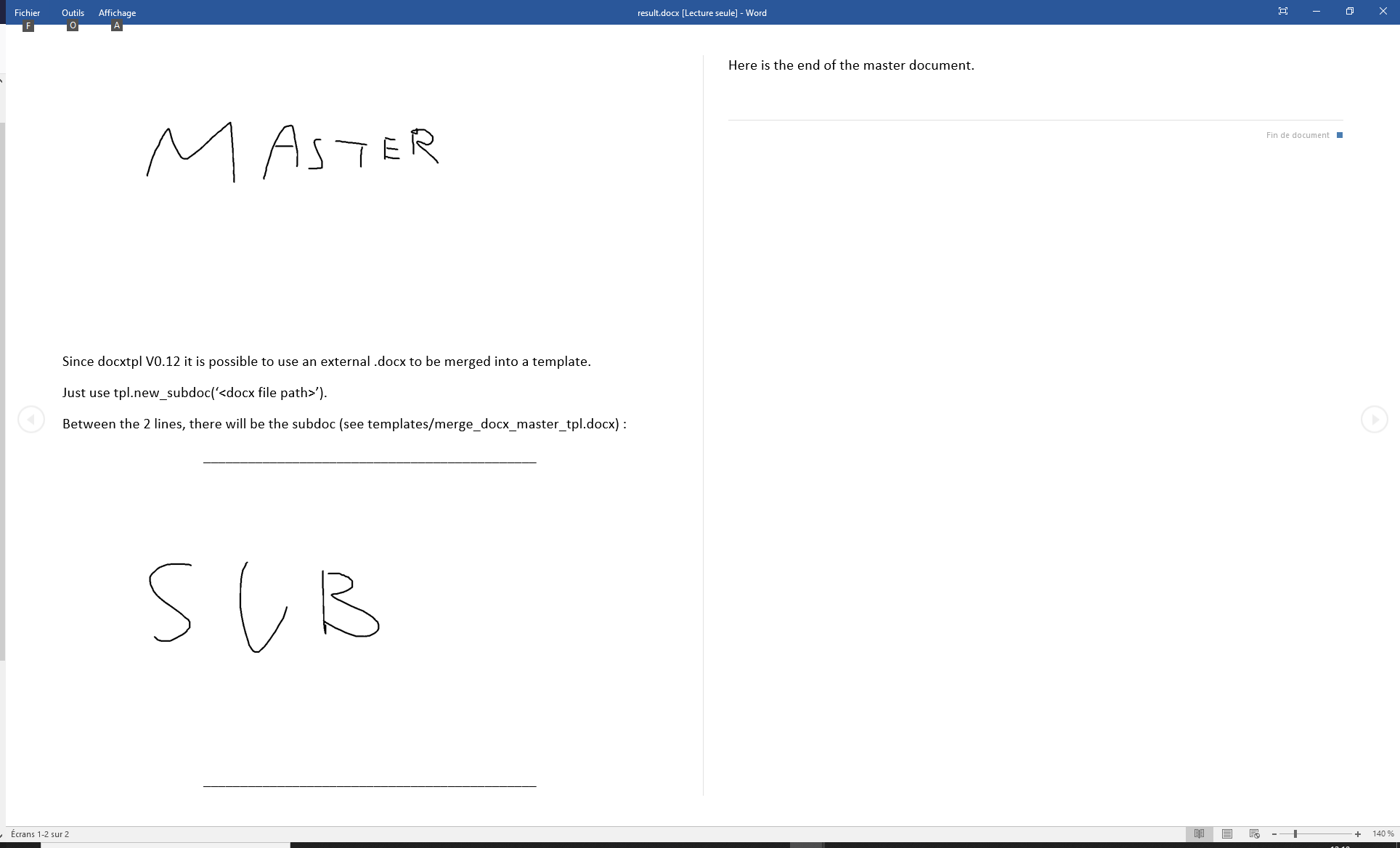
the generated docx file (result.docx) has to contains the "master" image (from master template) and the "SUB" image (from sub template file)
Screenshots
current:
 expected:
Additional context
I think the problem is located in the contained images references... in both themplate, the image is referenced as image1. In the final document, both references point to image1 but in theory, one is from master and the other comes from sub template... I was not able to find a way to overwritte sub template reference with a "sub" prefix in order to keep correct references...

In docxcompose/composer.py#23 you find the constant variable
REFERENCED_PARTS_IGNORED_RELTYPES = set([ RT.IMAGE, RT.HEADER, RT.FOOTER, ])
I commented out RT.IMAGE and now the inclusion of images is working for the examples which I tried. Also your sandbox example is functional with this fix.

@kaiserls Thanks for the reply, but I don't use docxcompose and the lib seems not to be used by docxtpl or python-docx...
I tried to add the lib and to import it but without any result...
import os

from docxtpl import DocxTemplate

##
# https://github.com/elapouya/python-docx-template/issues/383
from docxcompose.composer import REFERENCED_PARTS_IGNORED_RELTYPES
from docx.opc.constants import RELATIONSHIP_TYPE as RT
REFERENCED_PARTS_IGNORED_RELTYPES.remove(RT.IMAGE)
##

tpl = DocxTemplate(os.path.join(os.path.dirname(__file__), "templates", 'master_tpl.docx'))
sd = tpl.new_subdoc(os.path.join(os.path.dirname(__file__), "templates", 'subdoc.docx'))

tpl.render({'mysubdoc': sd})
tpl.save(os.path.join(os.path.dirname(__file__), 'result.docx'))
Hey, docxtpl/template.py->DocxTemplate imports & uses docxtpl/subdoc.py-> Subdoc ("from .subdoc import Subdoc") imports & uses docxcompose/composer.py->Composer ("from docxcompose.composer import Composer") has REFERENCED_PARTS_IGNORED_RELTYPES
However I can't reproduce the behaviour you describe at the moment. Even using google colab and your sandbox.
!pip install docxtpl
import os

from docxtpl import DocxTemplate

tpl = DocxTemplate('master_tpl.docx')
sd = tpl.new_subdoc('subdoc.docx')

tpl.render({'mysubdoc': sd})
tpl.save('./result.docx')
Maybe you simply have to upgrade/reinstall the docxtpl package and the packages used by it.
pip install --upgrade --force-reinstall docxtpl