

 ejoffe
Merging stack with different CODEOWNERS approval requirement fails
One of the PR requirements in our repo is that a CODEOWNER needs to approve a PR changing code they are responsible for. I had a bunch of PRs which only modified files with MyOrg/devops codeowner, and in between them there was a PR with MyOrg/backend codeowner.
Running git spr merge changes "top" PR target branch to master, merges it and the ncloases all remaining ones. The issue is that this PR now has a commit modifying files owned the MyOrg/backend, and thus GH rejects such merge:
$ git spr merge
2:45PM FTL ../../../../../../../../Users/eitan/Code/spr/github/githubclient/client.go:292 > pull request merge failed error="Waiting on code owner review from MyOrg/backend." id=oa428PUSP2Y3SuXgHgKdIReqvfrUuaGL number=123 title="My last PR in stack"

@sbienkow-ninja - That's an unfortunate side effect of merging all the PRs in one shot.
Did this leave your branch in a funky state?
Did it leave your PRs in a funky state?
Not sure what to do about this case. I guess as a work around, you need to get the approver to approve the top pr, which is annoying. One potential idea might be to go up the stack until you reach a point that requires different owner approval, and only merge the prs until that point. Then you would have to call 'git spr merge' again to merge the next bunch and so on. This also isn't great.

@ejoffe it left all PRs open, the last one was pointed to master, all remaining ones were pointed to the branch/commit below. I didn't try mering it with spr merge after getting approval for that, closed everything manually.
What's the reason why aren't all PRs simply ff-merged? ff-merge lowest one, then get the one higher to point to master and ff-merge it and repeat that. Assuming all PRs are rebased, this will be no different from changing top PR target to master - all commit hashes remain the same etc.
I wish it was like that, but github always rewrites the commit no matter what, so you can't ff. see: https://stackoverflow.com/questions/48350294/why-does-the-rebase-and-merge-option-in-github-create-new-commit-shas-is-ther/48353808. Because of this when the first pr in the stack merges, the other prs on top have mismatching commits. Also, the next PR needs to now rerun the checks, and you get into nasty conflicts with yourself. This is why I came up with the clever hack of only merging the top PR. Now I think we'll need a more clever hack to get the code ownership to work right.
One option is to move code ownership management into spr, I think this will require some work, is totally doable, but has the downside that you won't have code ownership protection at the github level. So if everyone is using spr, that's fine, but if it's only used as part of the org, then it won't work.
I'm open to other ideas.

From my understanding no-ff merges will have the same issue. The problem is that if we merge the bottom commit in the stack with no-ff, the commit gets rewritten, and then all the checks need to rerun before merging the next commit. This can make merging large stacks take a long time, and will also increase chances of merge conflicts with other stuff that's merging.
One other option that might make this a bit easier is to add a flag: git spr merge --upto 123 which will make git spr only merge part of the stack up to that pr. This way one can merge a batch of changes with the same reviewer in one call, then wait for actions to run, and merge the next batch.
The problem is that if we merge the bottom commit in the stack with no-ff, the commit gets rewritten, and then all the checks need to rerun before merging the next commit. This can make merging large stacks take a long time, and will also increase chances of merge conflicts with other stuff that's merging.
I tried this with a stack D -> E and did a non-ff merge with a merge commit on D:
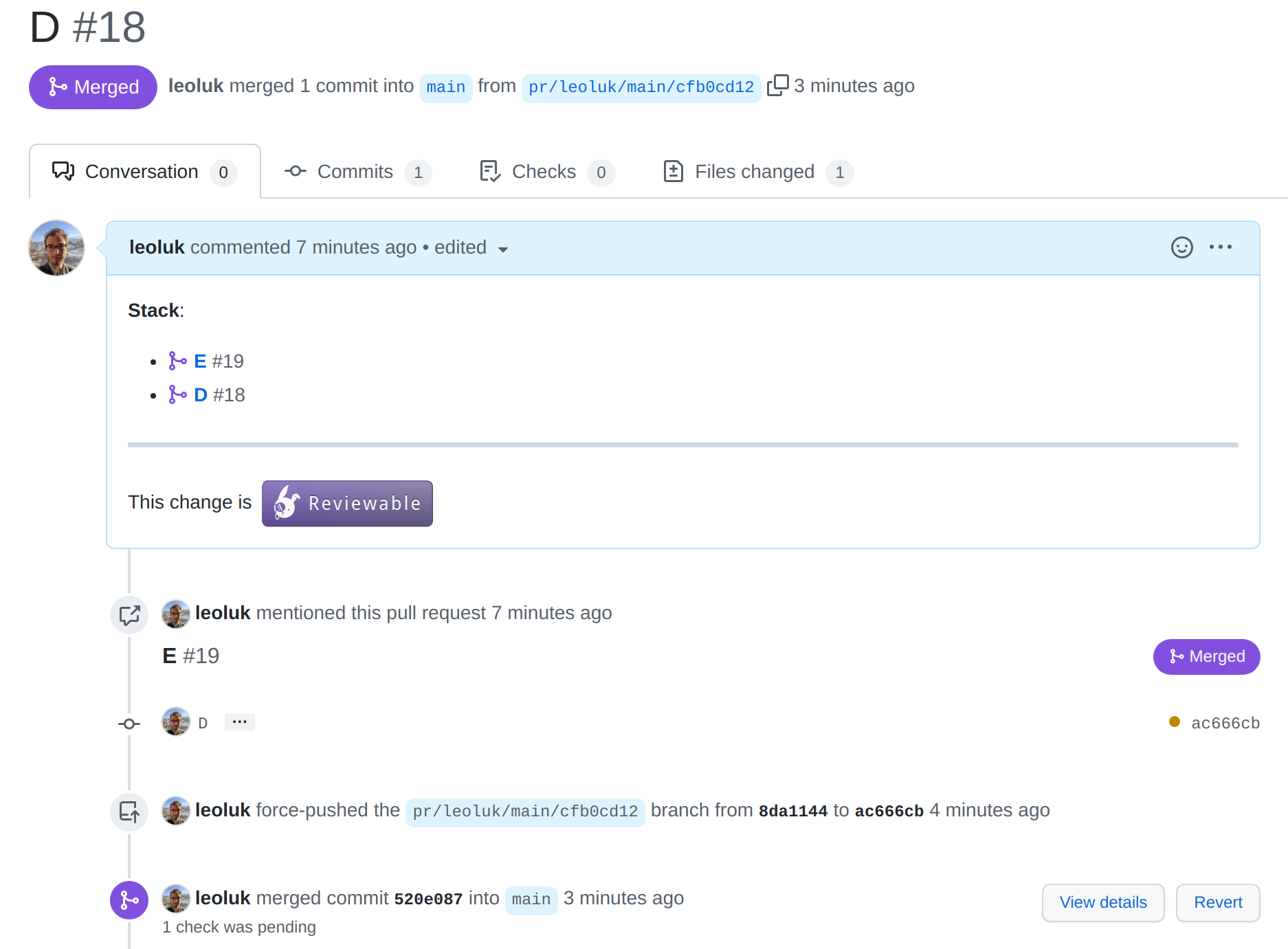
Then changed the base for E and merged that as well:
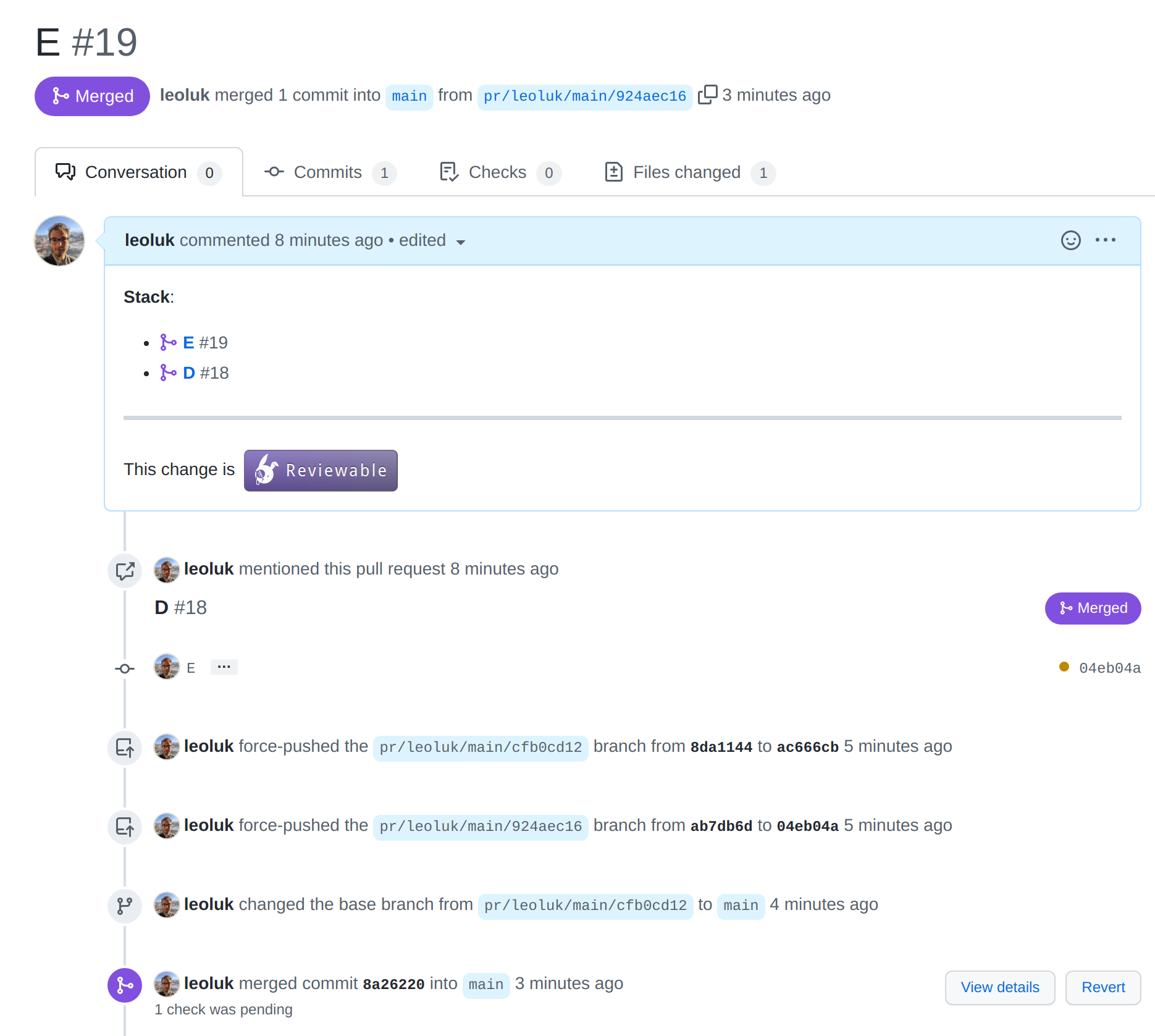
Resulting in this history:

It doesn't look like the commits get re-written. Or does changing the base automatically dismiss all checks?