
image-picka
 image-picka copied to clipboard
 eight04
Won't Display images in preview tab since 0.11.1 (Jul 2, 2019) on macbook pro.
In Firefox version 67.0.4 image pick won't display images in preview tab on macbook pro since the 0.11.1 (Jul 2, 2019) update.

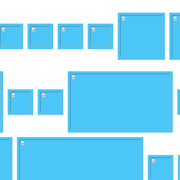
Same. Using the add-on's 0.11.1 release, picking images only shows a bunch of small red squares in the preview tab. It's not only a display problem, the add-on cannot detect or download any images either.
I tested Version 0.10.2 and that version seems to be working fine.


This issue remains whether "Page URL" is enabled or not. Using the add-on 0.11.1 release, picking images only shows a bunch of small red squares in the preview tab. It's not only a display problem, the add-on cannot detect or download any images either.
Does it happen to all pages? Is there any error in the console (press F12 in the preview tab)?
Yes, it happens to all pages. The error in the console that appears in all cases is (multiple instances of) this:
Error: "undefined" load moz-extension://c07b7f14-fd04-42cf-a9c4-95232059b3c5/picker/picker.js:304 progress.js:16:17
Can you check if there is an error in the background?
- Open
about:debugging. - Check
Enabled add-on debugging. - Find Image Picka, click
Debug.
Could you revert the addon extension back to the 0.10.2 (Feb 19, 2019) because there was no issue in that version for MacOs/Unix users, or perhaps if you still have the script for 0.10.2, just create a new addon ext. utilizing version 0.10.2 specifically for Mac users?
Could you revert the addon extension back to the 0.10.2
You can install old versions from AMO: https://addons.mozilla.org/en-US/firefox/addon/image-picka/versions/
for MacOs/Unix users,
We haven't confirmed if this is a Mac-specific issue. Can you test if this issue also occurs in a new profile?
Yes, confirmed, same problem. Windows 7, Firefox Developer Edition 69.0b3. The new profile does not solve the problem. Rollback to version 0.10.2 helped, now everything works again. The problem is mostly Twitter.

@SaruhBaruh I can't reproduce with Windows 7 x64, Firefox Developer Edition 69.0b3, Image Picka 0.11.1. Can you post the actual URL which failed with the batch download?
Also, check if there is an error in the console of the preview tab or in the background.
@eight04 Any page from Twitter, for example https://twitter.com/JanvandenHemel
 In the console writes: The resource at “https://pbs.twimg.com/profile_images/1099750178637205505/xsj2GgtT_400x400.png” was blocked because content blocking is enabled. Yes, when I disabled the Content Blocking - Trackers option. Everything worked, and in all extensions like yours.Although the previous version worked fine on Twitter.
@SaruhBaruh It seems that it is a different issue since @gmac210 stated that the image is displayed with red squares. Move to #203.
I see the same problem when trying to bulk downloading many images (>100) on a page.
The console messages looks like:
Error: "undefined"
    load moz-extension://11c3184c-10ca-4f1f-8369-364558e2f3bc/picker/picker.js:304
progress.js:16:17
    add moz-extension://11c3184c-10ca-4f1f-8369-364558e2f3bc/picker/progress.js:16
    add moz-extension://11c3184c-10ca-4f1f-8369-364558e2f3bc/picker/progress.js:15
    init moz-extension://11c3184c-10ca-4f1f-8369-364558e2f3bc/picker/picker.js:57
    <anonymous> moz-extension://11c3184c-10ca-4f1f-8369-364558e2f3bc/picker/picker.js:9
    <anonymous> moz-extension://11c3184c-10ca-4f1f-8369-364558e2f3bc/picker/picker.js:9
    <anonymous> moz-extension://11c3184c-10ca-4f1f-8369-364558e2f3bc/picker/picker.js:6

Error: "A mutation operation was attempted on a database that did not allow mutations."
progress.js:16:17
    load moz-extension://11c3184c-10ca-4f1f-8369-364558e2f3bc/picker/picker.js:304
    add moz-extension://11c3184c-10ca-4f1f-8369-364558e2f3bc/picker/progress.js:16
    add moz-extension://11c3184c-10ca-4f1f-8369-364558e2f3bc/picker/progress.js:15
    init moz-extension://11c3184c-10ca-4f1f-8369-364558e2f3bc/picker/picker.js:57
    <anonymous> moz-extension://11c3184c-10ca-4f1f-8369-364558e2f3bc/picker/picker.js:9
    <anonymous> moz-extension://11c3184c-10ca-4f1f-8369-364558e2f3bc/picker/picker.js:9
    <anonymous> moz-extension://11c3184c-10ca-4f1f-8369-364558e2f3bc/picker/picker.js:6
The URLs seems to be unimportant, I found the reason for me is low free space (<150MB) for the partition where the profile is located, Firefox blocking the use of idb, and even cleaning the idb, may cause some extensions data to be lost, this is frustrating.
