

 edvardHua
"SIMPLE: Error configuring" Android Studio build issue
I cannot run the code for the "android_demo/demo_tflite", as it fails during building with the above mentioned error message (marked as "External Native Build Issues"). My hunch is that it comes from the openCVLibrary341, but I wouldn't know how to find out where exactly it's coming from.
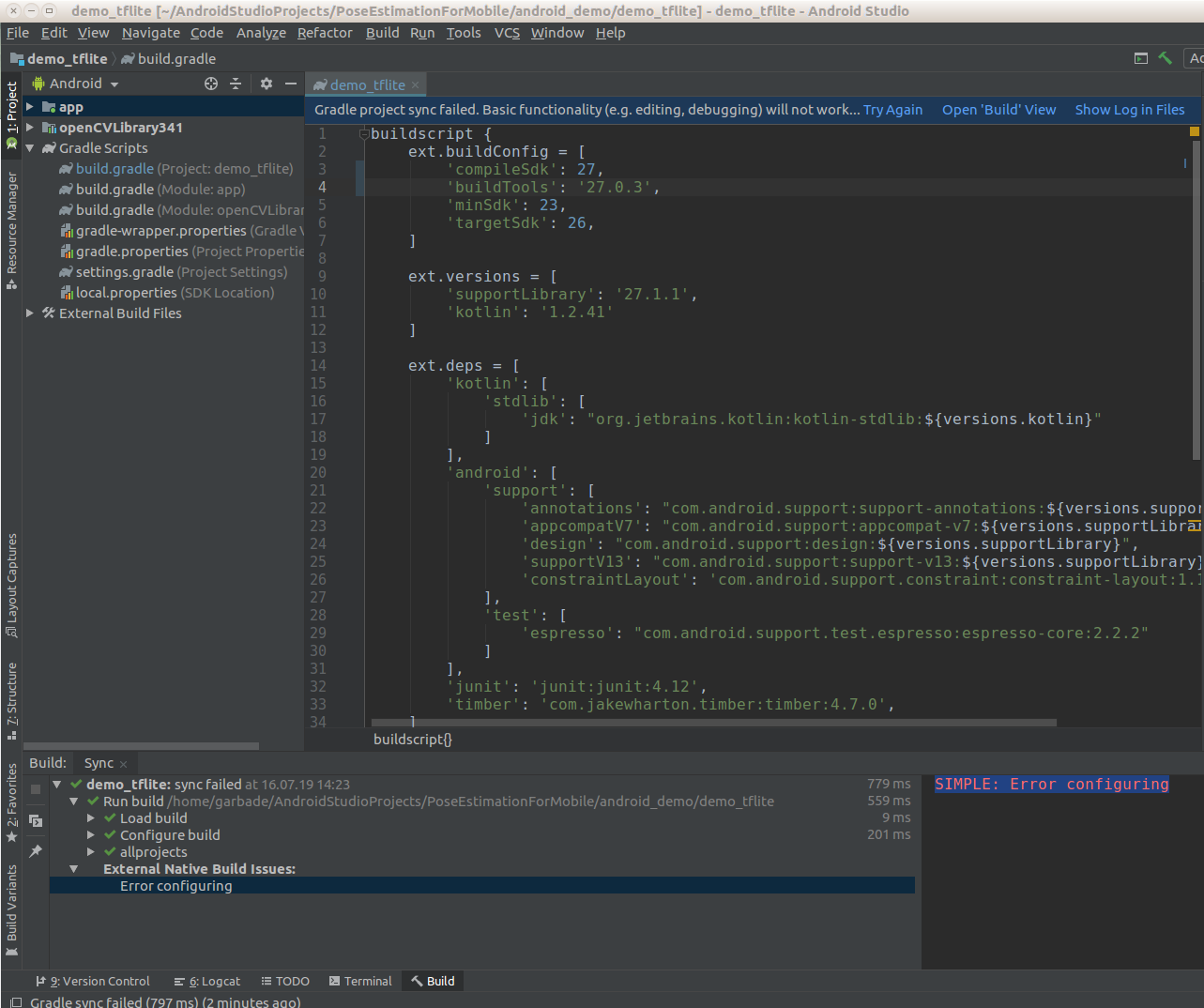
Note: I previously had changed
    ext.buildConfig = [
    'compileSdk': 26,
    'buildTools': '26.0.1',
    'minSdk': 23,
    'targetSdk': 26,
]
to
    ext.buildConfig = [
    'compileSdk': 27,
    'buildTools': '27.0.3',
    'minSdk': 23,
    'targetSdk': 26,
]
to get rid of some warnings:
    WARNING: The specified Android SDK Build Tools version (26.0.1) is ignored, as it is below
    the minimum supported version (27.0.3) for Android Gradle Plugin 3.1.2.
    Android SDK Build Tools 27.0.3 will be used.
To suppress this warning, remove "buildToolsVersion '26.0.1'" from your build.gradle file, as each version of the Android Gradle Plugin now has a default version of the build tools.
Remove Build Tools version and sync project
Affected Modules: app, openCVLibrary341
the build issue continued...


I'm using Android Studio version 3.4.2 ... But I assume you don't mean the ninja IDE but rather some library?
So the trick was to use a different NDK version than the one provided along Android Studio 3.4.2
I downloaded NDK r17c and configured it by clicking File -> Project Structure -> SDK Location -> Choose the custom NDK location.
However the app is still not building. The next error is
Gradle sync failed: Already disposed: Module: 'android_demo-demo_tflite' (2 s 378 ms)
and also
WARNING: The specified Android SDK Build Tools version (26.0.1) is ignored, as it is below the minimum supported version (27.0.3) for Android Gradle Plugin 3.1.2.
Android SDK Build Tools 27.0.3 will be used.
To suppress this warning, remove "buildToolsVersion '26.0.1'" from your build.gradle file, as each version of the Android Gradle Plugin now has a default version of the build tools.
Remove Build Tools version and sync project
Affected Modules: app, openCVLibrary341