eclipse
Fix launch configurations
@wimjongman I'm getting this error again with 4.10 master:
!ENTRY org.eclipse.equinox.launcher 4 0 2022-06-02 12:01:35.047 !MESSAGE Exception launching the Eclipse Platform: !STACK java.lang.ClassNotFoundException: org.eclipse.core.runtime.adaptor.EclipseStarter at java.base/java.net.URLClassLoader.findClass(URLClassLoader.java:476) at java.base/java.lang.ClassLoader.loadClass(ClassLoader.java:589) at java.base/java.lang.ClassLoader.loadClass(ClassLoader.java:522) at org.eclipse.equinox.launcher.Main.invokeFramework(Main.java:656) at org.eclipse.equinox.launcher.Main.basicRun(Main.java:596) at org.eclipse.equinox.launcher.Main.run(Main.java:1467) at org.eclipse.equinox.launcher.Main.main(Main.java:1440)
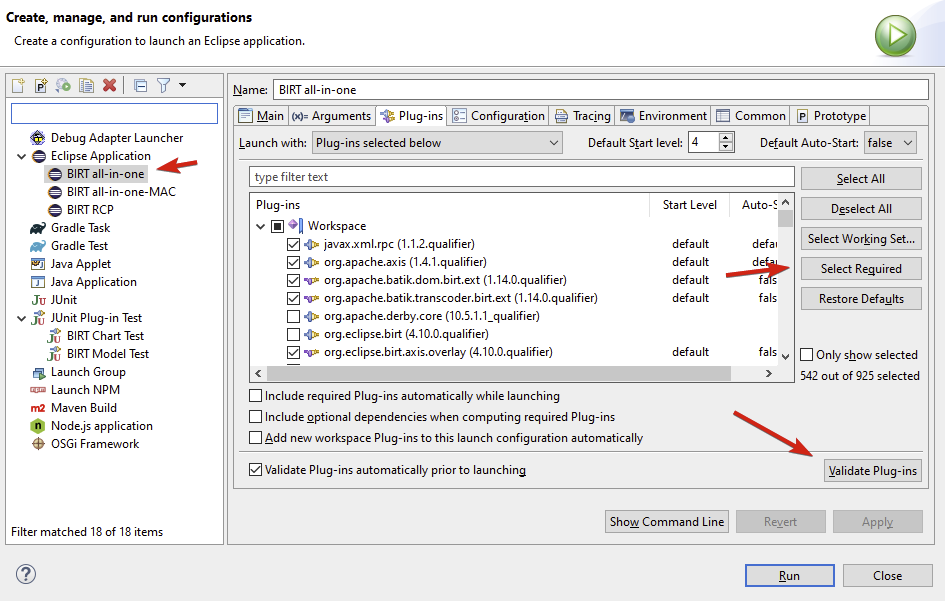
I'd appreciate it if you could describe the steps you take to update a stale run configuration.

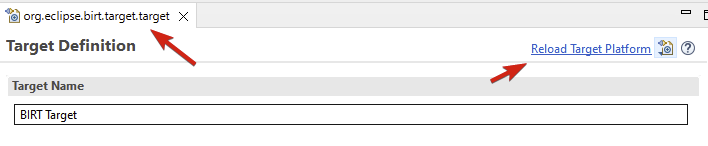
Steve, I typically open the target file and "Reload target platform".
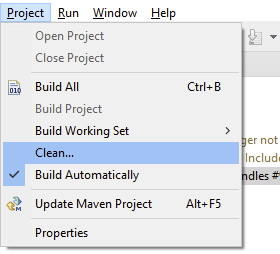
Then I rebuild everything.
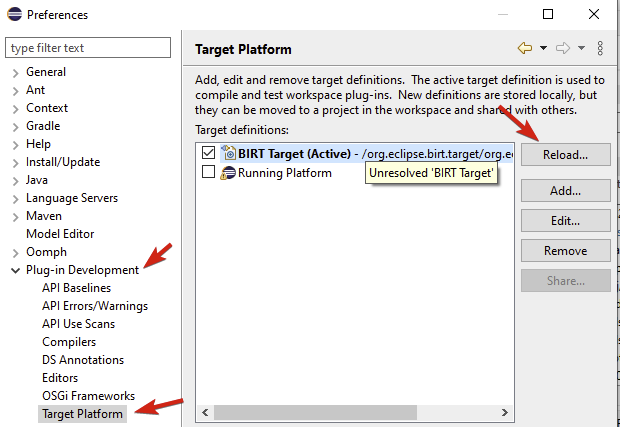
Sometimes I go to the target platform preferences and reload from there.
The issue could also be an out-of-date run config. Open the run config and "Add Required" / "Validate"