
che

che copied to clipboard
 eclipse-che
It's no longer possible to use ephemeral storage for workspaces
Describe the bug
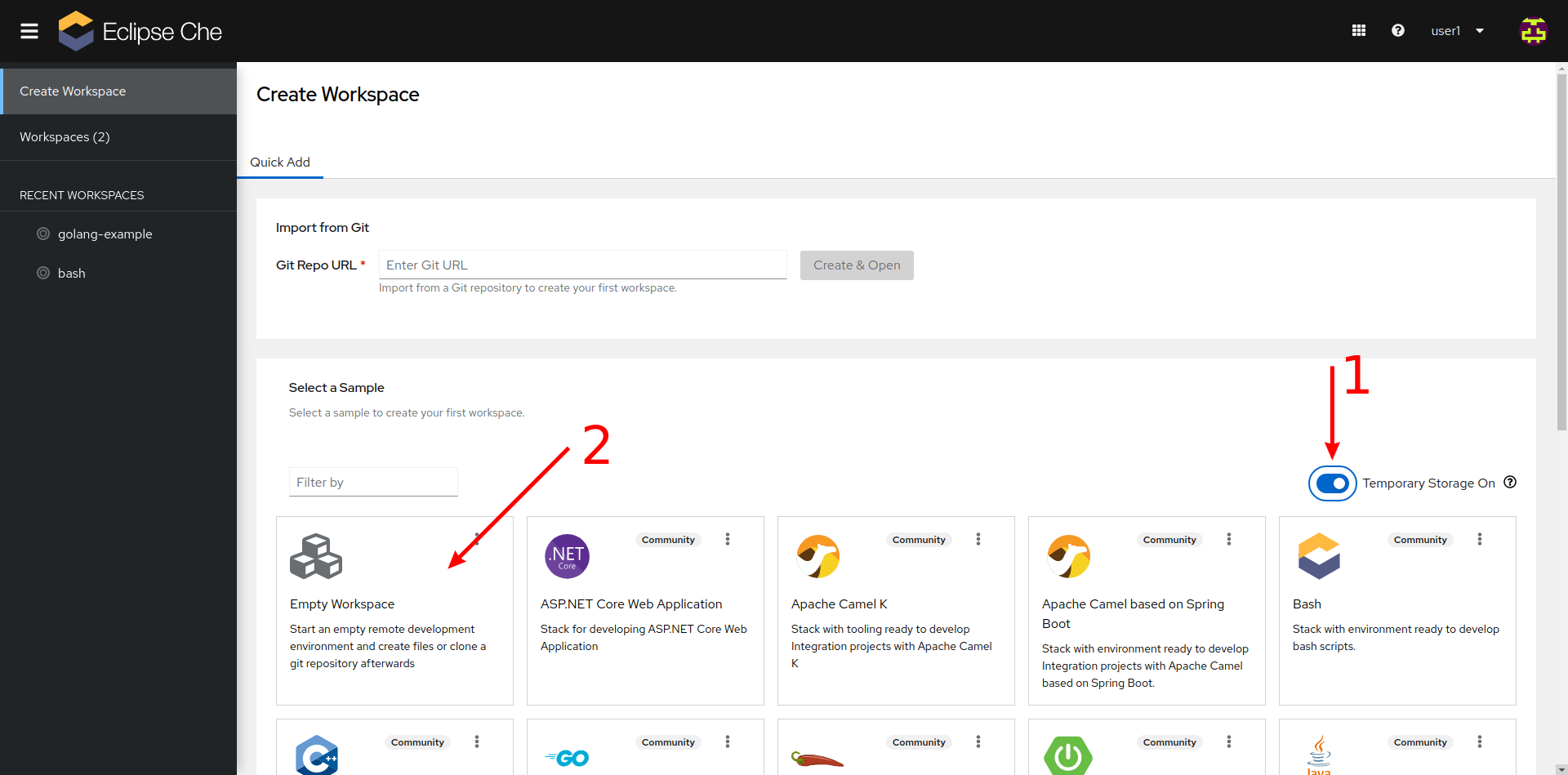
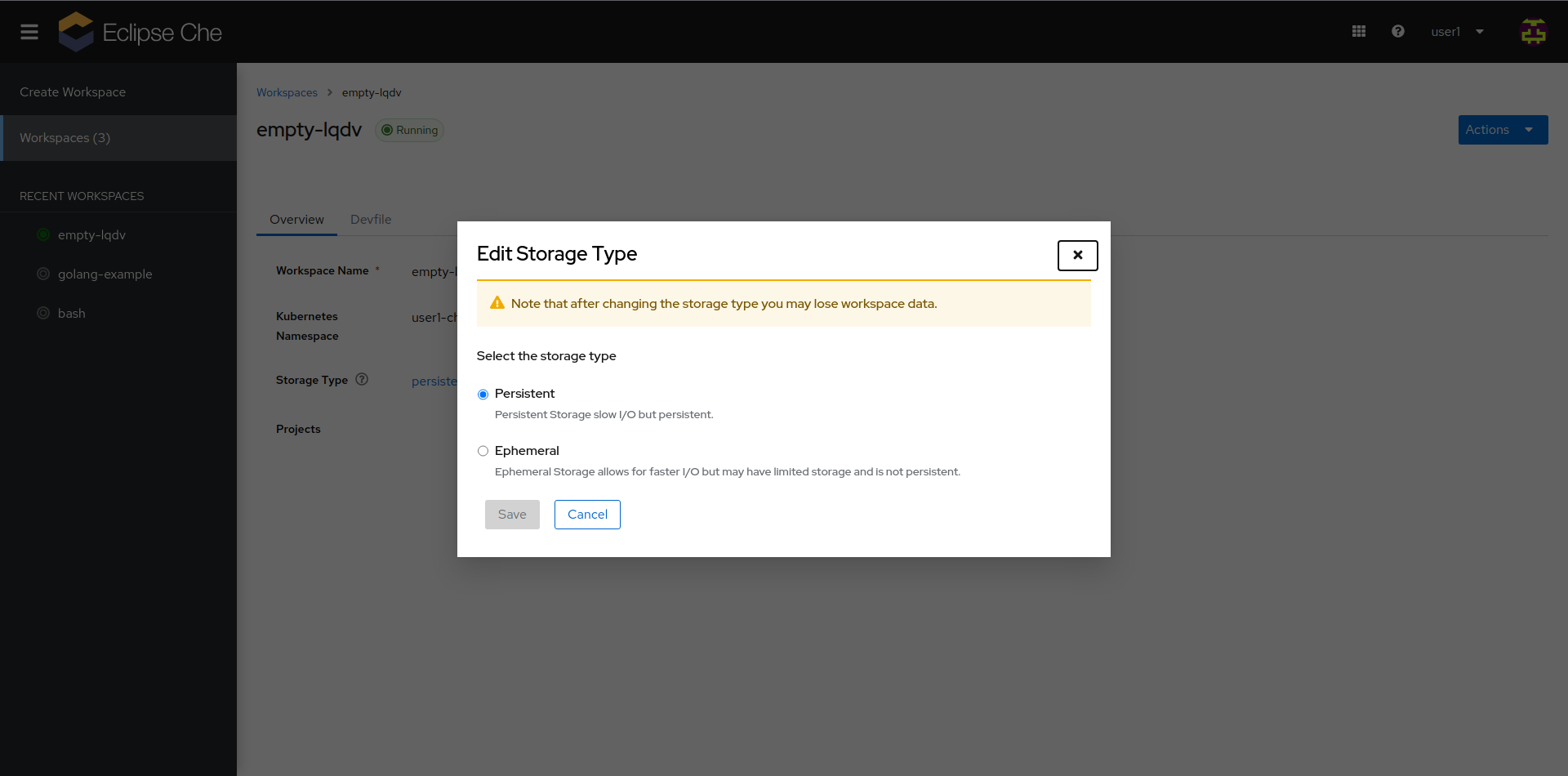
It's not possible to start a workspace that uses ephemeral storage by using either the "Temporary storage" toggle when creating the workspace, or by setting the "Storage type" in the overview page. The value gets overwritten on the next workspace start using whatever is set in .spec.devEnvironments.storage.pvcStrategy, which has the default value of per-user -- i.e. it cannot be unset.
Che version
next (development version)
Steps to reproduce
From "Create Workspace" page:
- Set the "Temporary Storage" toggle to on
- Click a tile to start a workspace
- Navigate to "Workspaces" -> name of created workspace
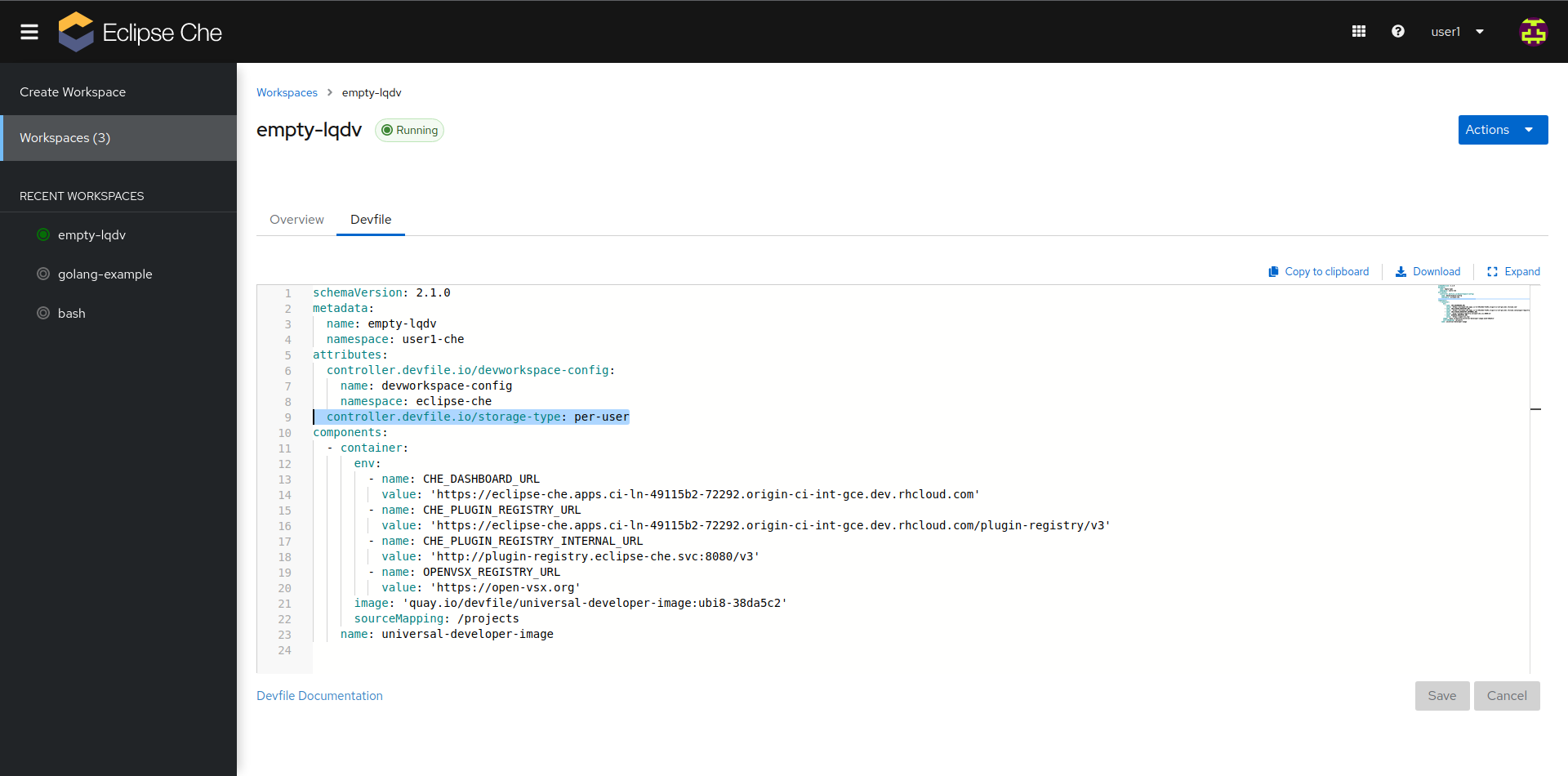
- Note that storage type is "persistent", and devfile
.attributes.controller.devfile.io/storage-typeisper-user
Expected behavior
Setting a workspace to use temporary storage should use the ephemeral storage-type.
Runtime
OpenShift
Screenshots
Installation method
chectl/next
Environment
Linux
Eclipse Che Logs
No response
Additional context
Underlying cause: https://github.com/eclipse/che/issues/21714
